9 best rank tracking tools for agencies, with dashboards and report templates
The 9 best rank trackers for agencies, with each tool's dashboard and the exact steps to turn its rankings into a client report that refreshes every morning.

The best rank tracker for most agencies is AccuRanker if you track thousands of keywords and need daily checks, SE Ranking if you want rankings and site audits in one subscription, and Nightwatch if your team is large and you don't want to pay per seat. This guide shows each tool's dashboard, what it's good and bad at, and exactly how to turn its rankings into a client report that refreshes every morning.
By the end you'll have picked a tracker and connected it to a Data Studio report your clients can open. For six of the nine tools, there's a free report template that does the layout for you.
| Tool | Best for | How it's priced | Client report template |
|---|---|---|---|
| AccuRanker | Thousands of keywords checked daily | Subscription by number of keywords | Yes |
| SE Ranking | Rankings and site audits in one tool | Subscription; 14-day free trial | Yes |
| Nightwatch | Large teams that shouldn't pay per seat | Subscription by keywords tracked; 14-day free trial | Yes |
| PageOptimized | Rankings next to Search Console and audits | Free plan, then subscription or credits | Yes |
| Mangools (SERPWatcher) | Small sites and beginners | Subscription | Yes |
| DataForSEO | Building your own tracker, paying per check | Pay as you go; $50 minimum top-up | Yes |
| Semrush | Teams already paying for Semrush | Subscription | No (domain data only) |
| Google Search Console | A free check on what searchers actually saw | Free | Yes (keyword CTR) |
| Ahrefs | Teams already working in Ahrefs | Subscription | Not in Datapipe yet |
What you'll need before you start
You need three things to follow the setup steps in this guide.
A rank tracker account with API access. Every tracker below hands rankings to other tools through its API, and some plans leave the API out. Nightwatch needs a plan with API access, and Semrush needs a plan with API units, such as SEO Business. Check this before you buy.
A Datapipe account. The Free plan includes 3 data sources, which covers one client's rank tracker plus their Search Console property.
A Google account to save your copy of the report in Data Studio, and access to the client's Search Console property if you want measured clicks beside the rankings.
How we compared them
We judged each tool on four things that decide whether an agency can live with it: how often it checks rankings, how finely it splits results by location and device, what it costs as your client list grows, and how cleanly its data gets into a client report.
That last one matters more than most reviews admit. A tracker with great charts that you have to screenshot every Monday costs you an afternoon a week. Every tool here has an API, and for each one we show the exact setup that pulls its rankings into a report automatically.
1. AccuRanker
The pick for agencies tracking thousands of keywords every day.
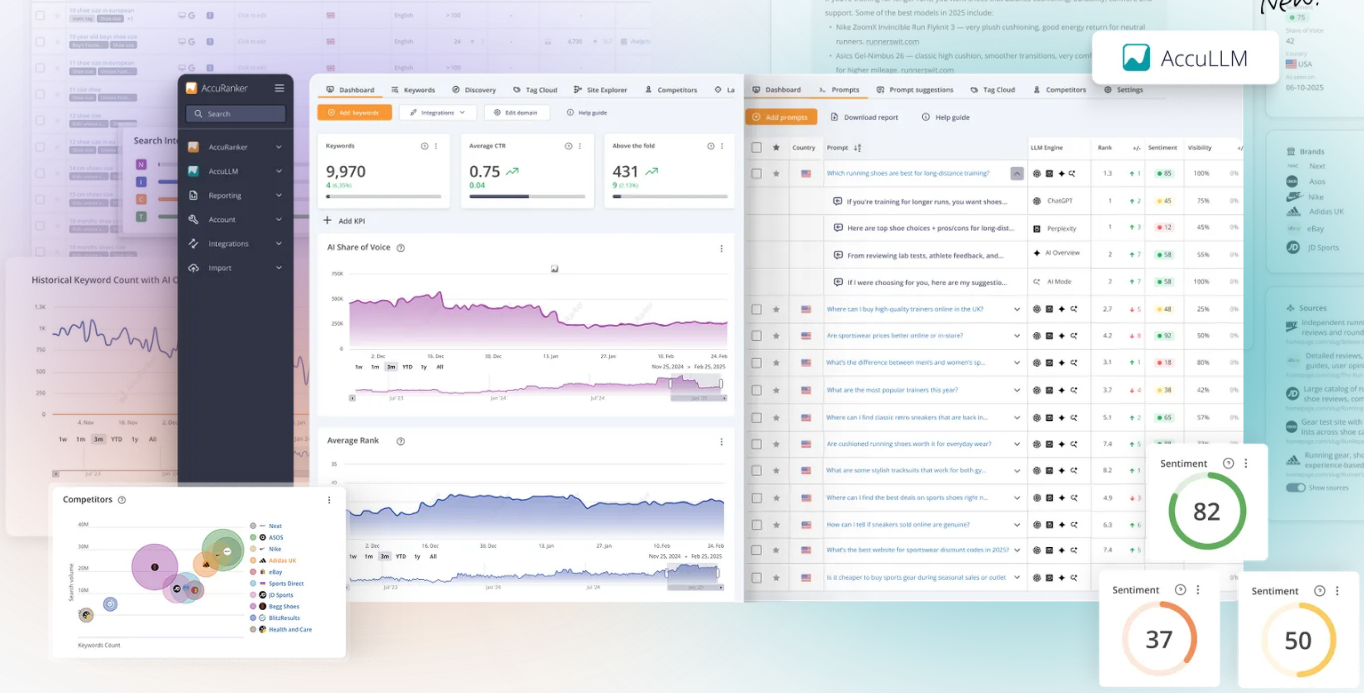
AccuRanker does one job: fast, daily keyword checks at volume. Plans scale by keyword count, so it fits agencies whose cost grows with keywords rather than with people.
Where it's strong. Share of voice and estimated visits sit next to every keyword and every domain. That lets you tell a client which ranking changes actually move traffic, instead of reporting a list of ups and downs. AccuRanker also lets you tag keywords, and Datapipe can add keywords and tags for you when your team allows it.
Where it falls short. It's a rank tracker and little else. You'll need another tool for audits and backlinks. Share of voice and estimated visits are AccuRanker's estimates, not measured visits.
Set up the client report.
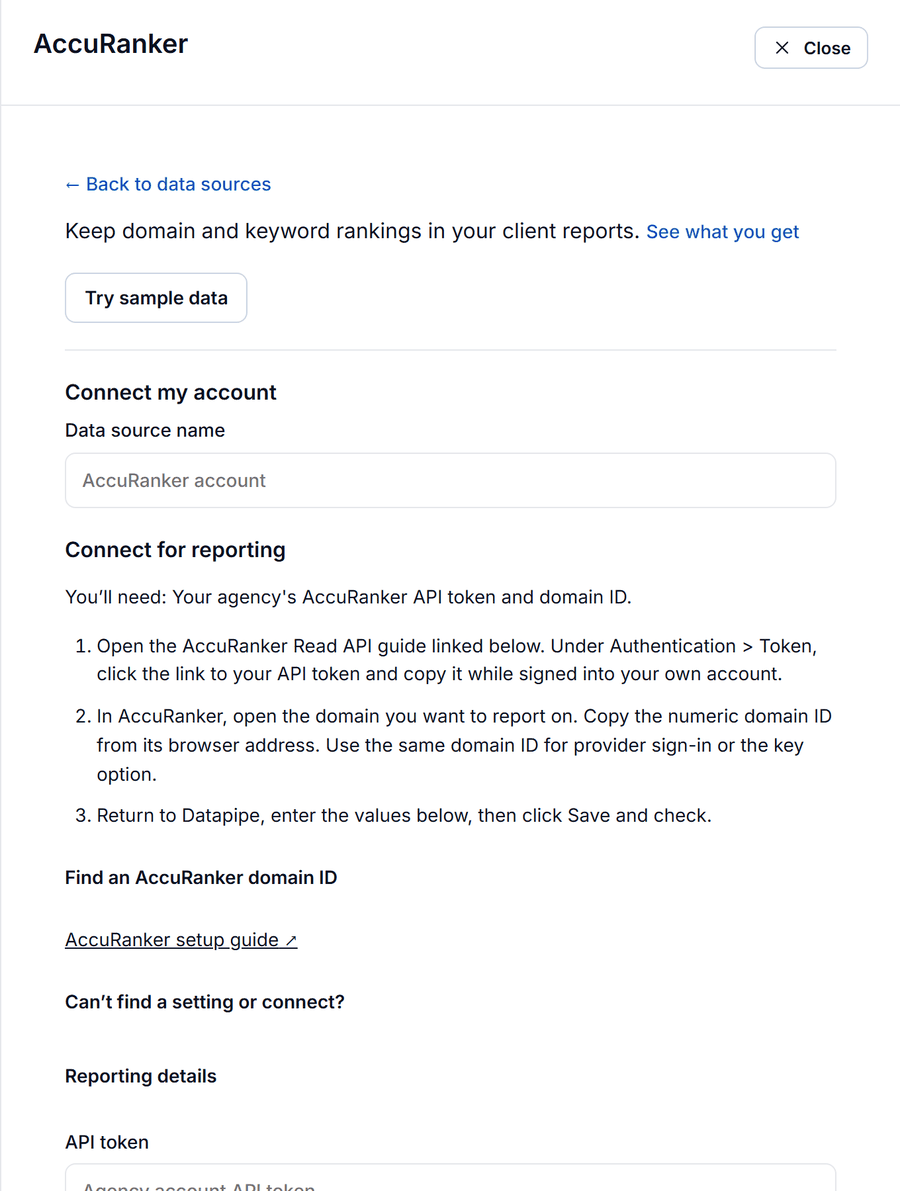
- In AccuRanker, open the Read API guide. Under Authentication, then Token, click the link to your API token and copy it.
- Open the client's domain in AccuRanker and copy the numeric domain ID from the browser address.
- In Datapipe, open Data sources, choose Add data source, pick the AccuRanker data source and paste the token and the domain ID.
- Add the client's Search Console property to the same project, so measured clicks sit beside the tracked positions.
- Open Reports, choose the AccuRanker rank tracking dashboard and save your Data Studio copy.
- In Schedule & send, set the refresh to run before your client looks.
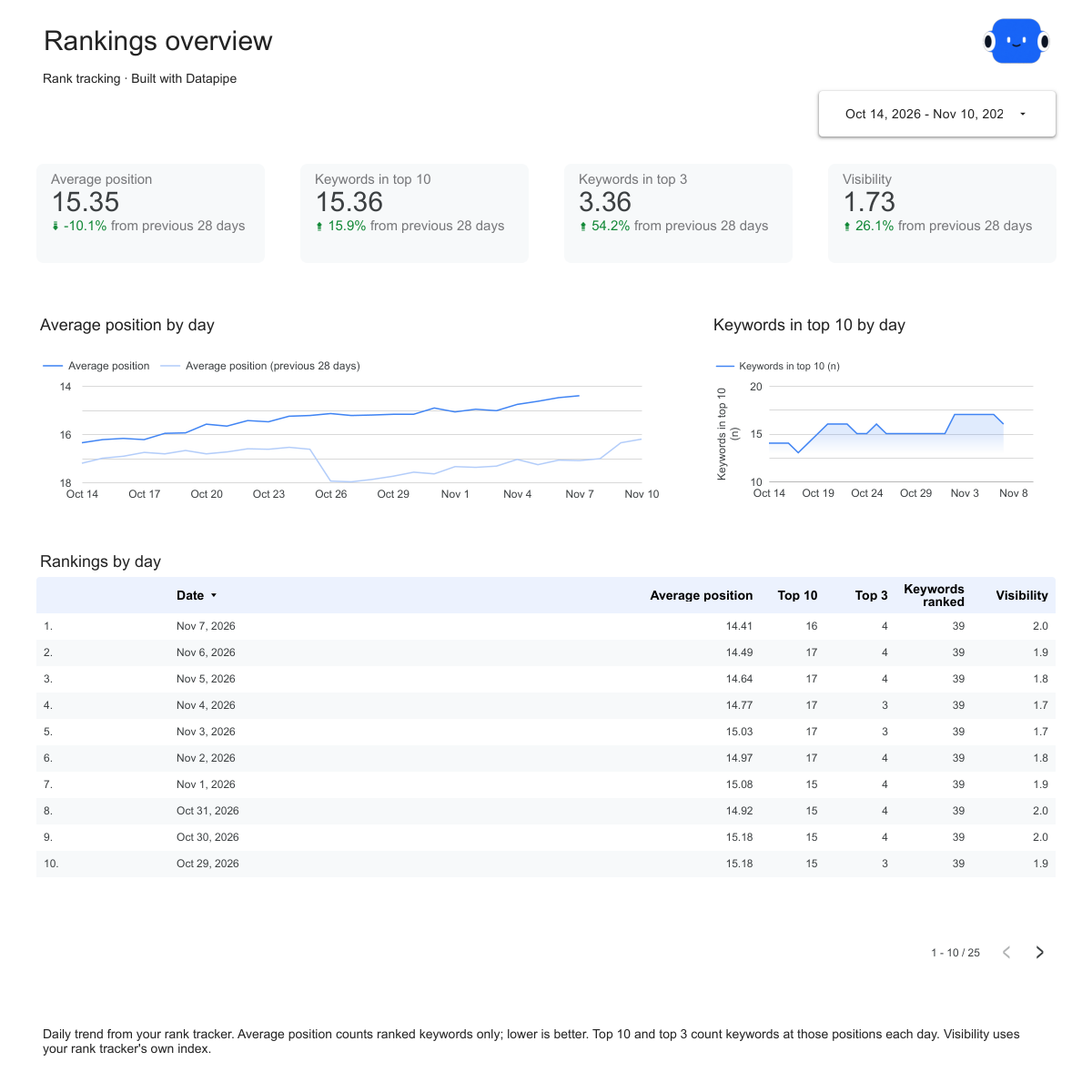
The AccuRanker rank tracking report template opens on the Overview page above. It answers the client's first question, "are we going up?", with average position, keywords in the top 10 and top 3 and visibility, each against the previous 28 days. The Keywords page lists every keyword with its position, previous check, change, best position and monthly searches. The Movers page shows the biggest gains and drops since the last check, which is the page to read first on a Monday.
2. SE Ranking
The best value if you want rankings and site audits in one subscription.
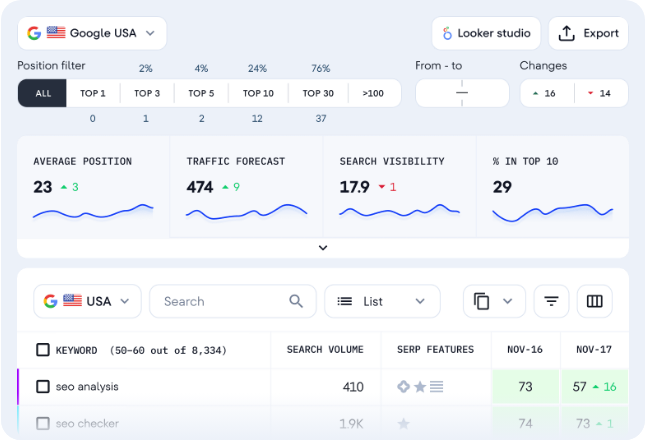
SE Ranking checks rankings daily on every plan and adds website audits, competitor research and local tracking in the same account. If you'd rather give each client one SEO tool than three, start here.
Where it's strong. Each ranking keeps its search engine, check date, Maps position and paid position, so a local client's map pack and ads sit next to their organic rankings. Datapipe also reads SE Ranking's existing website audits, so the same project can report health score, errors and warnings.
Where it falls short. Visibility and traffic forecasts are SE Ranking's estimates, and how much history you can read depends on your SE Ranking plan. Datapipe reads audits that have already run; it doesn't start a crawl.
Set up the client report.
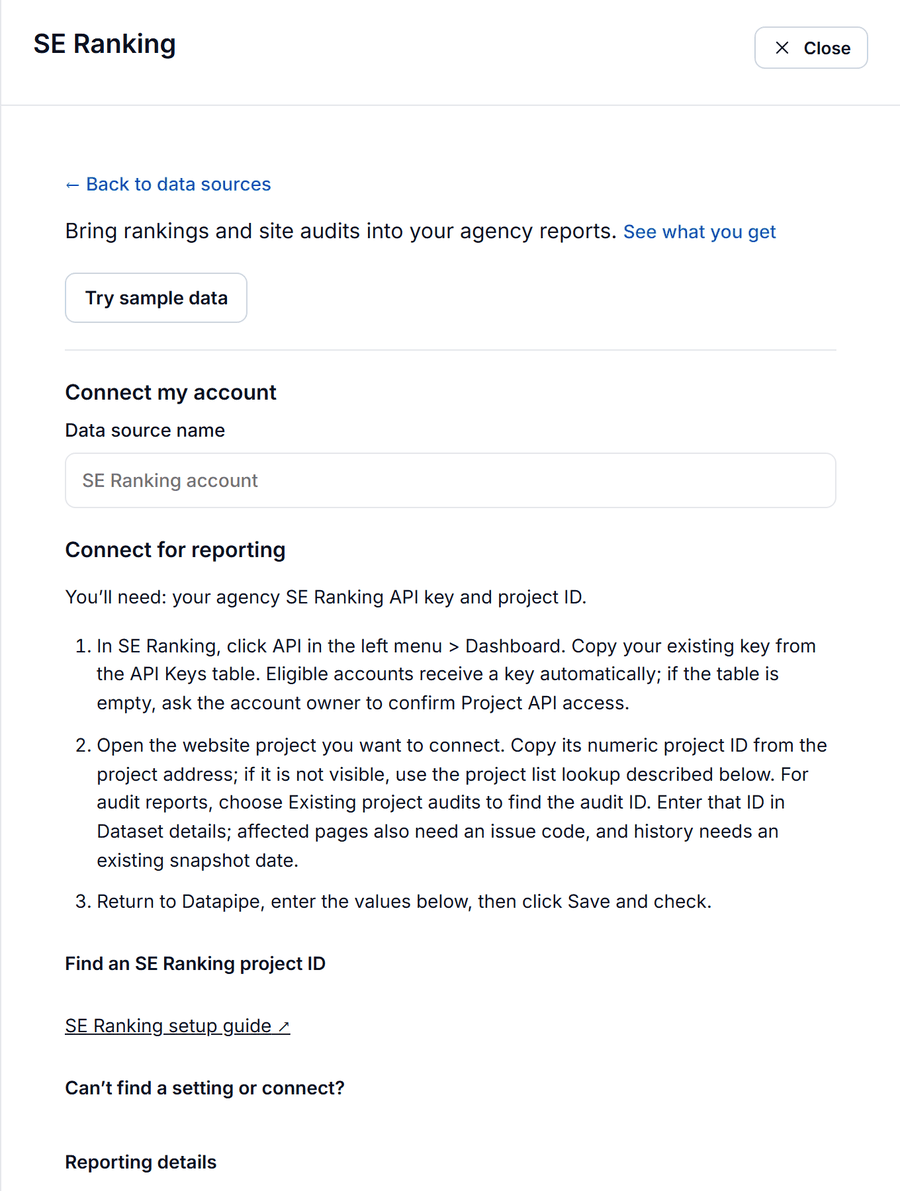
- In SE Ranking, open API, then Dashboard, then API Keys, and copy the full key for your own agency account.
- Open the client's website project and copy its numeric project ID from the address bar.
- In Datapipe, add the SE Ranking data source and paste the key and the project ID.
- Open Reports, choose the SE Ranking rank tracking dashboard and save your Data Studio copy. Set the refresh in Schedule & send.
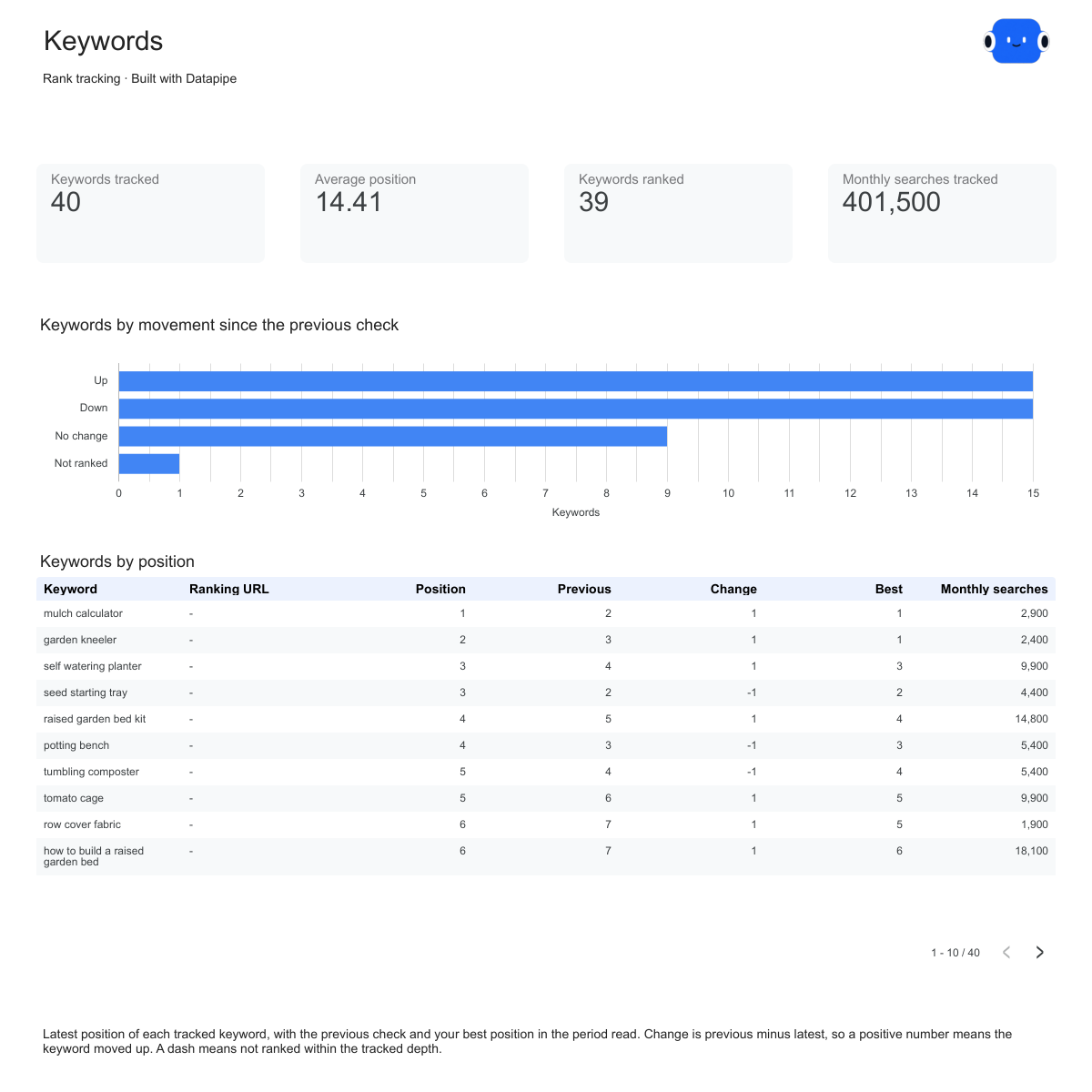
The Keywords page of the SE Ranking rank tracking report template, shown above, is where most client questions get answered: one row per keyword with its latest position, the previous check, the change, its best position and its monthly searches.
3. Nightwatch
The pick for agencies that hate paying per seat.
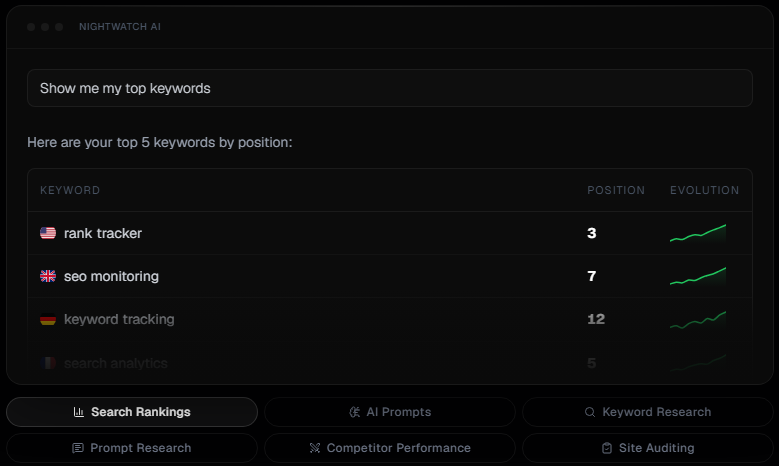
Nightwatch prices by keywords tracked, not by team size, and checks rankings daily in any location or language. Your whole team can log in without raising the bill.
Where it's strong. Each tracked URL gets search visibility and click potential, and every keyword carries its ranking URL, search engine, device, country and local search volume. That makes it a good fit for clients with several locations or a big mobile audience.
Where it falls short. Search visibility and click potential are Nightwatch's estimates. Datapipe reads Nightwatch without making changes, and keyword rows show the latest daily check rather than a full history, so use the daily URL trend when you need the line over time.
Set up the client report.
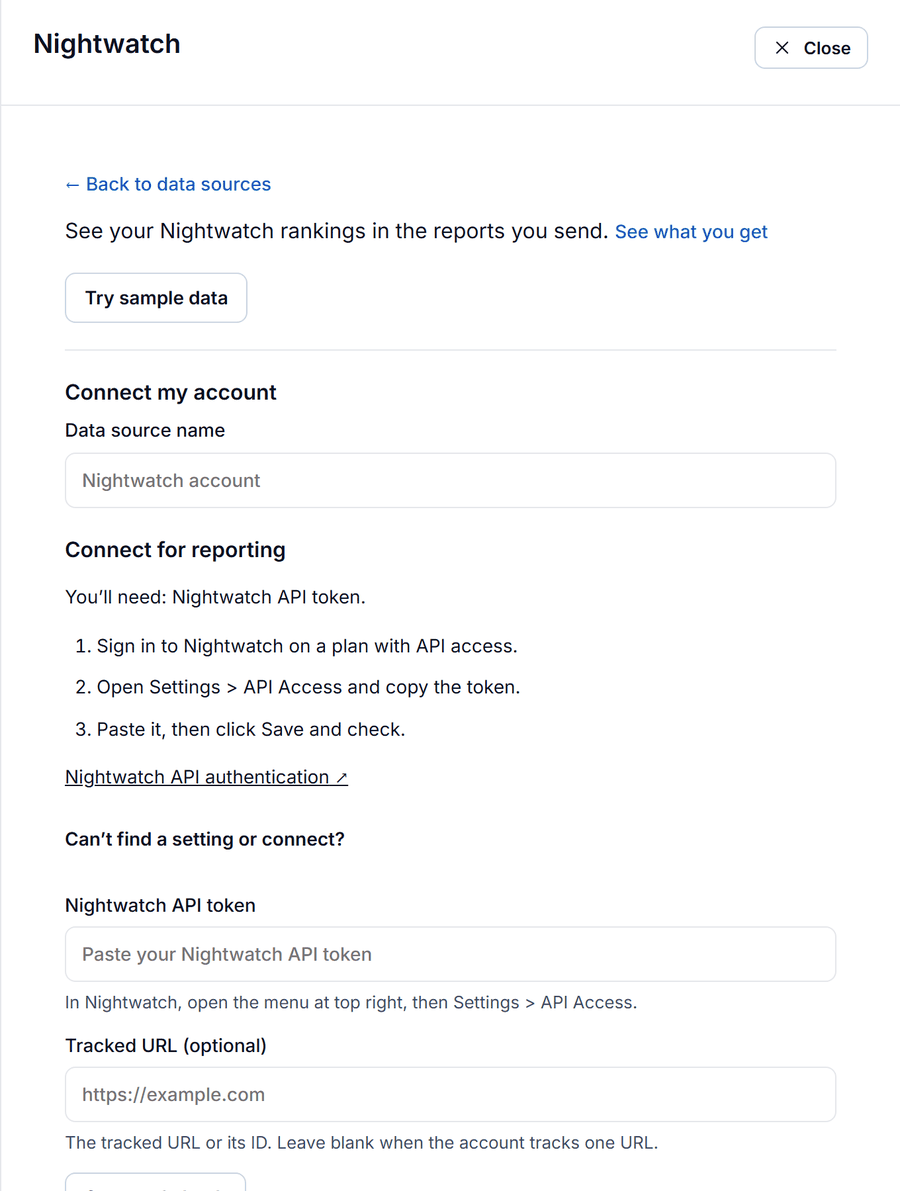
- In Nightwatch, open the menu at the top right, then Settings, then API Access, and copy your API token.
- In Datapipe, add the Nightwatch data source, paste the token and choose the tracked URL if the account tracks more than one.
- Open Reports, choose the Nightwatch rank tracking dashboard and save your Data Studio copy. Set the refresh in Schedule & send.
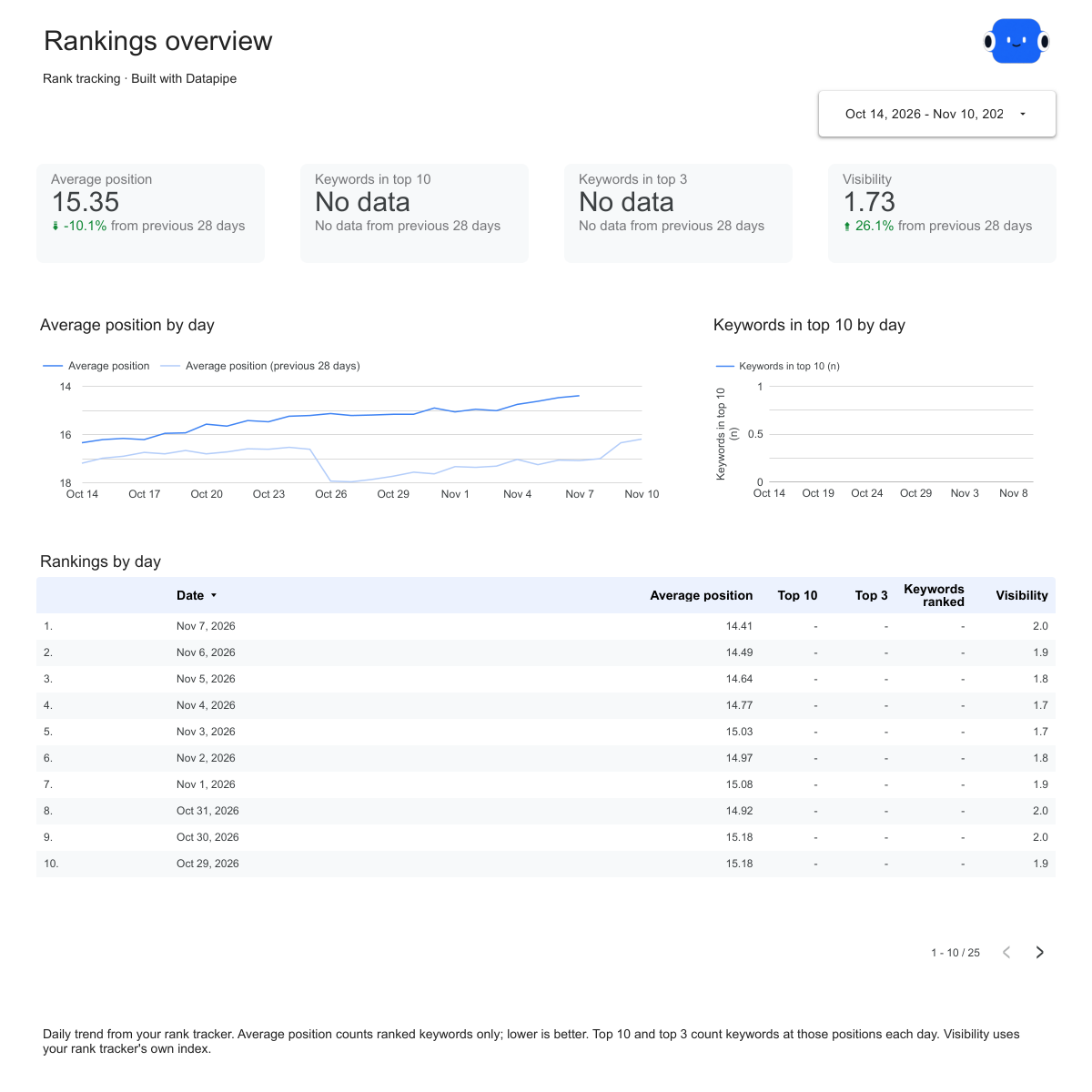
The Nightwatch rank tracking report template uses the same Overview, Keywords and Movers pages as the other rank tracking templates, so a client moving from another tracker sees a familiar report.
4. PageOptimized
The pick for agencies that want rankings, Search Console and audits side by side.
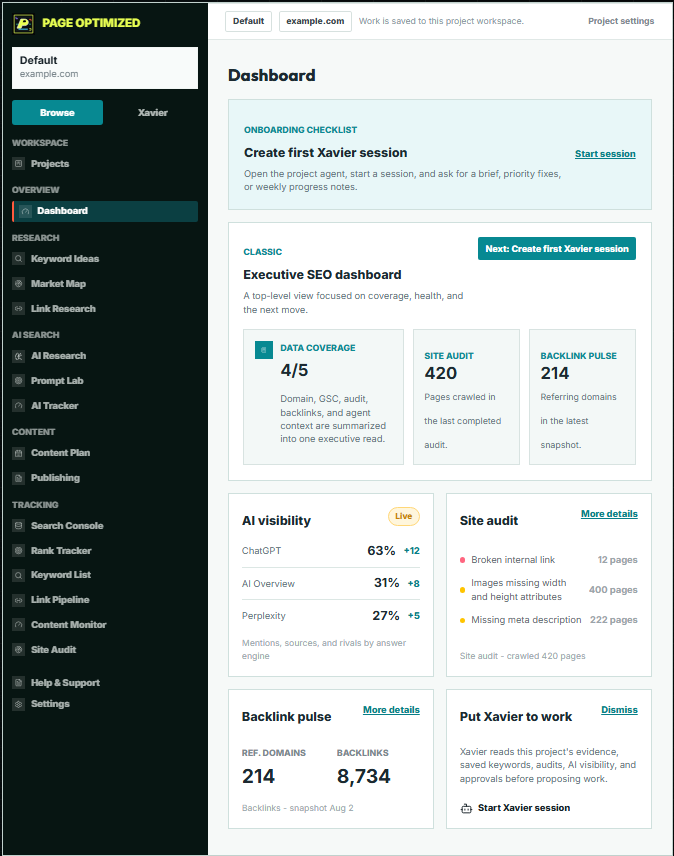
PageOptimized keeps rankings, site audits, Search Console results, competitor readings and AI answer tracking in one project. It has a free plan that connects Search Console and Analytics, with paid plans and pay-as-you-go credits above it.
Where it's strong. Ranking history by search engine and device sits next to Search Console clicks and impressions for the same page. You can see a tracked position and the real search traffic behind it without leaving the report.
Where it falls short. Reports read what PageOptimized has already stored. If the rank checks aren't scheduled in PageOptimized, the report has nothing new to show. Datapipe can start a rank check or a site audit for you, but both use PageOptimized credits, so set approvals for them.
Set up the client report.
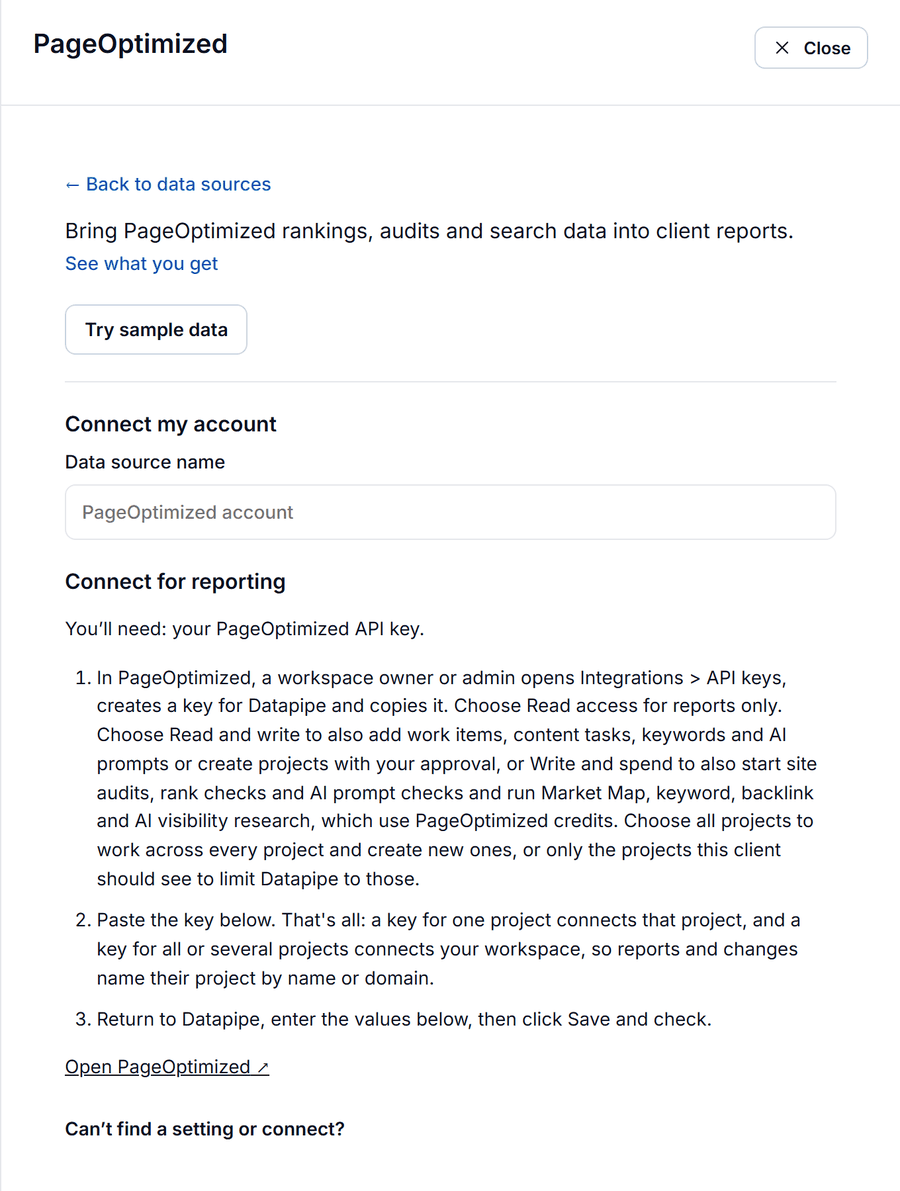
- In PageOptimized, a workspace owner or admin opens Integrations, then API keys, and creates a key. Read access is enough for reports. Copy the full key when it's shown: it starts with po_ and is 43 characters long.
- In Datapipe, add the PageOptimized data source and paste the key. A key for one project connects that project; a key for several connects the workspace.
- Open Reports, choose the PageOptimized rank tracking dashboard and save your Data Studio copy.
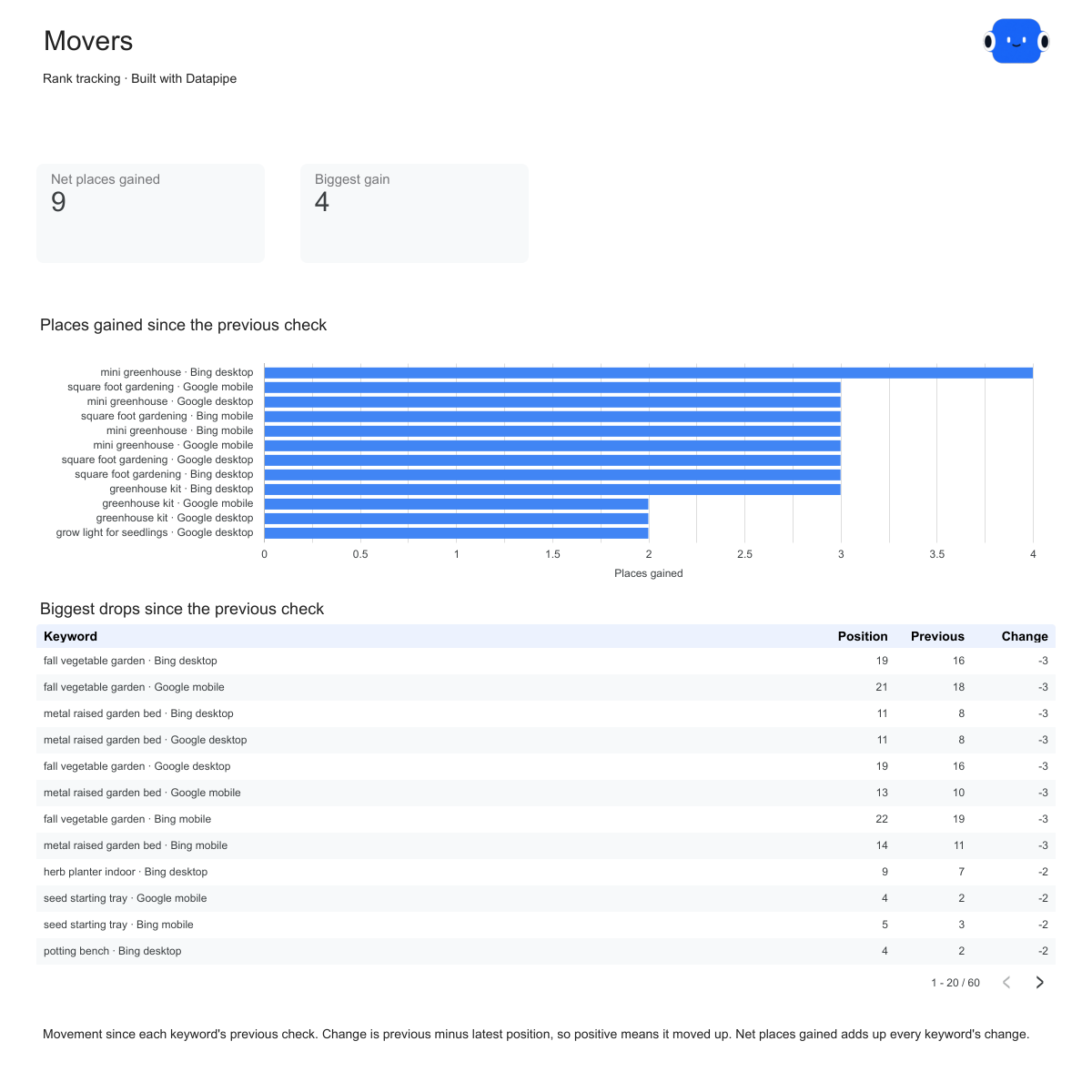
The Movers page of the PageOptimized rank tracking report template is shown above: the keywords that gained the most places and the biggest drops since the previous check.
5. Mangools (SERPWatcher)
The friendliest tracker for small sites and people new to SEO.
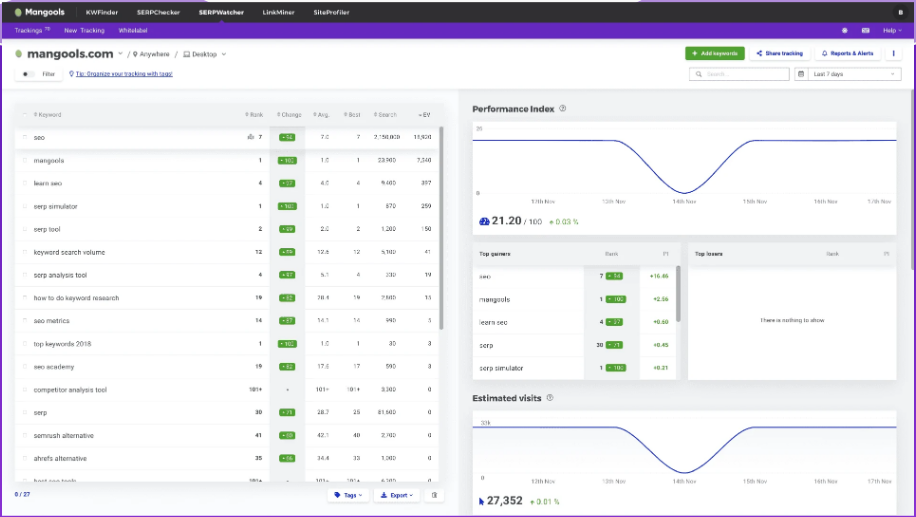
SERPWatcher is Mangools' rank tracker, sold with its keyword and backlink tools. It's quick to set up and easy to read for clients who aren't SEO specialists.
Where it's strong. City-level localization, a clear performance index and estimated visits, plus SiteProfiler's domain metrics such as Domain Authority and referring domains.
Where it falls short. SERPWatcher checks rankings weekly, or daily only on the Agency plan. If your client watches day-to-day swings, weekly checks will leave them asking questions you can't answer.
Set up the client report.
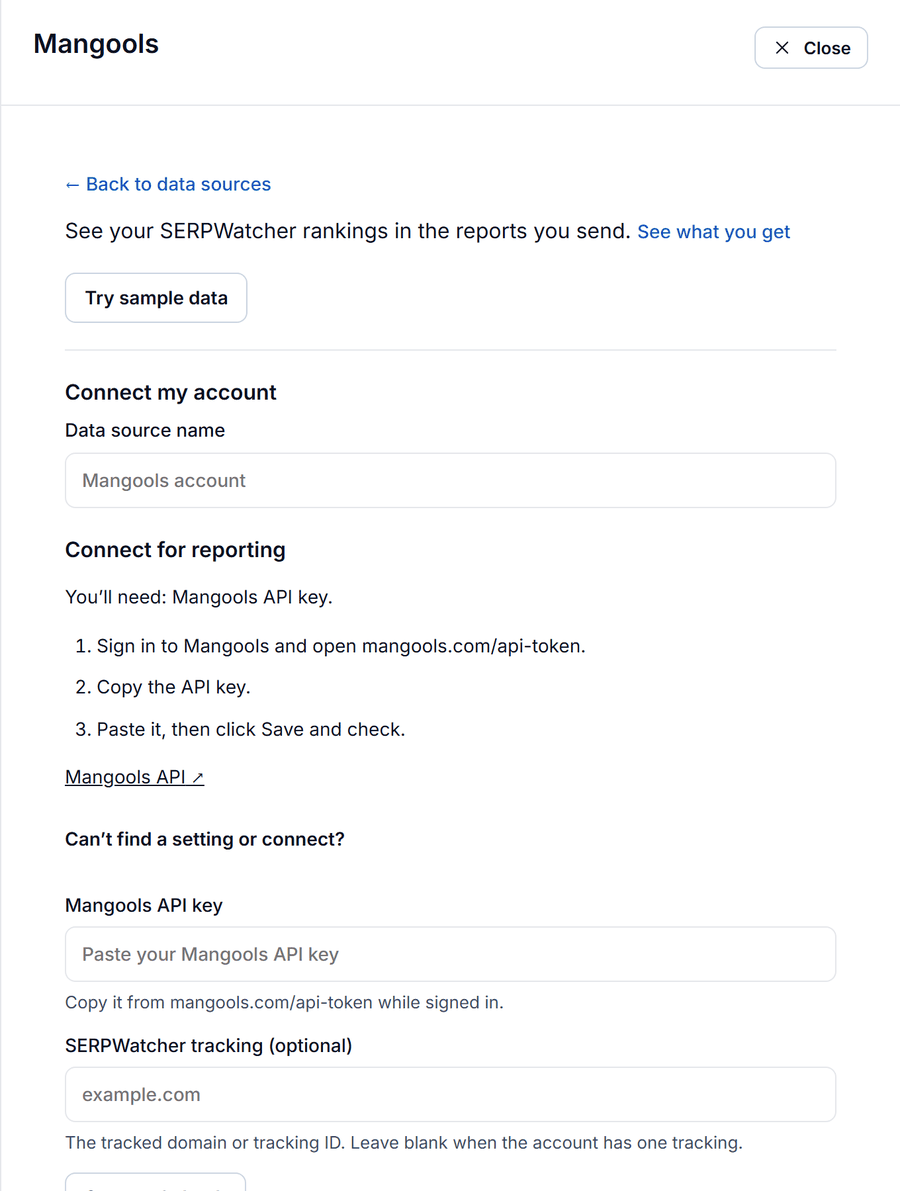
- While signed in to Mangools, open mangools.com/api-token and copy your API key.
- In Datapipe, add the Mangools data source, paste the key and choose the SERPWatcher tracking if the account has more than one.
- Open Reports, choose the Mangools rank tracking dashboard and save your Data Studio copy.
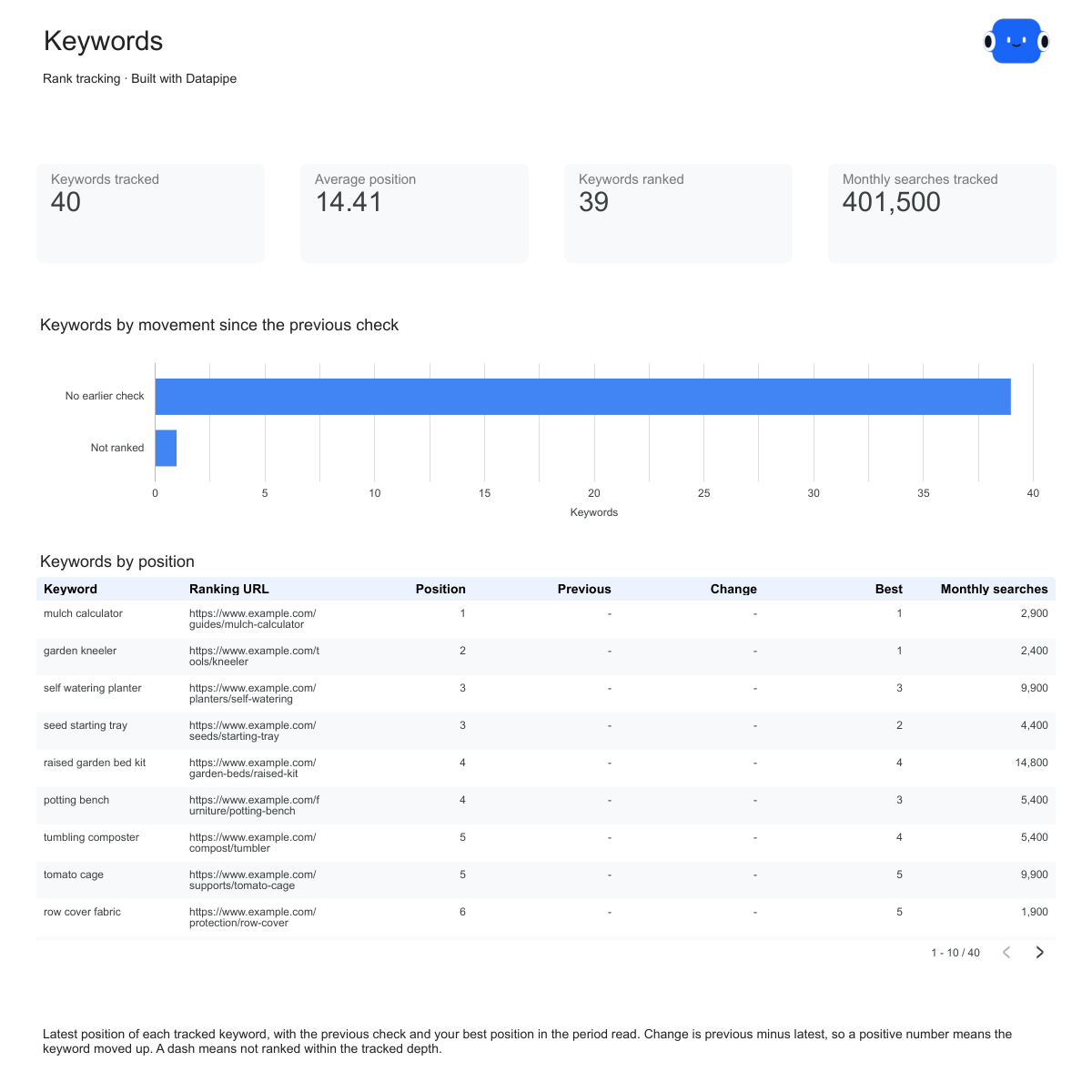
The Mangools rank tracking report template shows the Keywords page above. On a weekly plan, expect the daily charts to move in steps rather than a smooth line.
6. DataForSEO
The pick for agencies that want to build their own tracker and pay only for checks.
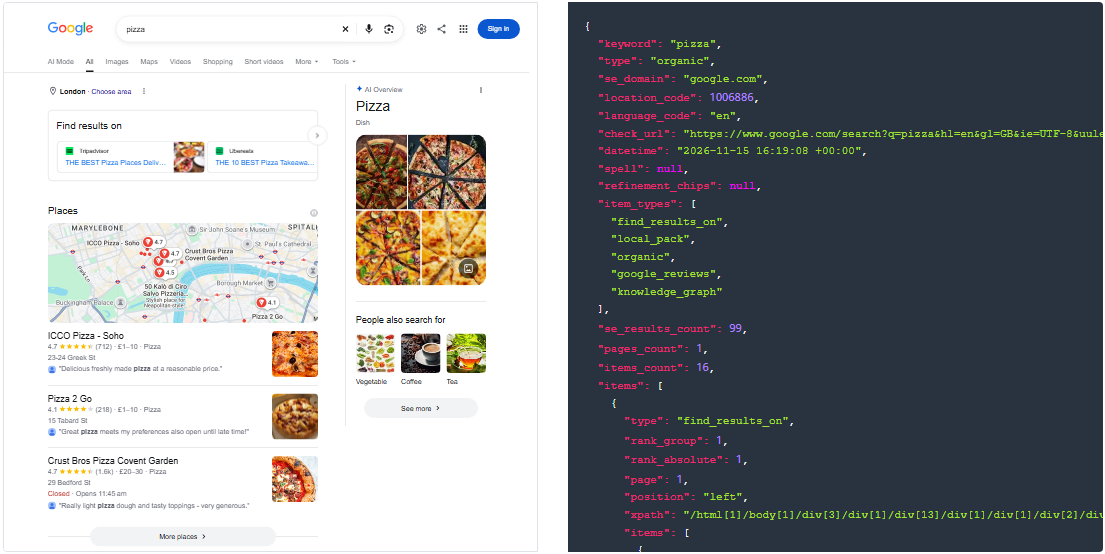
DataForSEO isn't a rank tracking app. It's an API that returns live Google results for any keyword, market, language and device, billed per request with no subscription and a $50 minimum top-up. You choose exactly which keywords to check and how often.
Where it's strong. Full control over the keyword list, markets and devices, and every result keeps its market, device and check time.
Where it falls short. There's no keyword dashboard of its own, so you need a reporting layer. DataForSEO bills every request to your account, and an unfinished or failed task returns an error instead of partial data.
Set up the client report.
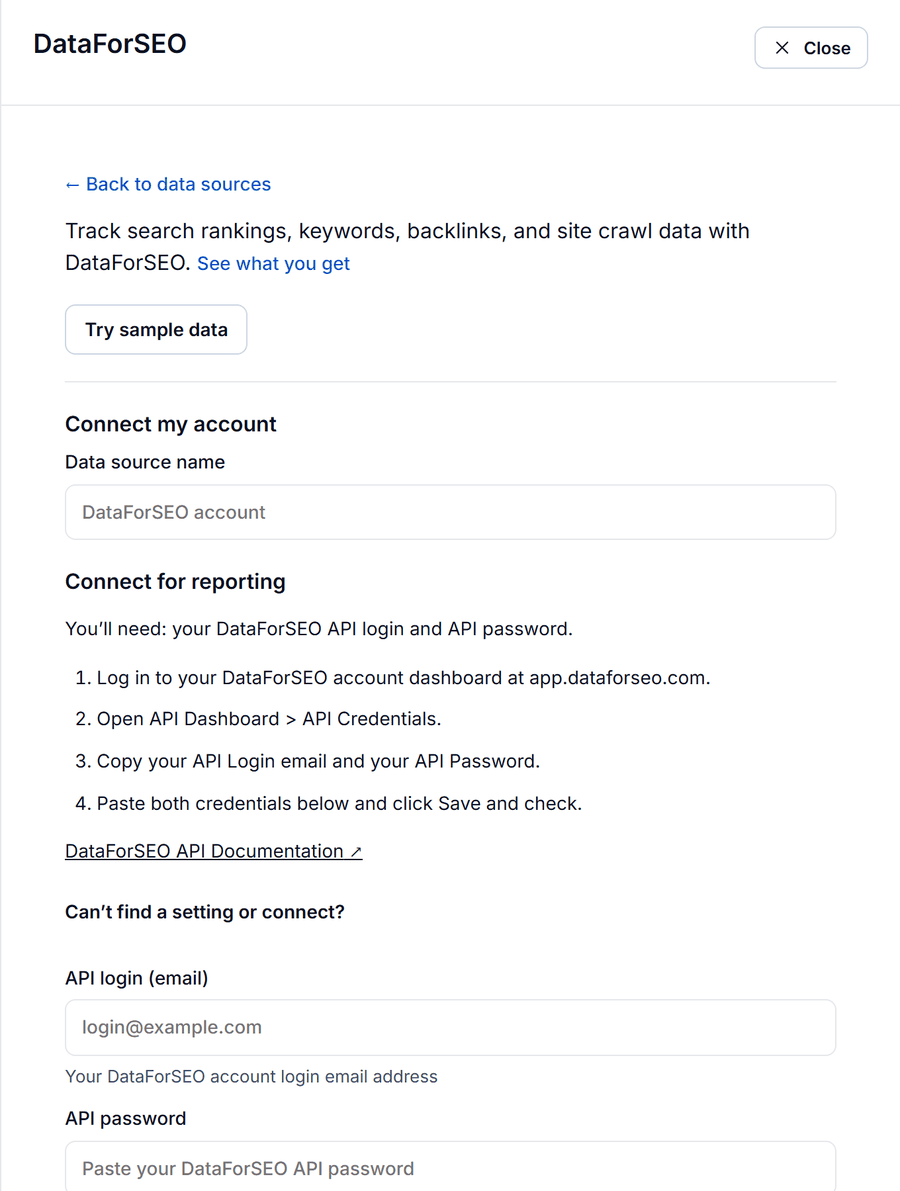
- In DataForSEO, open API Dashboard, then API Credentials, and copy your API password. Your API login is your account email.
- In Datapipe, add the DataForSEO data source and paste the login and password.
- Open Reports, choose the DataForSEO rank tracker dashboard and save your Data Studio copy.
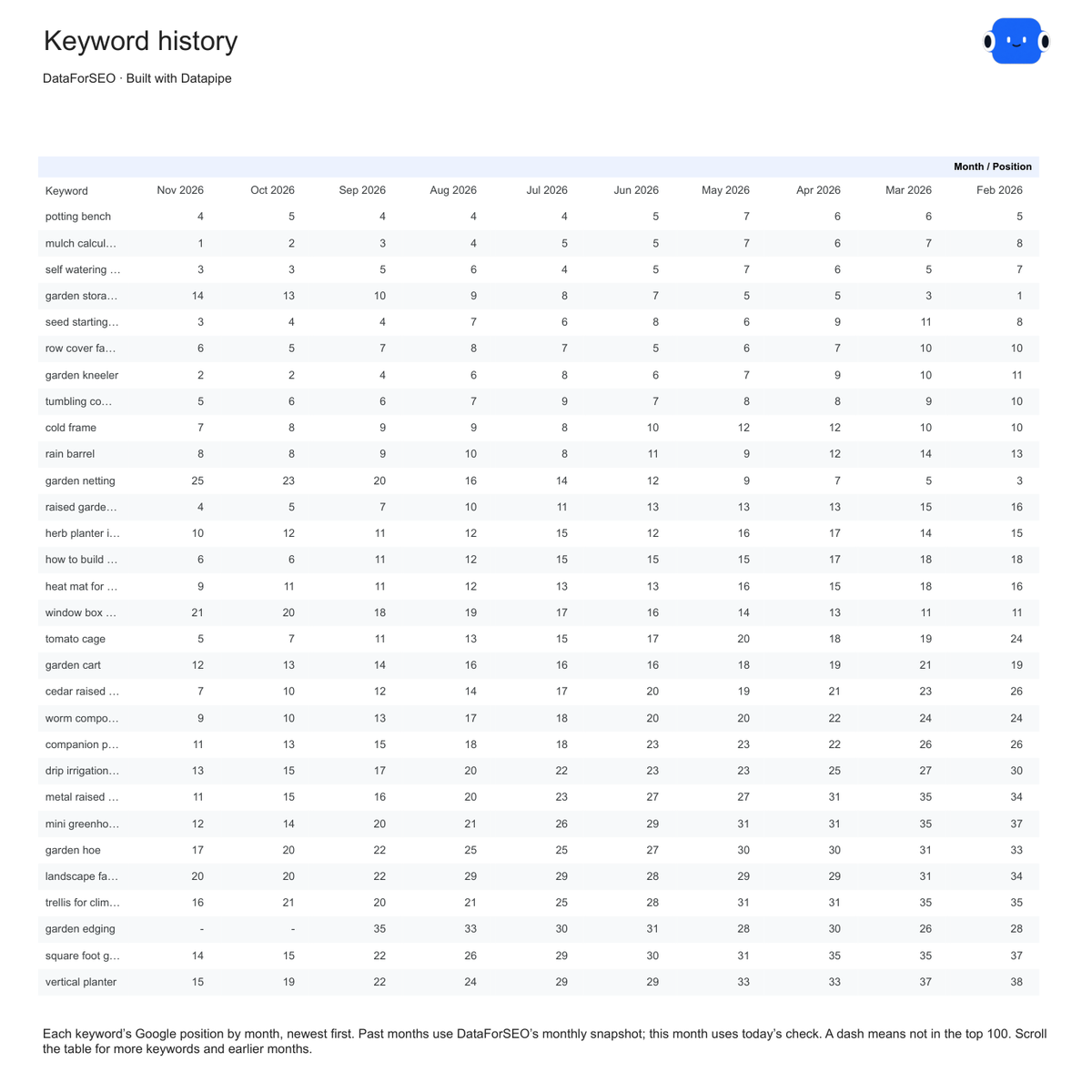
The DataForSEO rank tracker template adds a Keyword history page, shown above, with every tracked keyword's position in each month, newest first. To decide whether to refresh a page or write a new one, follow the use case on prioritizing content with SERP research, which combines live results with Search Console and your current page content.
7. Semrush
Useful for domain-level visibility if you already pay for it. Not a client keyword tracker in reports.
Semrush's Position Tracking is a capable tracker inside the Semrush suite, and plenty of agencies already have a subscription. The catch is what reaches other tools.
Where it's strong. Domain-level organic and paid traffic estimates and the domain's 100 highest-traffic organic keywords, with position, previous position and ranking URL.
Where it falls short. Position Tracking and Site Audit projects aren't part of the Semrush data source in Datapipe, and every read uses API units from your Semrush account. You'll get the keywords Semrush finds for the domain, not the curated list you set up for a client.
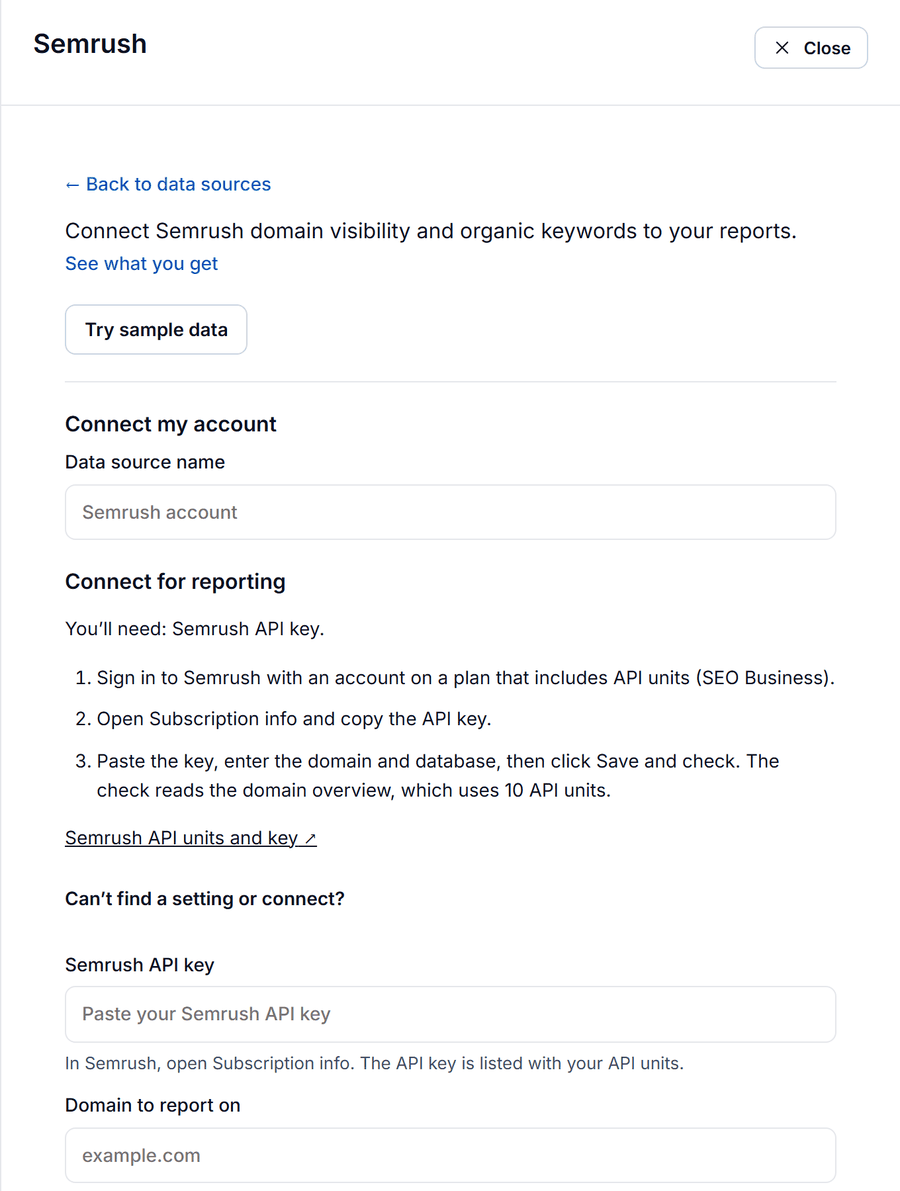
How to use it. In Semrush, open Subscription info and copy the API key listed with your API units. Use Semrush in Datapipe for domain visibility and backlinks, and keep the client's keyword tracking in one of the dedicated trackers above.
8. Google Search Console
Free, and the only source here that measures real searches.
Search Console isn't a rank tracker. It reports the average position your pages actually held across every real impression, weighted by impressions, for every query Google showed you for. That makes it the best free check on whatever your paid tracker says.
Where it's strong. Clicks, impressions and CTR next to position, which no rank tracker can measure.
Where it falls short. Average position blends every location, device and day, so it won't match a tracker's single daily check. Google hides rare queries for privacy.
Set up the report. Add the Google Search Console data source in Datapipe, sign in with Google and select the property, then copy the keyword CTR report template.
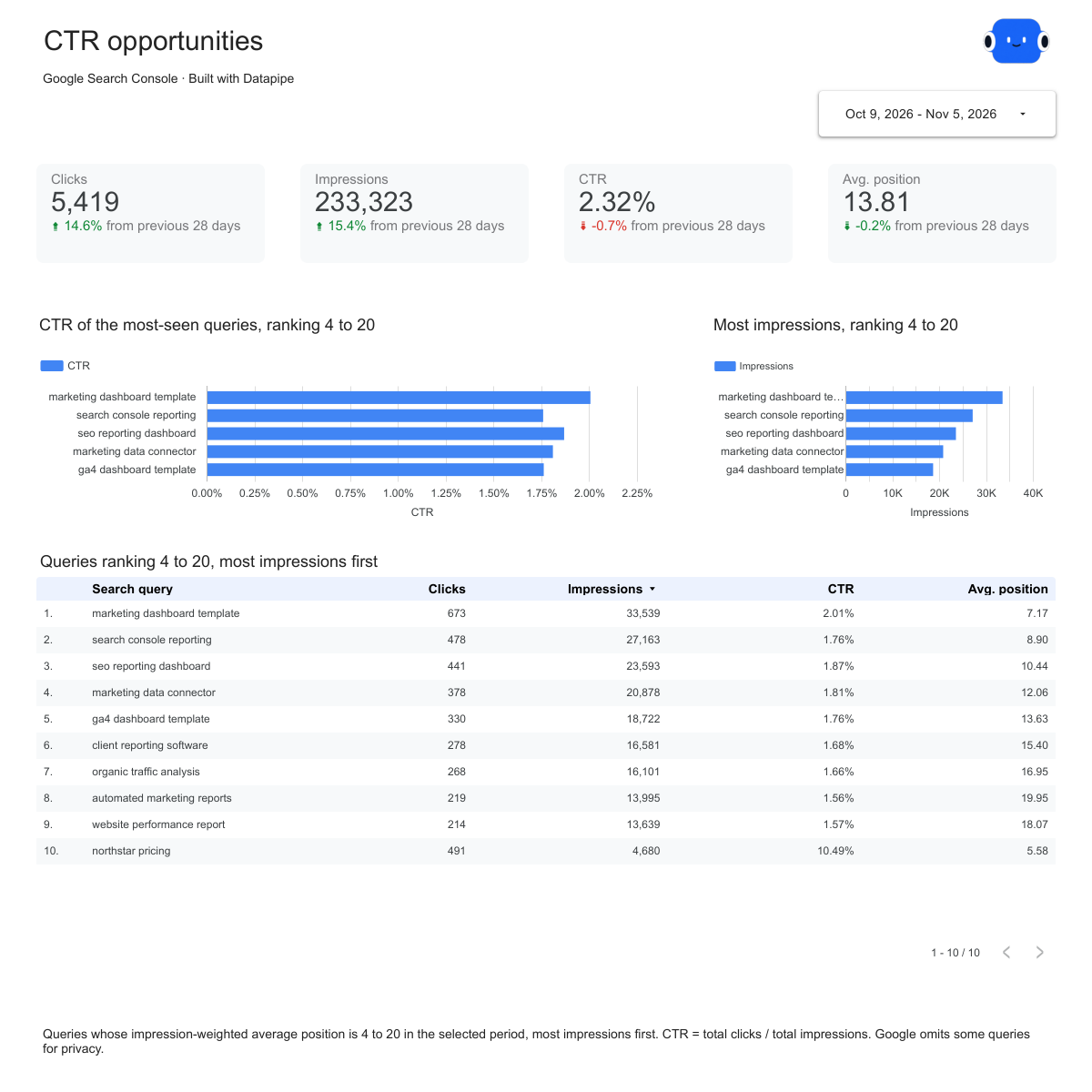
The CTR opportunities page above lists queries ranking 4 to 20, most impressions first, with their CTR. Those are the queries where a small ranking gain brings the most extra clicks, and they make a better weekly to-do list than any list of rank changes.
9. Ahrefs
A strong choice if your team already lives in Ahrefs.
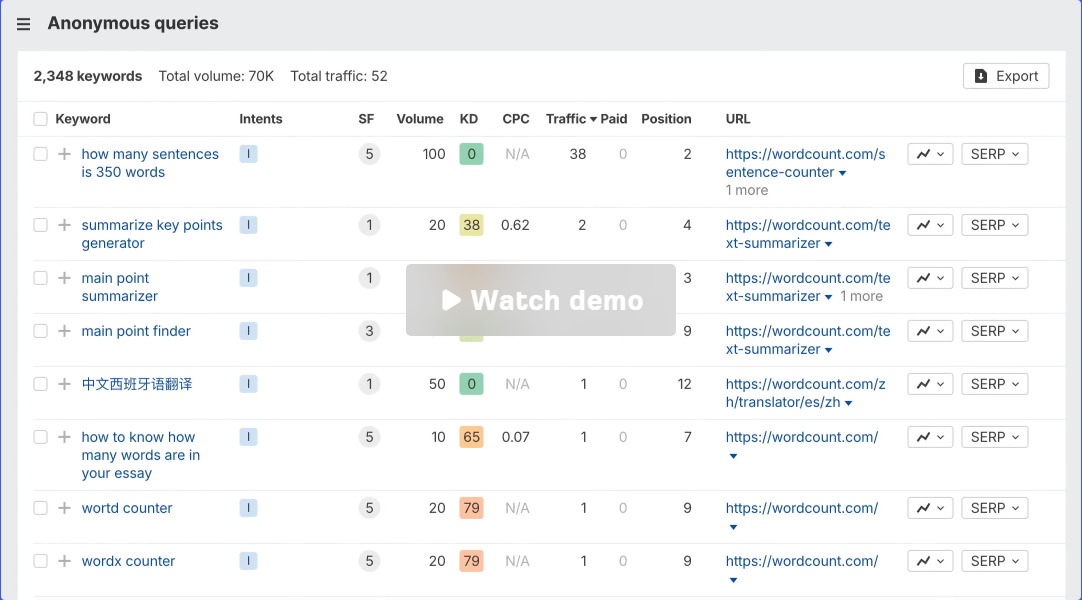
Ahrefs includes rank tracking alongside its backlink and keyword tools. If you already pay for Ahrefs, keeping rankings in the same place is convenient.
Where it falls short. Datapipe doesn't read Ahrefs yet, so its rankings can't feed a Datapipe report. If automated client reporting matters more to you than having fewer tools, one of the trackers above will save more time each week.
How to read a rank report with your client
A rank report should answer three questions in this order: are we going up overall, which keywords moved, and did it bring more traffic. Every rank tracking template in Datapipe follows that order: Overview, Keywords, Movers.
For example, say a client's Overview shows average position improving from 16 to 14 while keywords in the top 10 fell by two. Don't celebrate yet. Average position only counts keywords that ranked, so a keyword that dropped out of the results entirely can make the average look better. Open Movers, find the drops, and check those pages in Search Console for lost clicks. That's the conversation worth having on the call.
If you report on several trackers, the rank tracking report template uses the same four pages for SE Ranking, AccuRanker, Nightwatch, Mangools and PageOptimized. Switch a client's tracker and the report they open doesn't change.
Why your tracker and Search Console show different positions
A rank tracker and Search Console both say "position", but they measure different things.
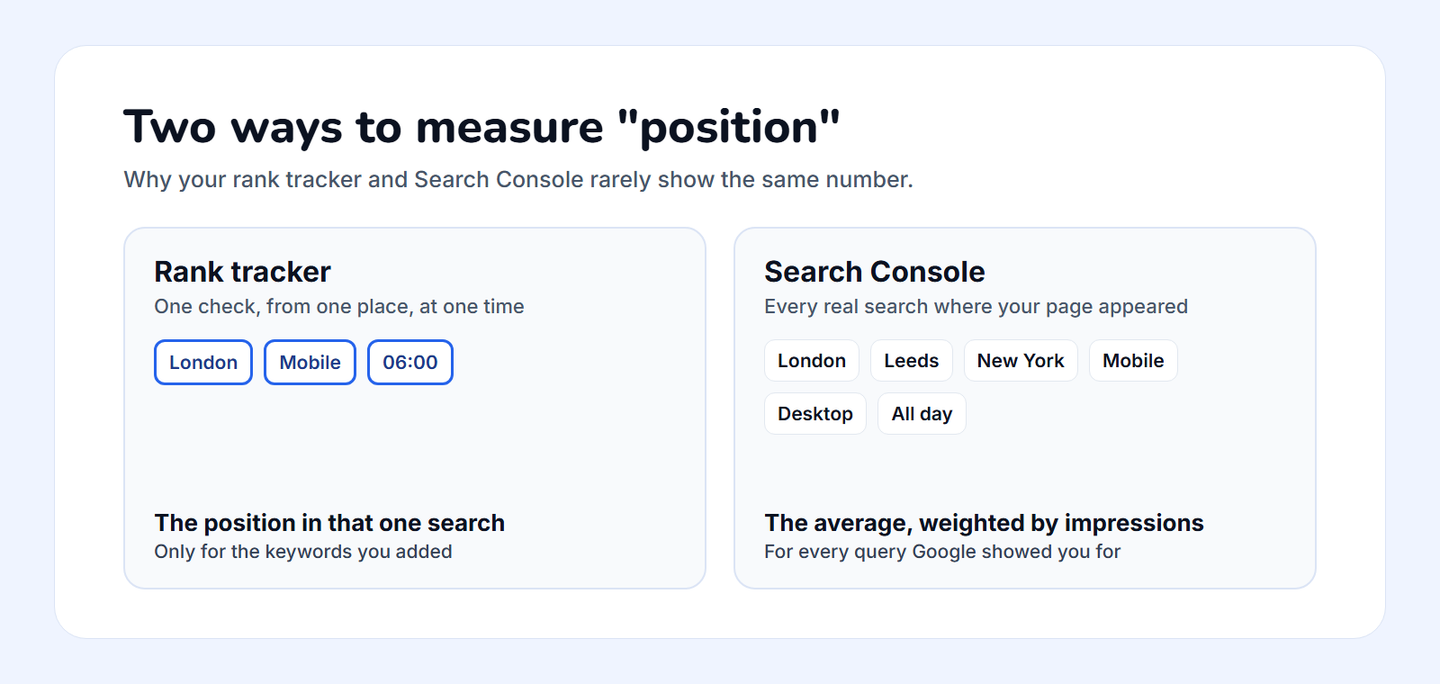
| Rank tracker | Search Console | |
|---|---|---|
| What it checks | One search, from a chosen location and device, at check time | Every real search where your page appeared |
| Position means | Where the page ranked in that one check | The average across all impressions, weighted by impressions |
| Covers | Only the keywords you added | Every query Google showed you for, minus hidden rare queries |
| Best for | Daily movement on keywords you chose | What searchers actually saw, and the clicks that followed |
A tracker showing position 3 while Search Console averages 7 usually means the page ranks well in the tracked location and worse elsewhere. Report both, labelled.
Ask Claude or ChatGPT about your rankings
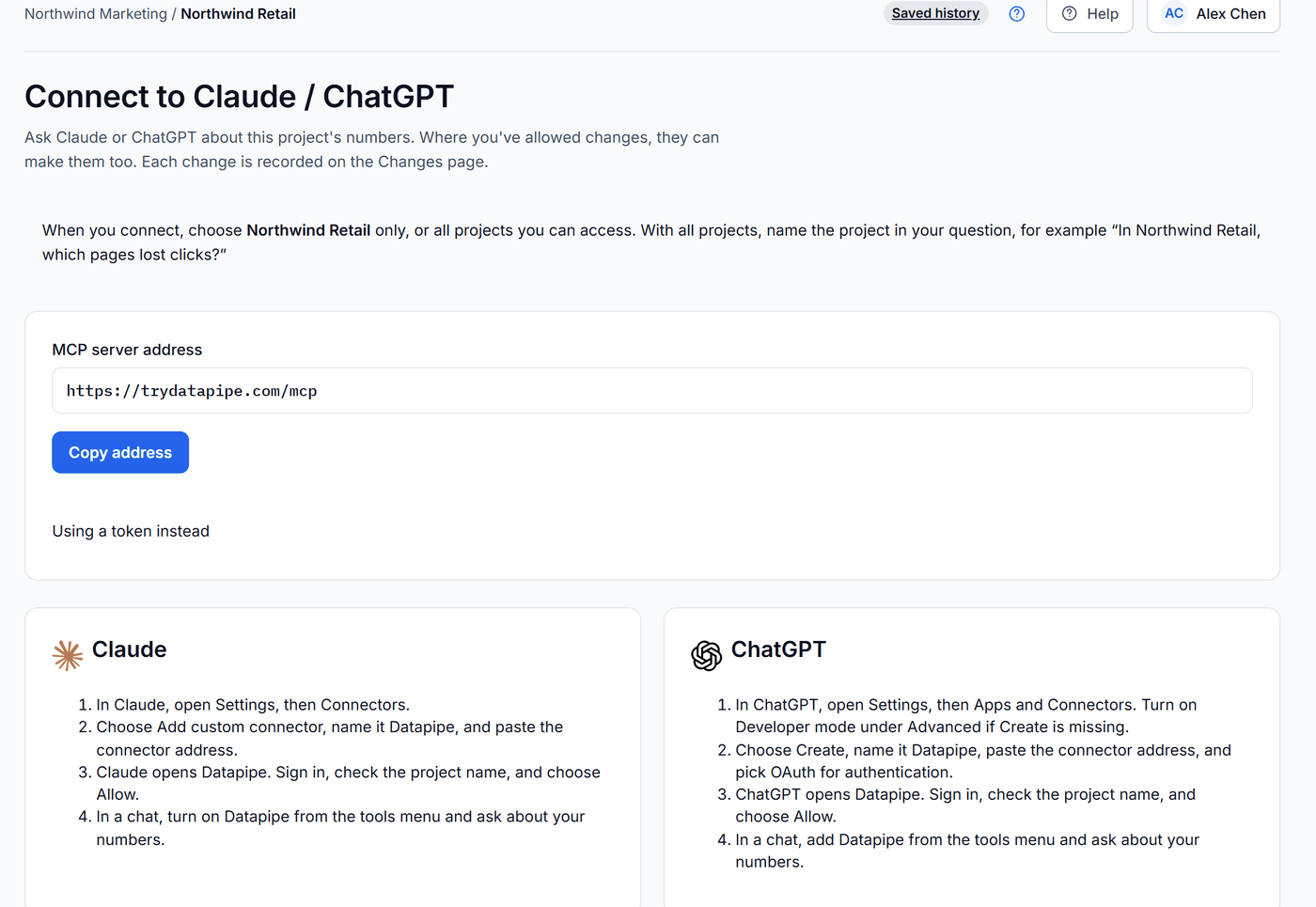
Once the tracker sits in a Datapipe project, you can question it in Claude or ChatGPT instead of scrolling the report. Open Settings in Datapipe, then Claude / ChatGPT, and copy the address. Add it as a connector named Datapipe in your assistant, sign in, check the project name and choose Allow. The assistant reads only that project.
Find this week's movers.
In [project name], read keyword rankings from the connected rank tracker for the last 14 days. List keywords that entered or left the top 10 between the first and last check, with the ranking URL. Then read Search Console clicks by page for the same dates and add the clicks for each URL. If the tracker only keeps the latest check, say so instead of guessing.
Draft the client note.
In [project name], write a five-line ranking update for the client: keywords up, keywords down, new top 3 positions and the pages behind them. Use only the connected rank tracker and Search Console data, and say which dates each number covers.
Read the draft before it goes out. Check any keyword it calls a drop against the report: a blank position means the tracker didn't find the page in the results it checked, which isn't the same as falling.
Troubleshooting your rank report
These are the problems agencies hit most often once the report is running, and how to fix each one.
Some keywords show a blank position. The tracker didn't find the page in the results it checked. Datapipe keeps those rankings empty rather than turning them into zero, so they don't drag your average. Check whether the page still exists and whether the keyword still targets it.
Average position improved, but traffic fell. Average position only counts ranked keywords. Look at keywords in the top 10 and at the Movers page: a keyword that fell out of the results can flatter the average.
The AccuRanker report stops partway through a long date range. AccuRanker reports cover up to 100 days at a time. Split longer ranges into separate periods.
Mangools charts move in weekly steps. SERPWatcher checks weekly unless you're on the Agency plan. Either upgrade or report weekly instead of daily.
Nightwatch keywords show no history. Keyword rows show the latest daily check. Use the daily URL trend for the line over time.
PageOptimized shows nothing new. Reports read the checks PageOptimized has stored. Schedule rank checks in PageOptimized, or start one from Datapipe, which uses credits.
DataForSEO returns an error. An unfinished or failed task returns an error instead of partial data. Wait for the task to finish and refresh; each request is billed to your DataForSEO account.
Semrush keywords don't match your client's keyword list. Position Tracking isn't included, so Datapipe reads the domain's top 100 keywords by traffic. Track the client list in a dedicated tracker.
Is any of this really that simple?
Picking a tracker takes an hour. Getting clients to trust the numbers takes longer, and that's where most agencies go wrong.
Here's the opinion worth holding: stop leading client reports with average position. It's the number that looks most authoritative and means the least, because it changes when keywords enter or leave the results, not only when rankings move. Lead with keywords in the top 10 and the Movers page, and put Search Console clicks beside them. A client who sees, for example, "these five keywords moved onto page one and brought 300 more clicks" understands their SEO. A client who sees "average position 14.2" just waits for it to go down.
Set the refresh to run daily on Free and Starter, hourly on Pro, or every 15 minutes on up to 50 data sources on Agency, as listed on the Datapipe pricing page, so the report is current before anyone asks.
Frequently asked questions
What is the best rank tracker for agencies?
For most agencies tracking thousands of keywords every day, AccuRanker. If you want rankings and site audits in one subscription, SE Ranking. If your team is large and you don't want to pay per seat, Nightwatch.
Pick by your biggest constraint: keyword volume, the number of tools you want to pay for, or team size.
How often should I check keyword rankings?
Daily for clients who watch their rankings closely or whose campaigns change quickly. Weekly is enough for small sites.
AccuRanker, SE Ranking and Nightwatch check daily. Mangools' SERPWatcher checks weekly unless you're on its Agency plan.
Why does my rank tracker show a different position from Search Console?
A rank tracker checks one search from one location and device at one moment. Search Console averages the position across every real impression your page got, weighted by impressions, across all locations and devices. A page can rank 3 in the tracked city and average 7 overall. Report both, labelled.
Can I show keyword rankings in Looker Studio (Data Studio) automatically?
Yes. Add your rank tracker as a data source in Datapipe with its API key or token, open Reports, choose the rank tracking dashboard for your tool and save your Data Studio copy. Report templates exist for AccuRanker, SE Ranking, Nightwatch, Mangools, PageOptimized and DataForSEO, and the report refreshes on your plan's schedule.
Is there a free rank tracker?
Google Search Console is free and shows the average position your pages held across real searches, though it isn't a rank tracker. PageOptimized has a free plan that connects Search Console and Analytics. SE Ranking and Nightwatch both offer 14-day free trials.
Do I need an API plan to report on rankings automatically?
Yes. Automated reports read your rankings through the tracker's API. Nightwatch needs a plan with API access, and Semrush needs a plan with API units, such as SEO Business. DataForSEO is an API by design and bills each request to your account.
Put your marketing numbers on autopilot
Datapipe connects your data sources and keeps your reports refreshed on a schedule.
Start free