How to combine Microsoft Ads and GA4 in one report
Which Microsoft Ads and GA4 numbers belong side by side, the UTM tags that make them line up, and how to build both reports so they refresh on their own.

Microsoft Ads counts clicks and conversions with its own UET tag and credits each conversion to the day of the click. GA4 counts sessions and key events with its own tag and credits them to a source and medium. Put Microsoft clicks next to GA4 sessions from bing / cpc, keep each tool's conversions in its own column, and never add them together.
This guide shows which Microsoft Ads and GA4 metrics belong side by side, the UTM tags that make the two line up, and how to build both reports in Data Studio so they refresh on their own. It ends with prompts for Claude or ChatGPT and fixes for the gaps people ask about most.
Which Microsoft Ads and GA4 metrics belong together?
Pair metrics that describe the same moment: the ad click in Microsoft, the session it started in GA4. Simple rule. Pairs that measure different events, on different dates, with different rules, belong in separate columns.
| Microsoft Ads | GA4 | What the pair tells you |
|---|---|---|
| Clicks | Sessions where source / medium is bing / cpc | How many ad clicks turned into a visit GA4 recorded |
| Spend | Sessions and engaged sessions from bing / cpc | What a visit, and a visit that stayed, costs |
| Spend | Key events from bing / cpc | Cost per GA4 key event, comparable with your other channels |
| Clicks by campaign | Sessions by session campaign | Which campaigns lose visitors between the click and the page |
| Conversions | Key events from bing / cpc | How far Microsoft's count and GA4's count drift apart, as a trend |
Which pairs mislead?
The tempting pairs mix two counting systems in one number, which is exactly why they look reasonable in a dashboard and fall apart the first time a client asks how you got them. Each has a cleaner replacement.
| Tempting pair | Why it misleads | Use instead |
|---|---|---|
| Microsoft conversions + GA4 key events | The same purchase can be counted by both tags | Show both columns, add neither |
| GA4 key events ÷ Microsoft clicks as a conversion rate | Different tags, different dates, different definitions | Session key event rate in GA4, conversion rate in Microsoft |
| Microsoft revenue next to GA4 revenue as "the gap" | Microsoft credits revenue to the click date and can include view-through | Each tool's revenue, each against its own previous period |
| Microsoft clicks vs all GA4 Paid Search sessions | Paid Search also holds Google Ads traffic | Filter GA4 to source / medium bing / cpc |
| Microsoft clicks vs GA4 users | Users count people, not visits | GA4 sessions |
How do you make Microsoft Ads and GA4 line up?
Tag every Microsoft ad click with UTMs, put both tools on the same time zone, and join on campaign name. Without UTMs, GA4 can't tell a Microsoft ad click from an organic Bing visit.
Turn on UTM auto-tagging, or add a final URL suffix
Microsoft Ads can add the UTMs for you. In Microsoft Ads, open Campaigns → Settings → Account level options, find Auto-tagging of UTM and choose Add UTM tags to my destination URLs. Microsoft then sets utm_campaign to the campaign name, utm_content to the ad group and utm_term to the keyword. Search ads arrive in GA4 as bing / cpc. Shopping and Audience ads arrive with the source msads, so look for both. Microsoft's UTM auto-tagging help page lists every value and notes that not every account has the feature yet.
No auto-tagging option in your account? Add a final URL suffix at account level instead, on the same Account level options page:
utm_source=bing&utm_medium=cpc&utm_campaign={Campaign}&utm_content={AdGroup}&utm_term={keyword:default}
Don't start the suffix with ?, & or #; Microsoft adds the joining character itself. And pick one method. Running auto-tagging and a manual suffix together can duplicate the tags.
Leave Microsoft Click ID on
Microsoft's own Click ID (msclkid) is on by default and its UET tag relies on it to count conversions. It doesn't tell GA4 where the visit came from, so you need the UTMs as well. Keep both.
Check what came over from Google Ads
If you imported campaigns from Google Ads, the import brings tracking templates and final URL suffixes with it, and Microsoft rewrites utm_source=google to utm_source=bing. Open one imported ad's final URL and check what it actually sends before you trust the GA4 numbers.
Match the time zones and the dates
Microsoft reports in the account time zone and GA4 in the property's reporting time zone, so if one is New York and the other Los Angeles, every day boundary sits three hours apart, which is enough to move a late-evening sale onto the wrong date. Set both to the same zone, then compare complete days only, ending yesterday.
What does a Microsoft Ads and GA4 report look like with real numbers?
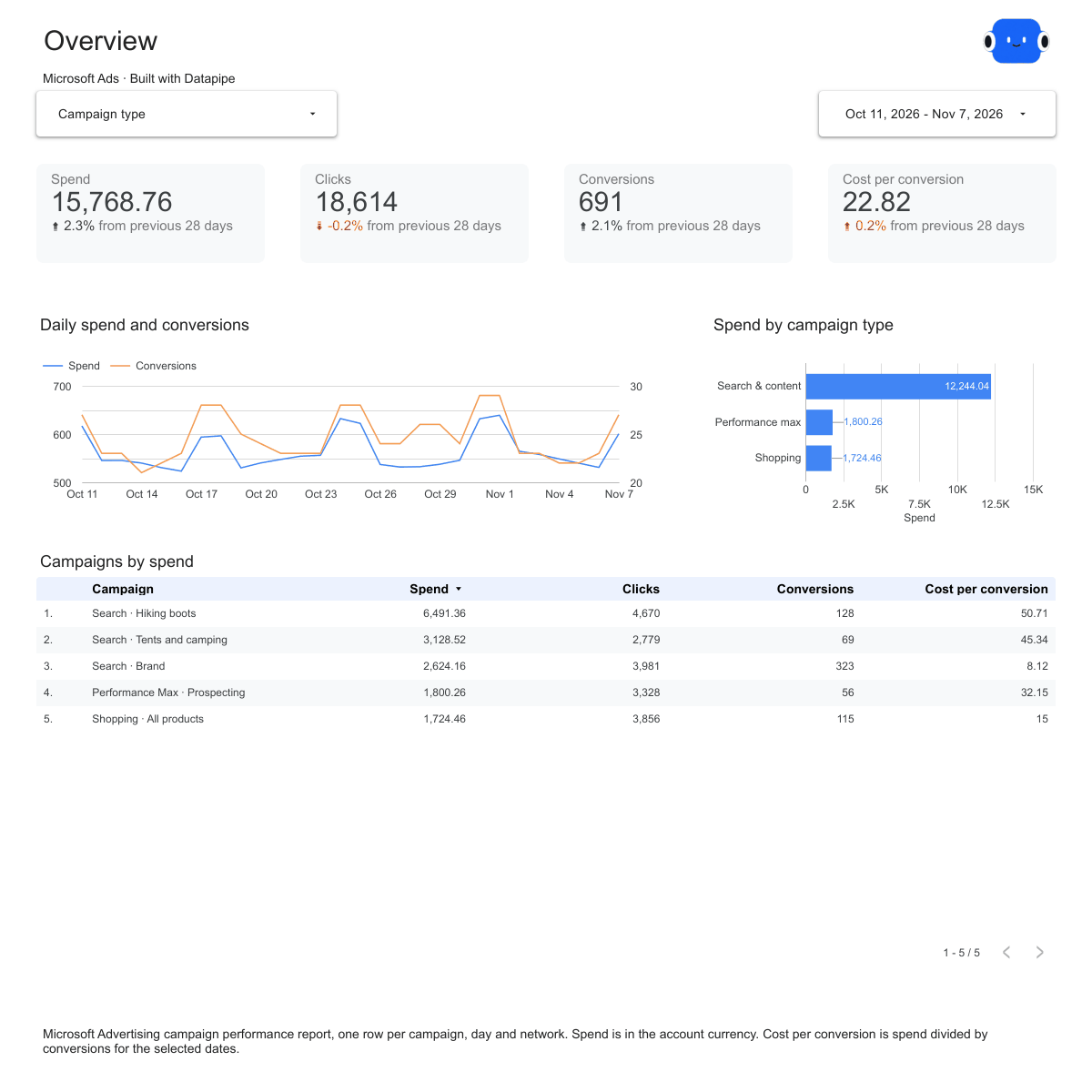
For example, take an outdoor gear shop over 28 days. Microsoft Ads reports 15,768.76 in spend, 18,614 clicks, 691 conversions and 77,227.97 in conversion revenue: a cost per conversion of 22.82 and a ROAS of 4.9.
In GA4, filtered to bing / cpc, the same 28 days show, for example, 15,820 sessions and 498 key events. So about 85% of clicks became a session GA4 recorded, and GA4 counts 193 fewer conversions than Microsoft.
Is that a tracking problem? Mostly not. Some people click and leave before the page loads or the consent banner lets GA4 run. Microsoft credits a conversion to the day of the click, up to 90 days later, while GA4 counts the key event in the session where it happened. And if view-through conversions are on for a goal, Microsoft also counts people who saw an ad, didn't click and bought later. GA4 never sees those as bing / cpc.
What should you report? Use Microsoft's conversions to manage bids and budgets inside Microsoft Ads, because that's the count its bidding works from. Use spend ÷ GA4 key events, here 31.66, when you compare Microsoft with Google Ads, Facebook or email, because only GA4 counts every channel with one set of rules. Two numbers. Each labelled. Never averaged.
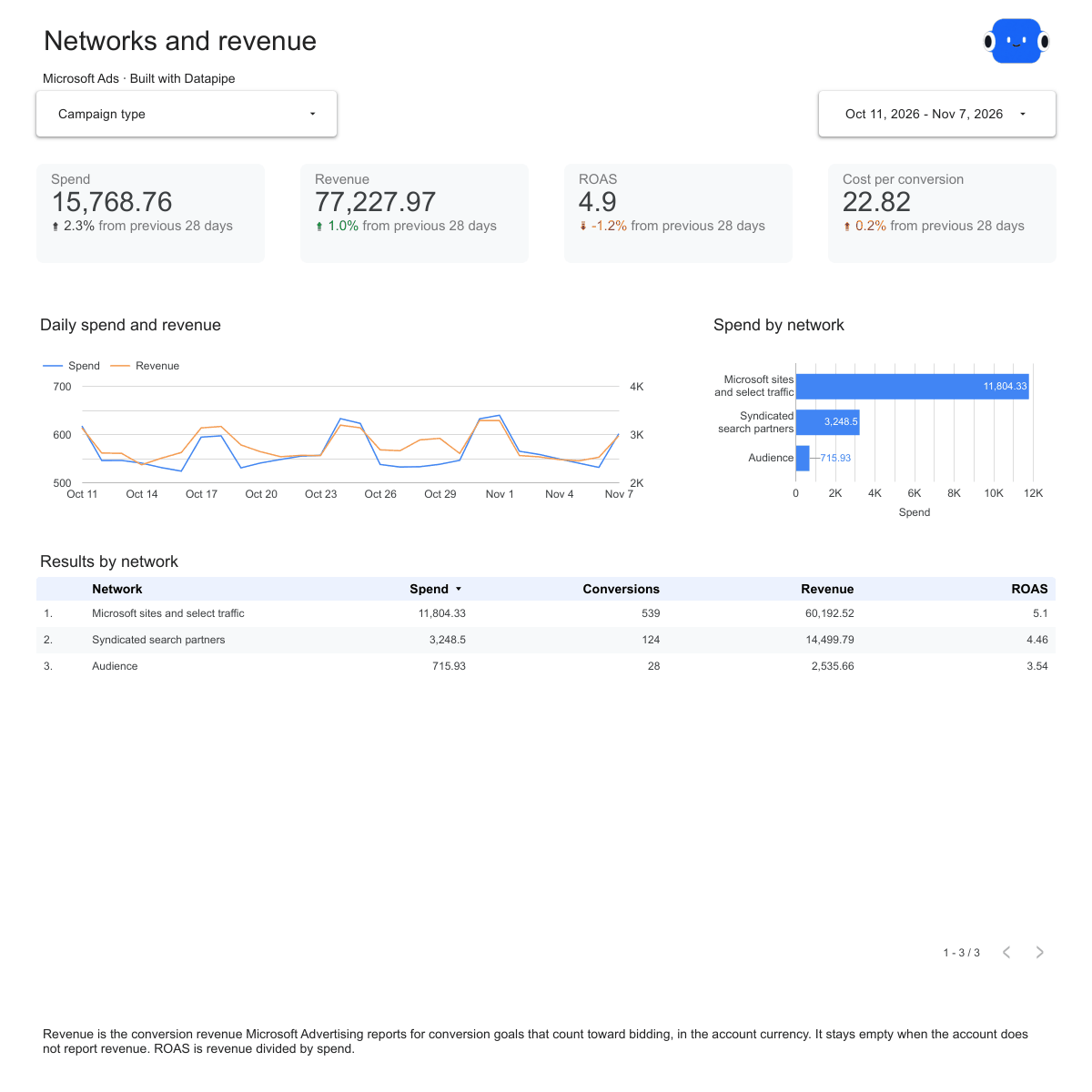
The network split matters too. On the Networks and revenue page, Microsoft sites and select traffic carry 11,804.33 of the spend at a ROAS of 5.1, syndicated search partners 3,248.50 at 4.46 and the Audience network 715.93 at 3.54. If the client asks where to cut, that table answers it before GA4 does.
How do you build a Microsoft Ads and GA4 report in Datapipe?
Add both to one project, then open a report template for each. Two reports. Two sets of definitions, one schedule.
Step 1: Add Microsoft Ads
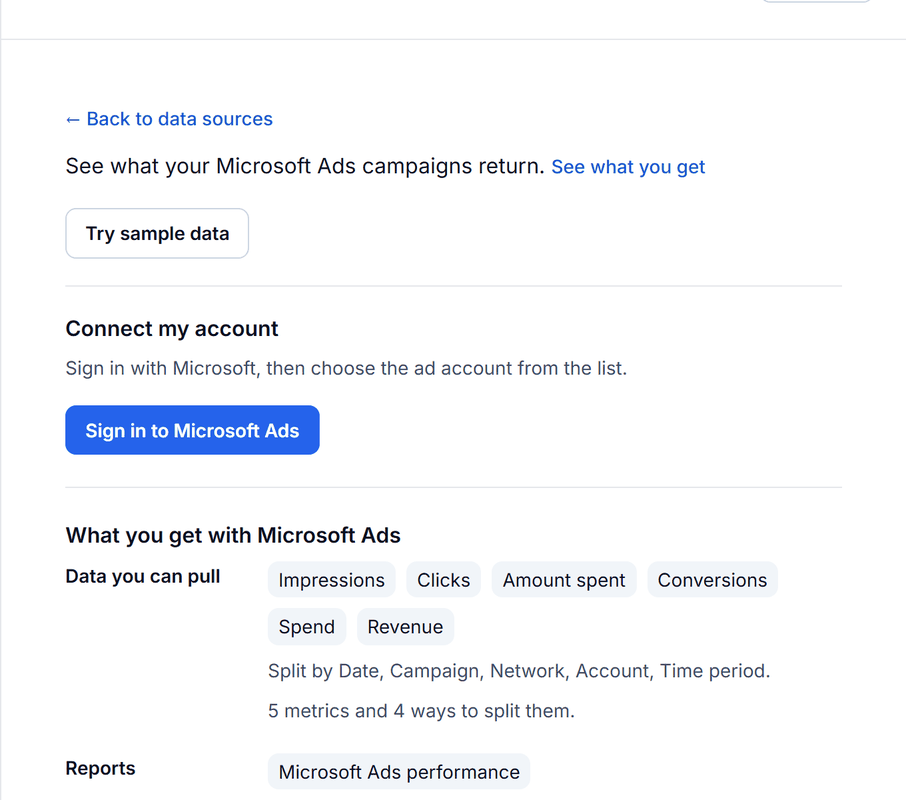
Open Data sources → Add data source → Microsoft Ads, click Sign in to Microsoft Ads, sign in with the Microsoft login that can see the ad account and choose that account from the list Microsoft shows you. The Microsoft Ads data source reads impressions, clicks, spend, conversions and revenue by campaign, day and network, in the account's currency.
Step 2: Add Google Analytics
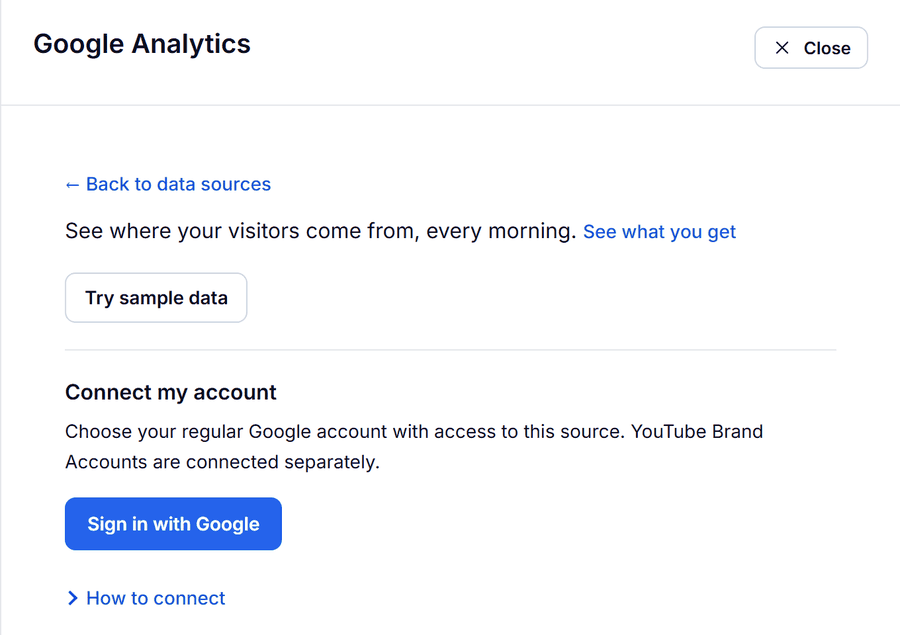
In the same project, click Add data source → Google Analytics, then Sign in with Google and pick the GA4 property. The Google Analytics data source lists every dimension and metric it can read.
Step 3: Open the Microsoft Ads dashboard
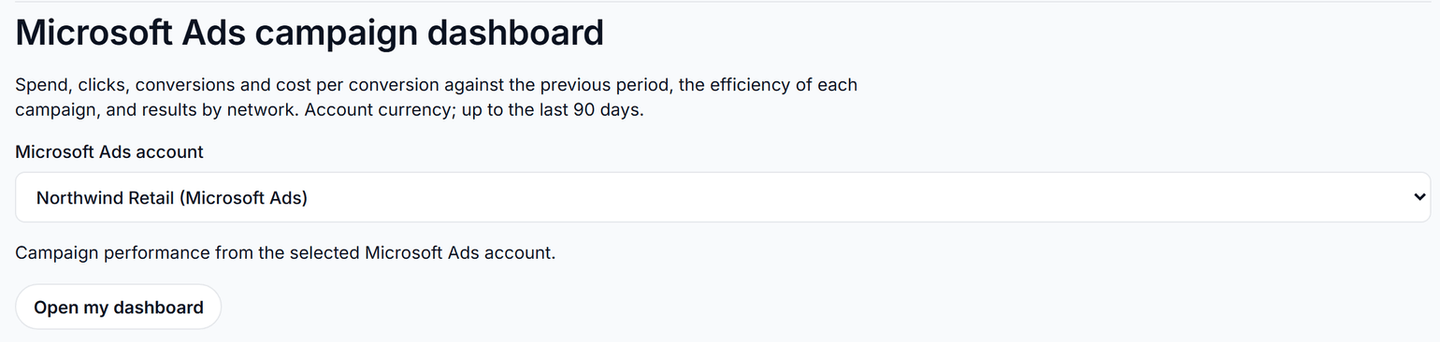
Go to Reports → Add a report → Data Studio dashboards, find Microsoft Ads Campaigns, click Use template, choose the account and click Open my dashboard. Save the copy Data Studio offers. The Microsoft Ads report template has four pages: Overview (spend, clicks, conversions and cost per conversion against the previous period), Campaigns (CTR, average CPC and conversion rate per campaign), Networks and revenue (revenue and ROAS by network) and Start here.
Step 4: Open the GA4 dashboard
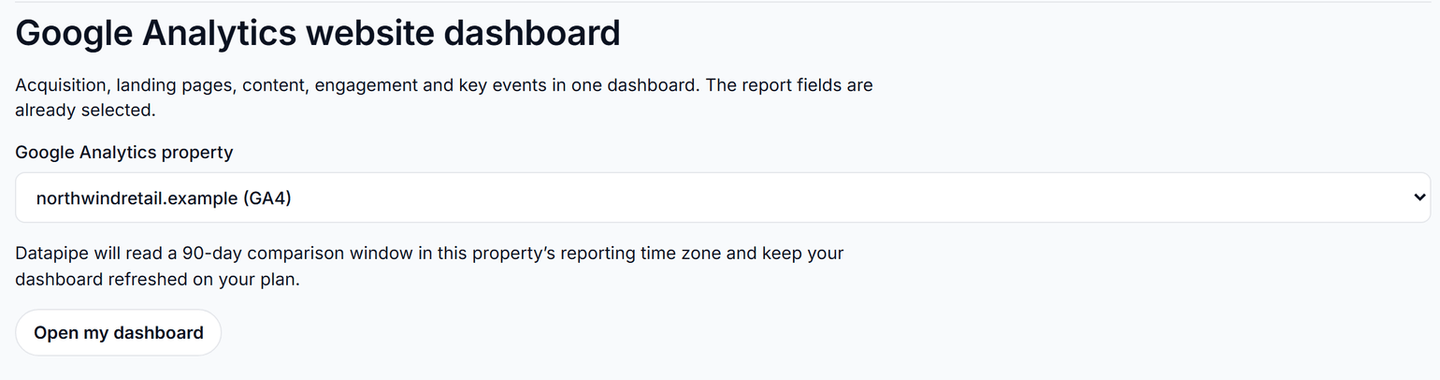
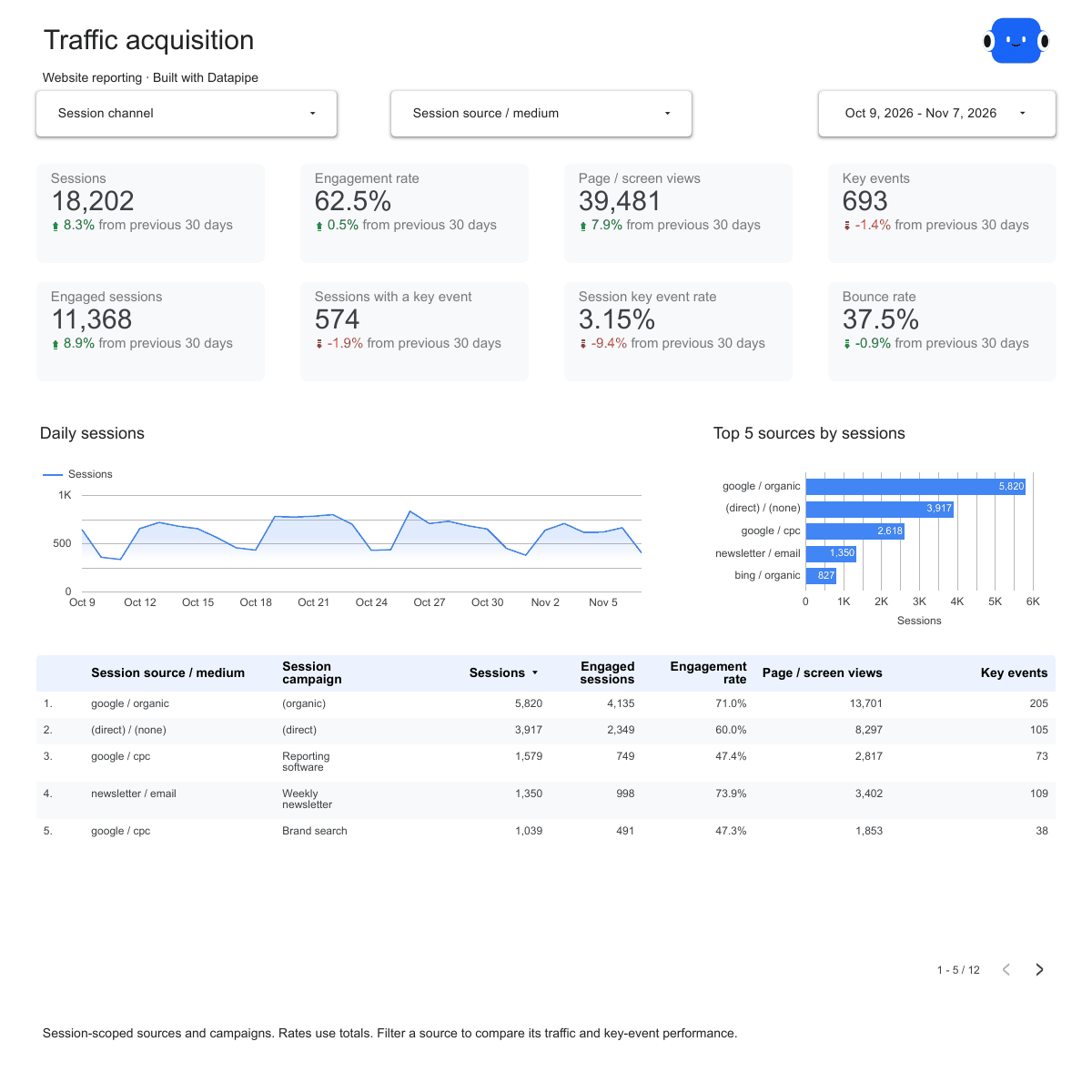
Back in Reports → Add a report, find GA4 Website Performance Report, click Use template, pick the property and click Open my dashboard. On the Acquisition page of the GA4 report template, set Session source / medium to bing / cpc. Add msads / cpc too if you run Shopping ads.
Step 5: Set the same dates and the refresh
Pick the same date range in both dashboards. Then, on each report's page in Datapipe, open Schedule & send and choose how often it refreshes and who gets the email. Free and Starter refresh daily; Pro refreshes hourly, as listed on the Datapipe pricing page.
Keep the two reports on the same dates and campaign names, and compare them side by side, so nobody adds a Microsoft column to a GA4 one. For one branded page a client can open, Report Studio puts Microsoft Ads and GA4 charts in the same report.
How do you go deeper than campaigns?
Datapipe reports Microsoft Ads by campaign, day and network. For keyword questions, such as which keywords waste spend, let the keyword travel in your UTMs: GA4 then shows utm_term as the session manual term beside each campaign, and the search terms report in Microsoft Ads has the full detail.
For ROAS, give each Microsoft conversion goal a revenue value. Goals without a value still show spend and conversions on the Networks and revenue page.
How do you check Microsoft Ads against GA4 with Claude or ChatGPT?
Let your assistant line them up campaign by campaign. Because it reads the same Datapipe project as your dashboards, the numbers it gives back match what the client sees, down to the cent.
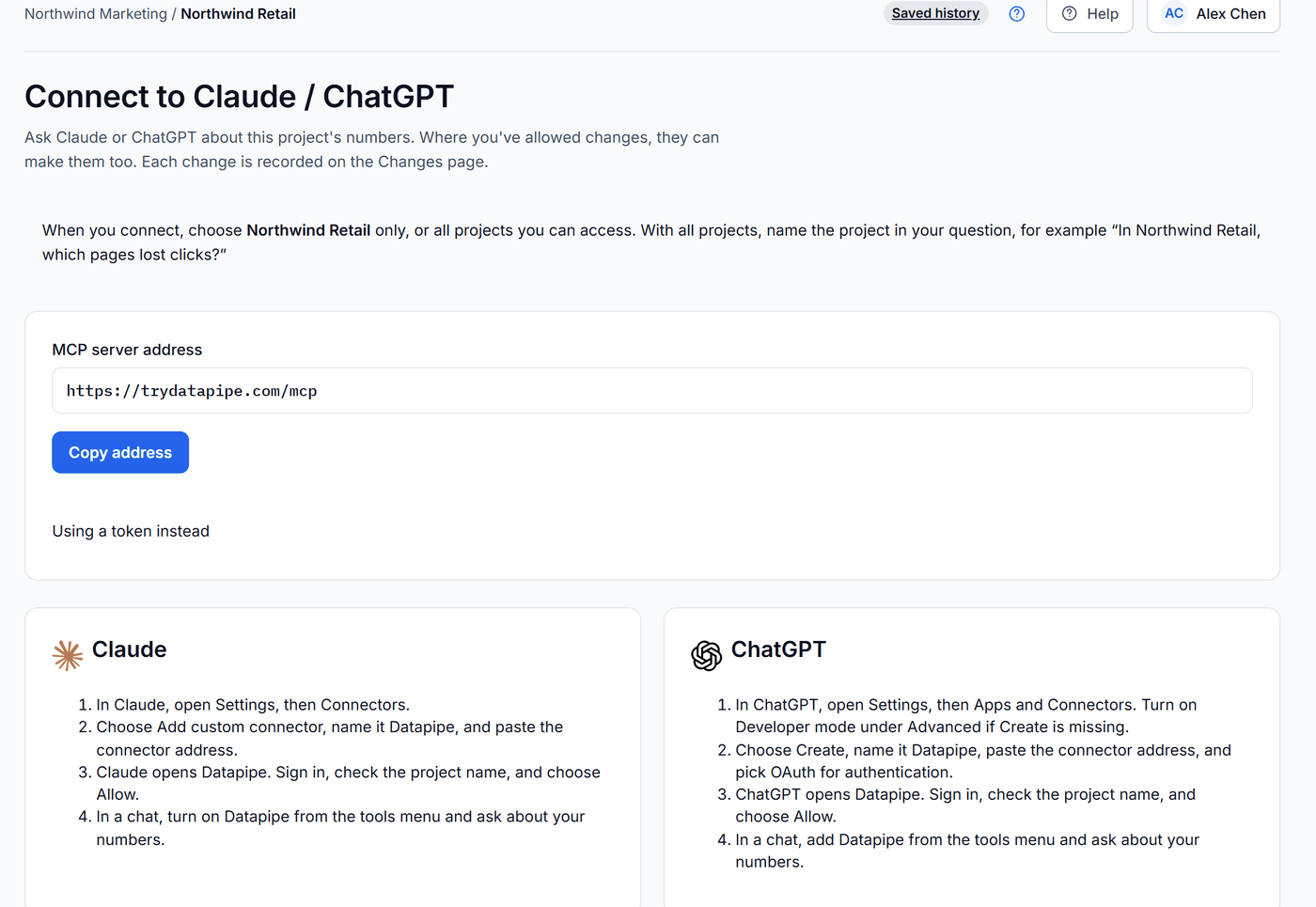
To connect, open Settings → Claude / ChatGPT in Datapipe and click Copy address. Claude next. Open Customize → Connectors, click + Add, choose Add custom connector, name it Datapipe and paste the address, then, in a chat, click +, choose Connectors and switch Datapipe on. Team or Enterprise plan? An owner adds Datapipe first under Organization settings → Connectors. In ChatGPT, open Settings → Apps and Connectors → Create and sign in. Every step is shown in how to connect Search Console and GA4 to Claude; they're the same for Microsoft Ads.
Compare clicks and sessions by campaign.
In [project name], read Microsoft Ads clicks, spend and conversions by campaign for [start date] to [end date], complete days only. Read GA4 sessions, engaged sessions and key events for the same dates where session source / medium is bing / cpc or msads / cpc, by session campaign. Match rows on campaign name and show sessions ÷ clicks for each. Keep Microsoft conversions and GA4 key events in separate columns and don't add them. Don't change anything.
Find the campaigns that lose visitors.
From your last answer, list campaigns with at least 200 clicks where sessions are under 70% of clicks. For each, show the final URL's landing page and its GA4 engagement rate. Don't change anything.
Write the client note.
Using only the numbers from your last two answers, write a short note for the client: spend, cost per GA4 key event, Microsoft's cost per conversion, and the two campaigns to look at first. Label which tool each number comes from. Don't change anything.
For more paid-channel pairings, see how to combine Facebook Ads and GA4 in one report. To include phone calls, the use case find Microsoft Ads campaigns whose calls aren't leads adds CallRail to the same project.
Why don't Microsoft Ads and GA4 match? Troubleshooting
If Microsoft traffic shows as bing / organic in GA4, the clicks carry no UTMs. Turn on UTM auto-tagging or add the final URL suffix, then check a live ad by clicking it and reading the address bar.
If GA4 shows google / cpc for Microsoft campaigns, imported tracking templates are still sending Google values. Edit the template or suffix in Microsoft Ads so utm_source is bing.
If the tags appear twice in the landing page address, auto-tagging and a manual suffix are both on. Keep one.
If Shopping traffic is missing from your bing / cpc filter, Microsoft tags Shopping and Audience clicks with the source msads. Add it to the filter.
If daily numbers drift but monthly totals agree, the time zones differ. Easy fix. Set the Microsoft account and the GA4 property to the same zone.
If Microsoft shows conversions GA4 doesn't, check for view-through conversions and the conversion window. Microsoft can count a conversion up to 90 days after the click and credit it to the click date, so recent days keep growing for weeks.
If revenue and ROAS are empty, your Microsoft conversion goals don't report a value. Add a revenue value to the goal in Microsoft Ads.
If GA4 campaign names don't match Microsoft's, someone typed the campaign into the UTM by hand. Use {Campaign} in the suffix so the names stay identical.
Frequently asked questions
Does GA4 track Microsoft Ads automatically?
No. GA4 needs UTM tags to credit a visit to Microsoft Ads. Turn on Auto-tagging of UTM in Microsoft Ads, or add a final URL suffix with utm_source=bing and utm_medium=cpc. Microsoft Click ID stays on for Microsoft's own conversion tracking.
Why does Microsoft Ads report more conversions than GA4?
The two tools count differently. Microsoft credits conversions to the day of the click, can count them up to 90 days later and can include view-through conversions. GA4 counts key events in the session where they happen and only credits bing / cpc when that session carries the tags.
What UTM parameters should I use for Microsoft Ads?
utm_source=bing, utm_medium=cpc, utm_campaign={Campaign}, utm_content={AdGroup} and utm_term={keyword:default}. Put them in the account-level final URL suffix without a leading question mark, or let UTM auto-tagging add them.
Can I import Microsoft Ads cost into GA4?
GA4's cost data import accepts a file with utm_source, utm_medium and date that match your tagged traffic exactly. Microsoft Ads isn't one of GA4's built-in cost import partners, so it means a manual upload. Keeping spend in a Microsoft Ads report next to GA4 is simpler.
Which number should I report to a client, Microsoft conversions or GA4 key events?
Both, labelled. Microsoft's conversions show what its bidding works from. GA4 key events compare Microsoft with your other channels on one set of rules. Don't add them together or average them.
Why does Bing ad traffic show as organic in GA4?
The ad clicks reached your site without UTM tags, so GA4 saw a visit from bing.com and called it organic. Add UTMs through auto-tagging or a final URL suffix, then check one ad's landing page address to confirm the tags arrive.
Put your marketing numbers on autopilot
Datapipe connects your data sources and keeps your reports refreshed on a schedule.
Start free