9 best CRMs for sales pipeline reporting, and how to report on each
Nine CRMs compared for pipeline reporting: which plan unlocks custom reports, forecasting and API access, what each holds back, and how to report a client's pipeline.

The best CRM for pipeline reporting is the one whose reports you can actually afford. Pipedrive gives the most pipeline reporting for the money, HubSpot suits teams that run marketing and sales in one tool, Salesforce fits large sales teams, and HighLevel fits agencies that sell to and run many small clients. Before you choose, check which plan unlocks custom reports, forecasting and API access, because every vendor puts them somewhere different.
This list covers nine CRMs, what each does well for pipeline reporting, what it holds back on cheaper plans, and how to report on each one, including how to put a client's pipeline in a report that refreshes itself.
Which CRM is best for pipeline reporting?
Here's the short version. Prices are each vendor's own published starting prices in US dollars; the plan in the fourth column is the first one where you can build your own pipeline reports or forecasts.
| CRM | Best for | Cheapest paid plan | Custom pipeline reports from | In Datapipe |
|---|---|---|---|---|
| Pipedrive | Small sales teams that live in the pipeline | Lite, $14 per seat a month billed annually | Growth (forecast reports), Premium (custom fields) | Yes, with a report template |
| HubSpot | Marketing and sales in one tool | Starter | Professional | Yes, with a report template |
| Salesforce | Large teams with an admin | Starter Suite, $25 per user a month | Every plan has reports; forecasting from Core | Yes, with a report template |
| Zoho CRM | Low cost per user, deep customization | Standard | Standard (forecasting), Professional (unlimited reports) | Yes |
| HighLevel | Agencies running many small clients | Starter, $97 a month, unlimited users | Every plan | Yes, opportunity counts |
| Freshsales | Teams that want AI deal scoring | Growth, $9 per user a month billed annually | Pro (custom reports) | Yes |
| Attio | Startups that build their own data model | Plus | Pro (stage history) | Lists and people only |
| monday CRM | Teams already on monday.com | Basic, $12 per seat a month billed yearly | Pro (forecasting) | Board items only |
| Close | Calling-heavy inside sales teams | Solo, $9 a month billed annually, one user | Scale (custom reports) | Not yet |
What should you check before you choose a CRM for reporting?
Four things decide whether a CRM's pipeline reporting will hold up. Most lists skip them.
Which plan unlocks the reports. Every vendor shows a pipeline board on its cheapest plan, and almost every vendor charges more for the reports you'll actually send a client: forecasts, custom reports and reports built on your own custom fields. HubSpot puts custom reporting and forecasting in Professional. Pipedrive adds forecast reports in Growth and custom-field reports in Premium. Close keeps custom reports for Scale.
Stage history. A pipeline report that only shows today's stages can't tell you how long deals sit in each stage or where they stall. Ask whether it records when a deal moved. Then ask which plan reports on it.
API access. If you'll ever report outside the CRM, in a client dashboard or next to ad spend, your plan needs API access. Salesforce leaves it out of its Free and Starter suites, Close leaves high-volume API access out of Solo, and almost everywhere the daily API limit grows with the plan you pay for. Check it.
More than one pipeline or client. Agencies often need a pipeline per client or per service line. HighLevel gives each client a sub-account. Close charges for extra organizations on its lower plans. Check this before you migrate.
The 9 best CRMs for sales pipeline reporting
Each entry gives a verdict, who it suits, one strength and one limit for reporting, and how to get its pipeline into a client report.
1. Pipedrive
The best pipeline reporting for the money. Pipedrive was built around the pipeline board, and its Insights feature turns deals into reports, goals and dashboards, including revenue forecasts. It suits small sales teams.
The limit: only Premium and higher can build reports on custom fields or add extra dashboards, and Lite caps Insights reports per user. Lite starts at $14 per seat a month billed annually, or $19 billed monthly, on Pipedrive's pricing page. Growth, which adds forecast reports, is $24 annually or $34 monthly, and there's no free plan at all, only a 14-day trial, so test your reports inside the trial before you commit a team to it.
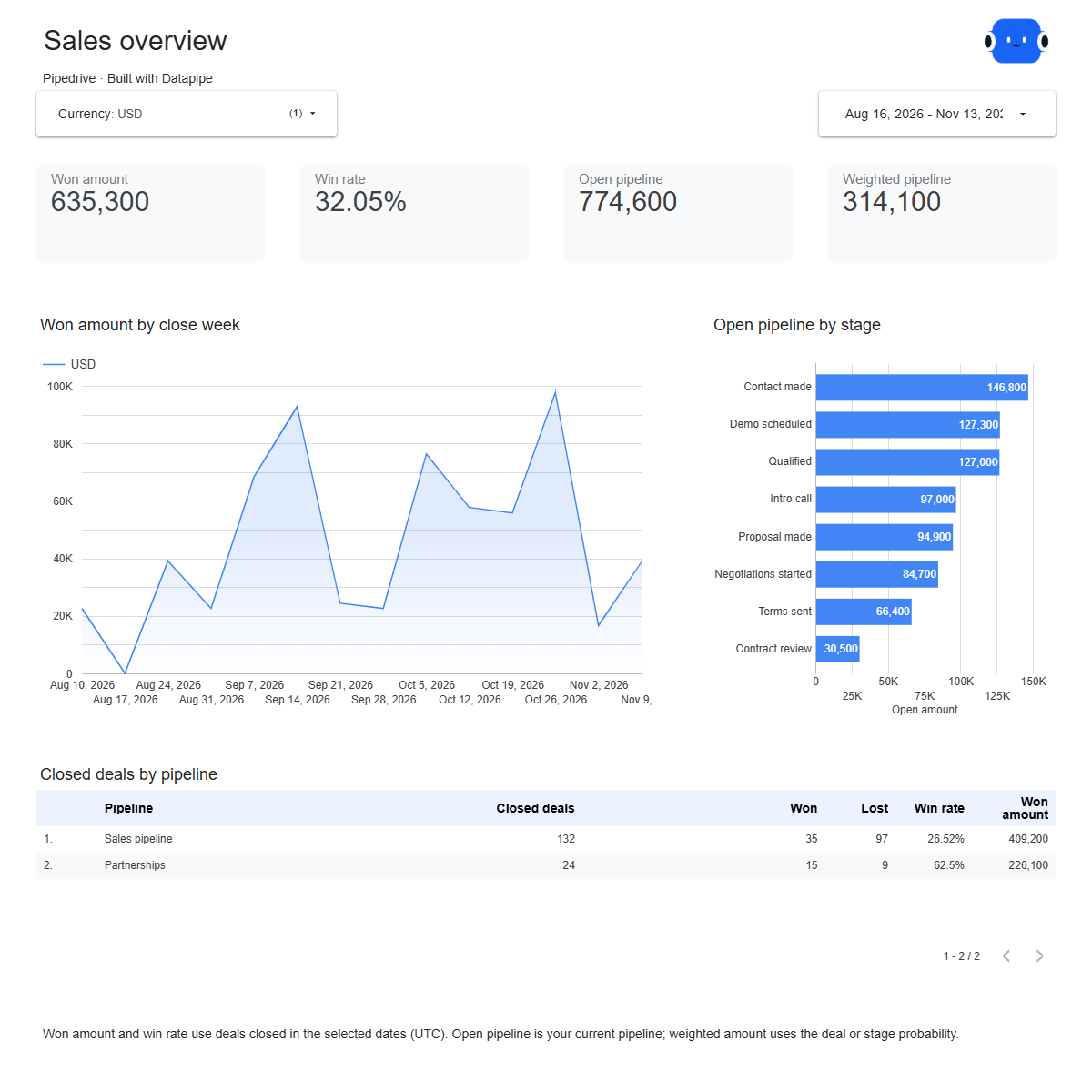
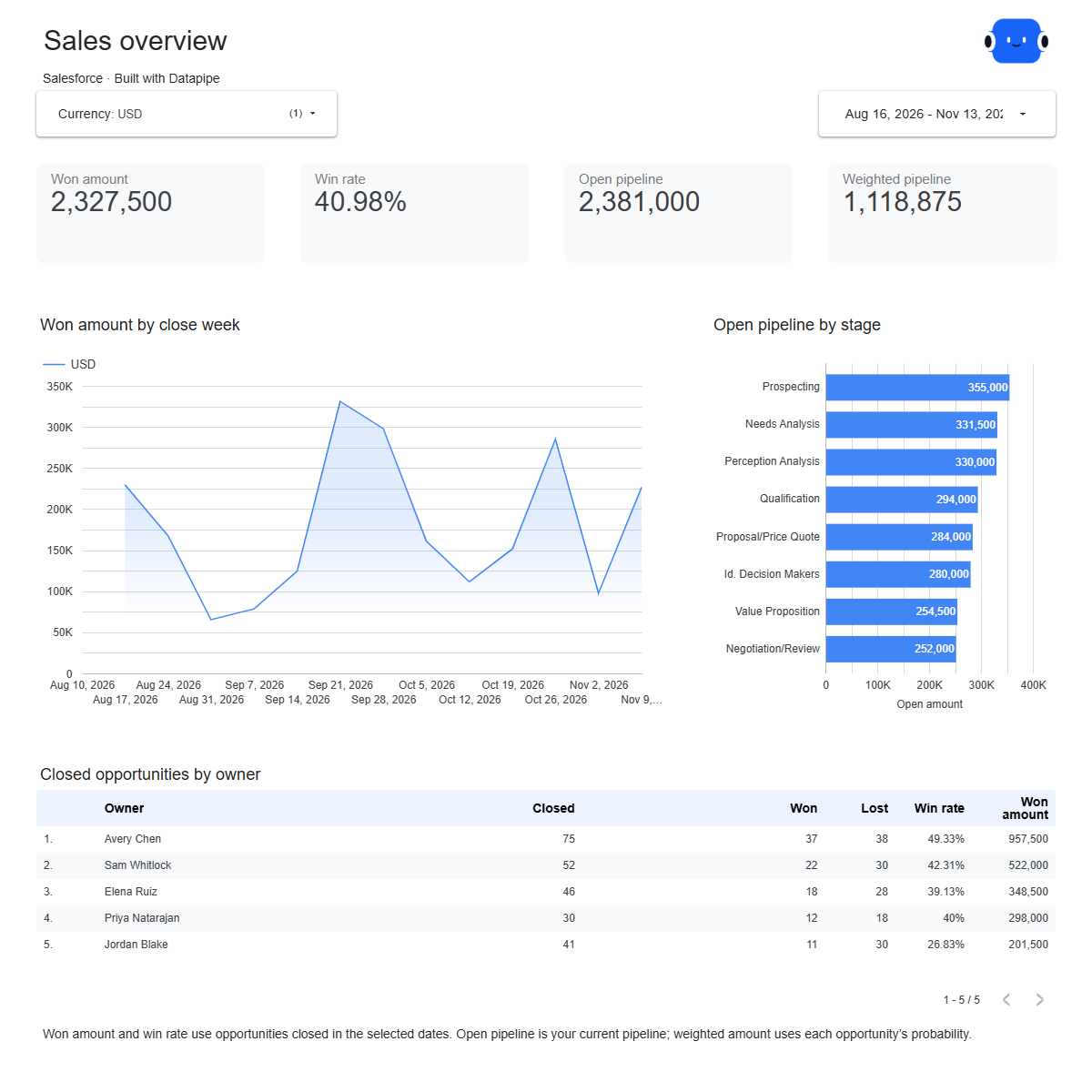
To report on it, add the Pipedrive data source with an API token and copy the Pipedrive sales pipeline report template: won amount, win rate, open and weighted pipeline, won and lost deals by week, and past-due deals.
2. HubSpot
The best choice when marketing and sales share one tool. HubSpot's forecast tool maps deal stages to categories such as Pipeline, Best case and Commit, and a deal change history report shows how deals moved. Lead source, forms and email sit in the same database as the deals. No sales-only CRM matches that.
The catch? Price. HubSpot's free CRM is free for up to two users, but custom reporting and forecasting start at Professional, which HubSpot lists from $90 per seat a month plus a required one-time Professional Onboarding fee of $1,500, on HubSpot's Sales Hub pricing page. Free and Starter show neither.
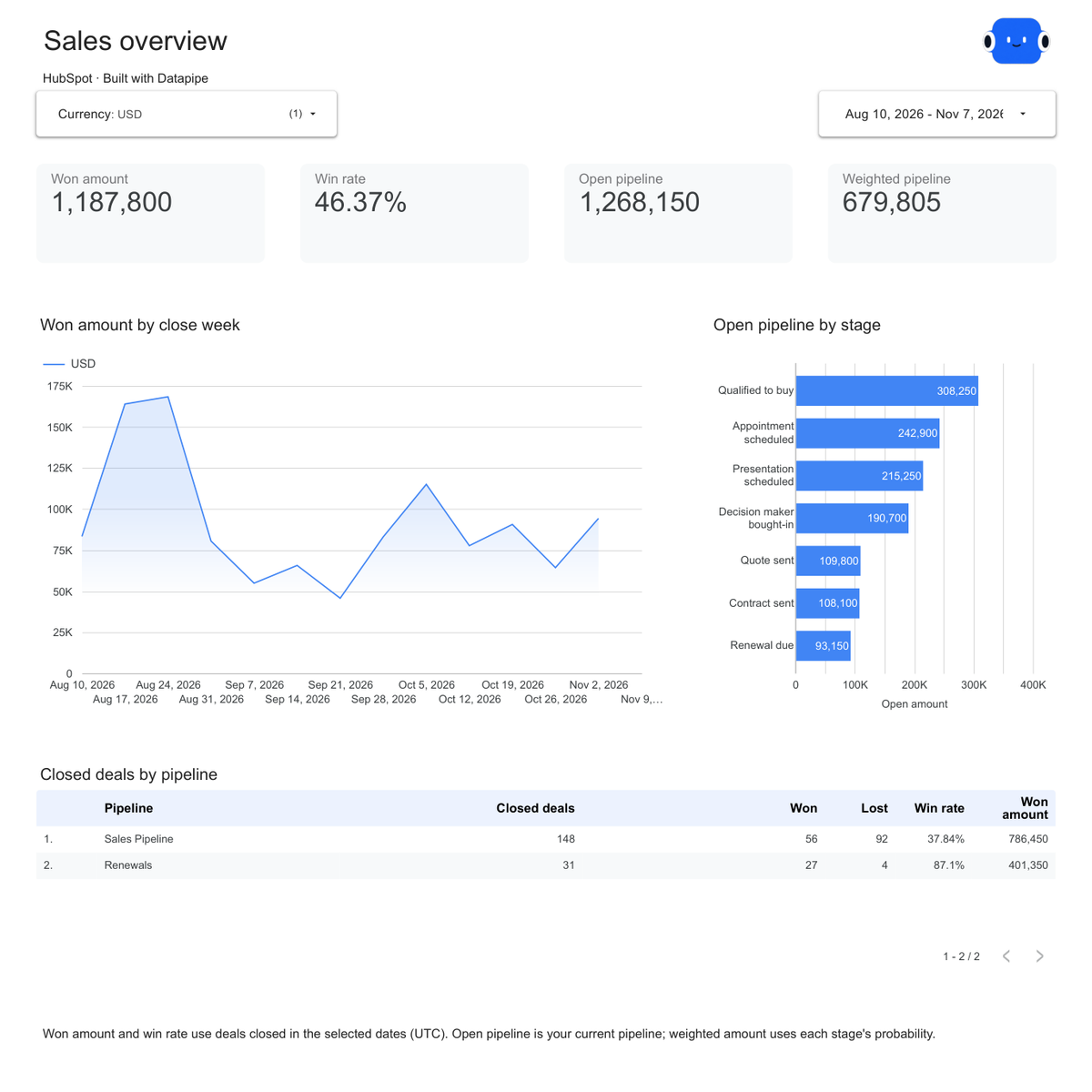
To report on it, add the HubSpot data source with a service key and copy the HubSpot sales pipeline report template. It reads deals and pipeline stages through HubSpot's API, which every HubSpot plan includes, so a client on Starter still gets win rate and weighted pipeline.
3. Salesforce
The most reporting power, for teams that can staff it. Every Salesforce suite includes customizable reports and dashboards, Free Suite included. Pipeline Inspection highlights changes from the previous seven days to amount, close date, forecast category and stage, which answers "what moved this week" without a custom report.
The catch is cost. Pipeline Inspection and advanced forecasting need Core at $195 per user a month billed annually, and the API isn't included in Free or Starter; Pro charges $25 per user a month extra for it, on Salesforce's Sales Cloud pricing page. Starter Suite is $25 per user a month.
To report on it, a Salesforce admin installs the Datapipe app once, then you add the Salesforce data source and sign in with the organization's My Domain address. Your user needs API access. Plan on Core, or Pro with the add-on. The Salesforce sales pipeline report template groups results by opportunity owner, since Salesforce has no pipelines like other CRMs.
4. Zoho CRM
The most customization for the lowest cost per user. Zoho's forecasts support top-down or bottom-up targets and a target achievement report, and the free edition covers three users. Expect setup work.
The limit: switching forecast models deletes every ongoing forecast. Unlimited reports start at Professional. The free edition allows 5,000 API calls a day. Zoho shows prices by region, so check Zoho CRM's pricing page from where you'll be billed.
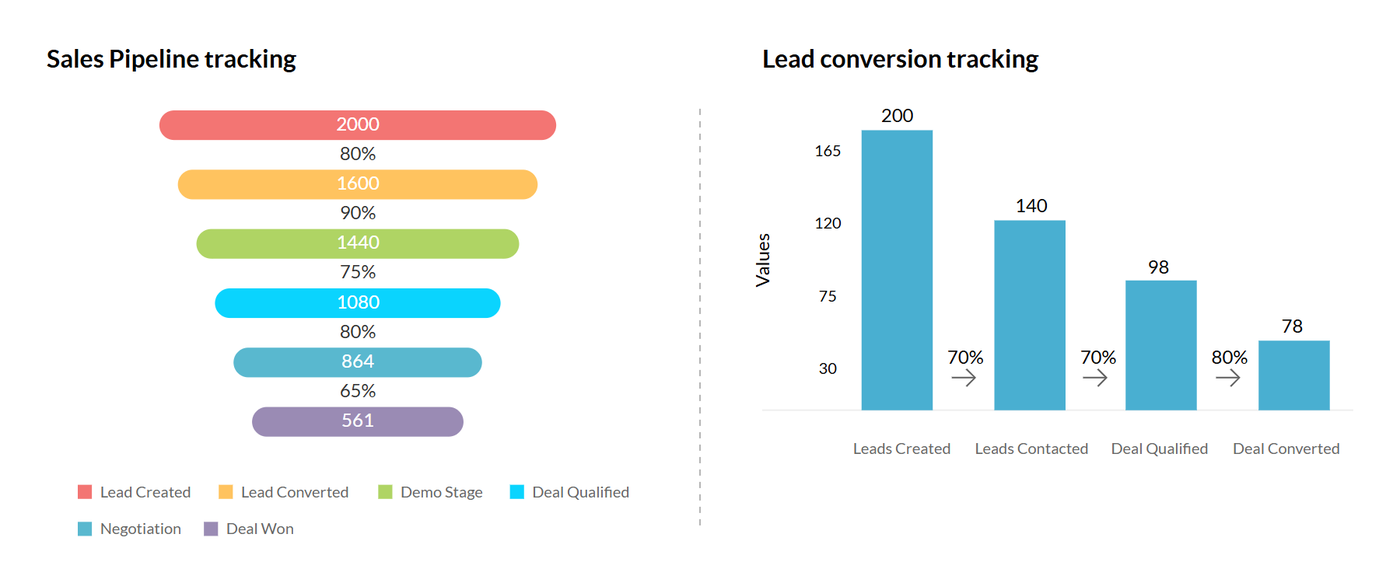
To report on it, add the Zoho CRM data source with a token. Its deal sales pipeline report reads current stage, amount, probability and expected revenue, with amounts kept in each record's currency. No Zoho template yet.
5. HighLevel
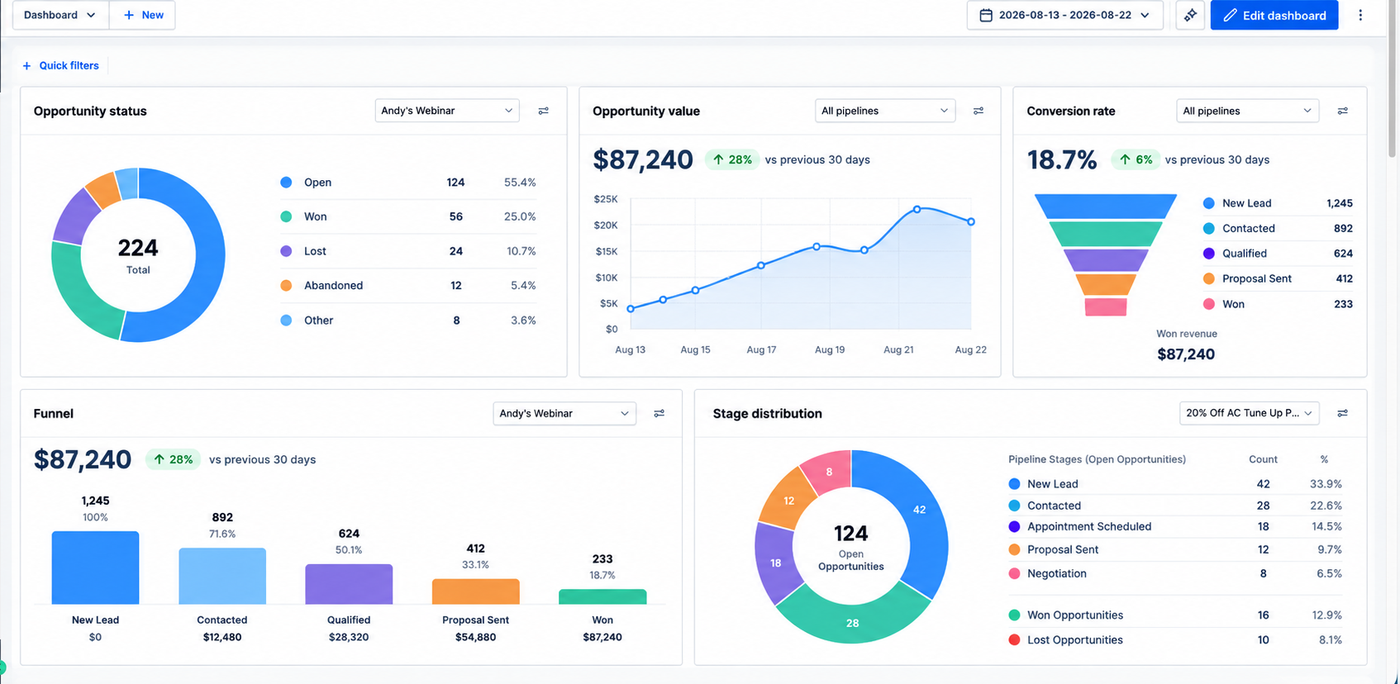
The best fit for agencies that run many small clients. HighLevel gives each client a sub-account with its own pipelines, and its opportunity widgets put pipeline numbers into dashboards and scheduled reports. Starter is $97 a month with unlimited users and up to three sub-accounts, on HighLevel's pricing page.
The limit: HighLevel's own help notes that historical dashboard figures based on status changes can drift over time, so a past month's numbers aren't fixed. It's also a marketing suite first; teams that only need a CRM pay for a lot they won't use.
To report on it, add the HighLevel data source for each client sub-account. Datapipe reads current opportunities with their status and source, plus current pipelines, but not monetary values, so report opportunity counts by status and source from Datapipe and keep the revenue figures in HighLevel's own dashboards.
6. Freshsales
The best low-cost entry with AI deal scoring. Freshsales flags deals as likely to close or trending, which helps a small team decide where to spend the week. Growth is $9 per user a month billed annually, on Freshworks' Freshsales pricing page.
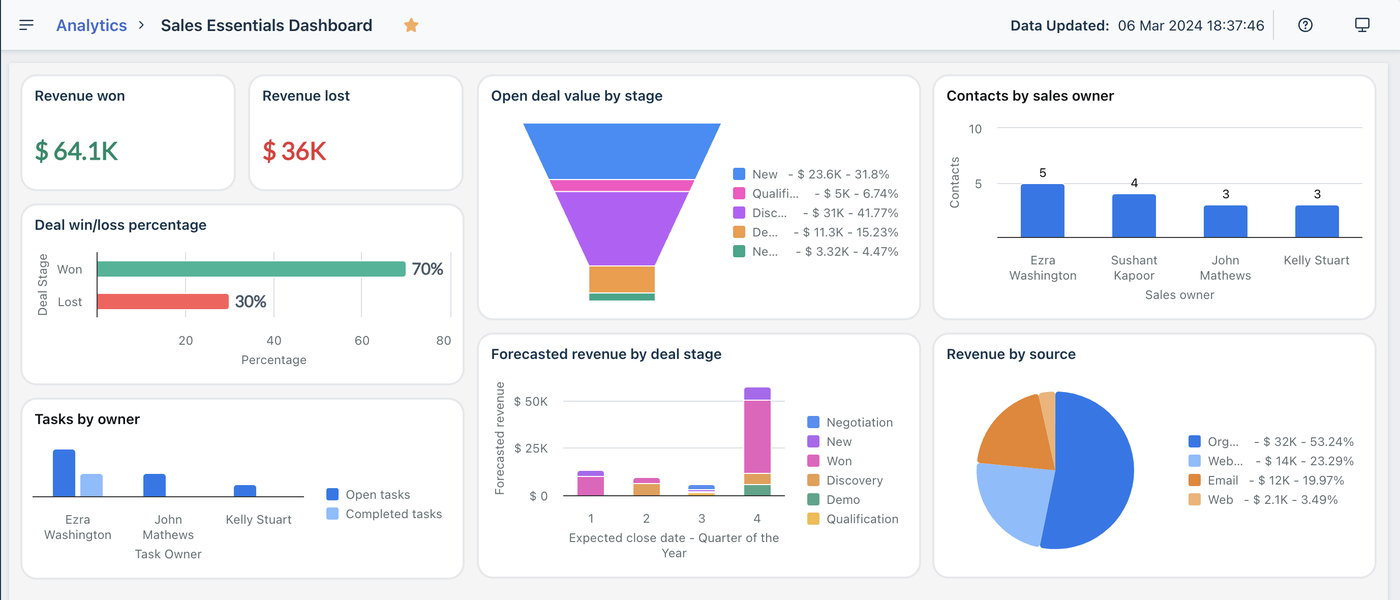
The limit: Growth has only curated reports, custom reports start at Pro ($39 per user a month billed annually) and forecasting insights are Enterprise only.
To report on it, add the Freshsales data source with an API key. Datapipe reads deals from one saved Freshsales view at a time, with amounts in their own currency, so create a view that holds the deals you want to report on first.
7. Attio
The most flexible data model for startups. Attio lets you shape objects and lists around how you sell, and its stage changed report shows the volume or value of records moving through a pipeline. It's free for up to three users, on Attio's pricing page.
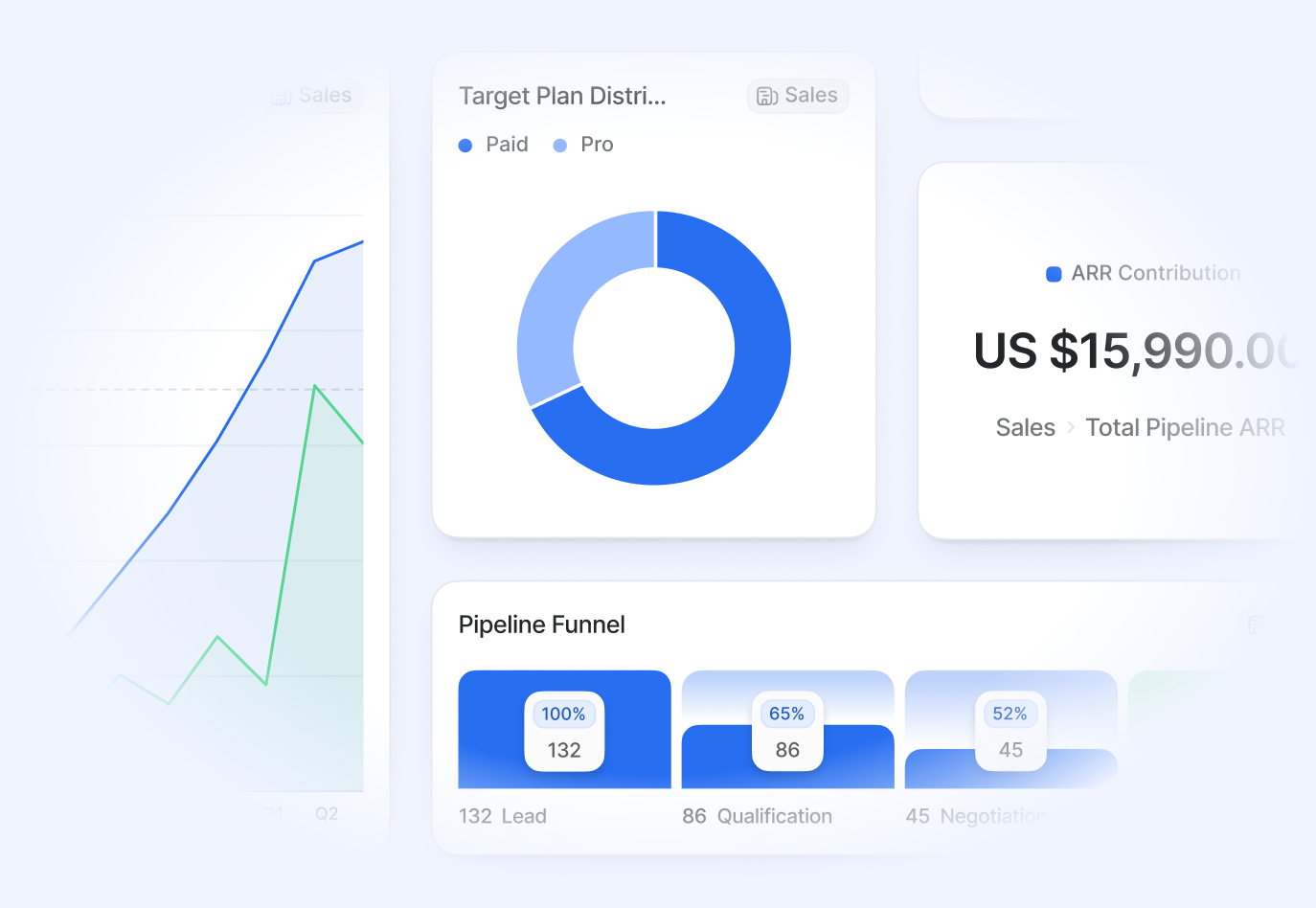
The limit: stage changed and historical values reports are available on Pro and above, and figures for an unfinished period can still change until it ends.
To report on it outside Attio, add the Attio data source, which reads Attio's objects, pipeline lists and people. Not deal values. Not stages. Pipeline reporting stays inside Attio for now.
8. monday CRM
The easiest choice for teams already on monday.com. The forecasting view sets revenue targets per person and tracks forecast against target. Basic is $12 per seat a month billed yearly, or $18 monthly, on monday CRM's pricing page.
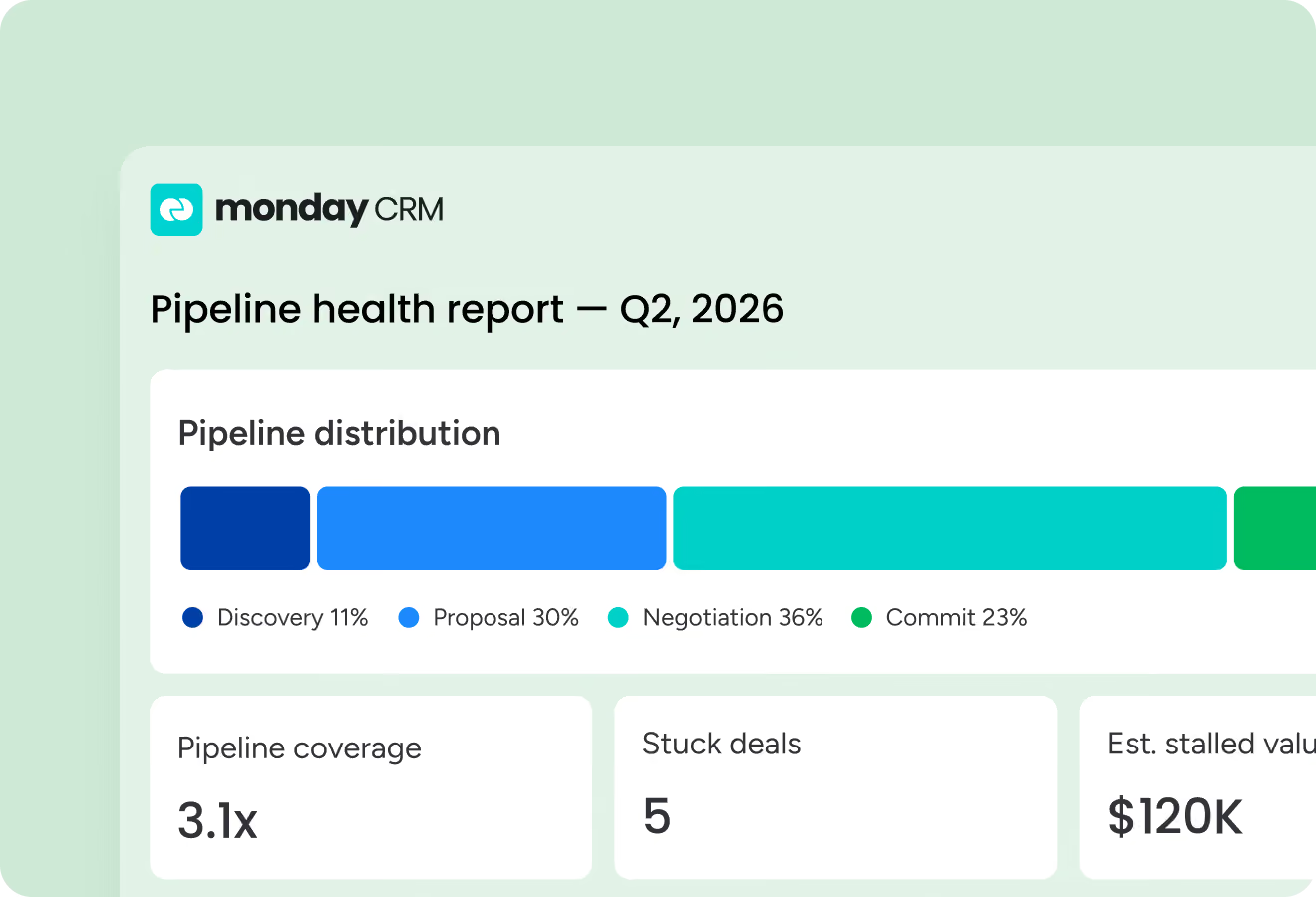
The limit: forecasting is Pro and Ultimate only, Basic allows one dashboard, and Basic and Standard get 1,000 API calls a day.
To report on it, add the monday.com data source. Datapipe reads current board items with their names, state and group, not deal values, so it can count items by stage but can't total the pipeline.
9. Close
The best for calling-heavy inside sales. Close puts calling, email and SMS in the CRM, and reporting and dashboards come on every plan. Solo is $9 a month billed annually for one user, on Close's pricing page.
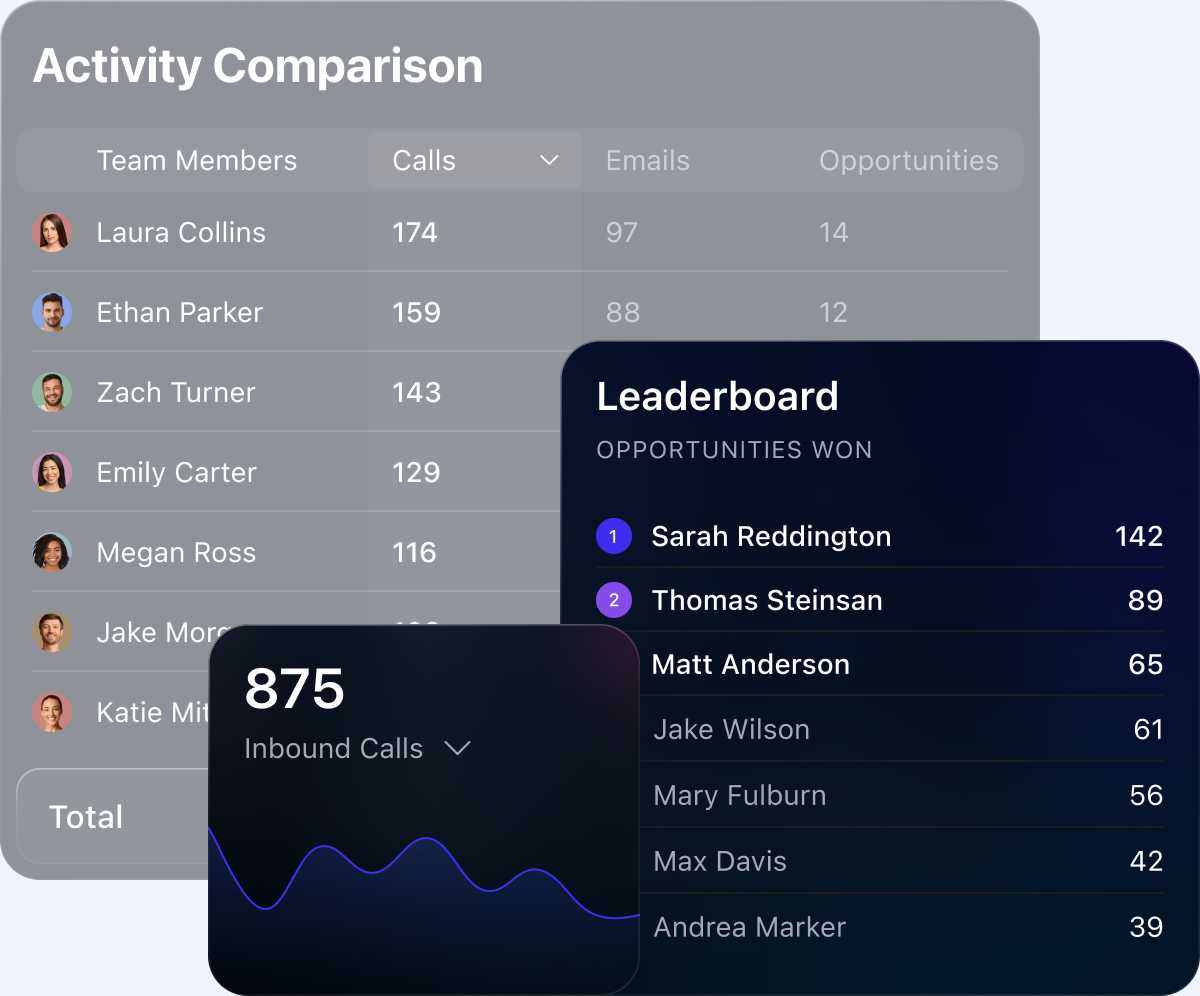
The limit: custom reports need Scale, $139 per user a month billed annually, and extra organizations cost $50 a month on Solo and Essentials. Close isn't a Datapipe data source yet.
How do you report a client's pipeline in Datapipe?
Add the client's CRM to the client's project, copy the matching report template and schedule it. The HubSpot, Pipedrive and Salesforce templates share the same pages and the same definitions, so clients on different CRMs get reports you can compare.
Step 1: Add the CRM to the client's project
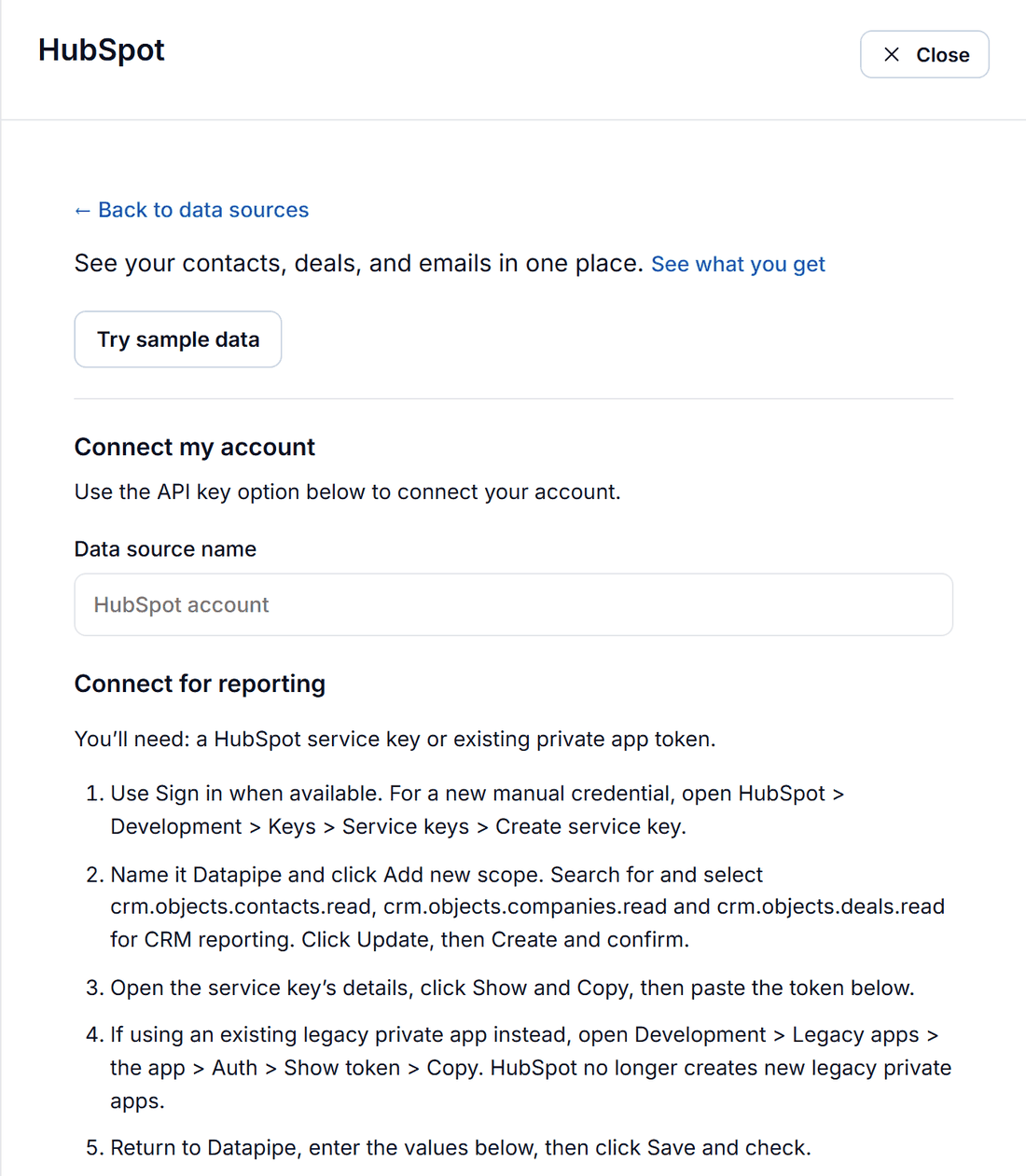
Open the client's project, go to Data sources → Add data source and pick the CRM. For HubSpot, paste a service key: in HubSpot open Development → Keys → Service keys → Create service key, add the deal, contact and company read scopes, then copy the key into Datapipe and click Save and check. Creating service keys needs Super admin or Developer tools access in HubSpot, so ask the client's admin if you don't have it.
Step 2: Copy the report template
Go to Reports → Add a report → Data Studio dashboards, find the CRM's sales pipeline report and click Use template. Choose the account. Click Open my dashboard, then save the copy.
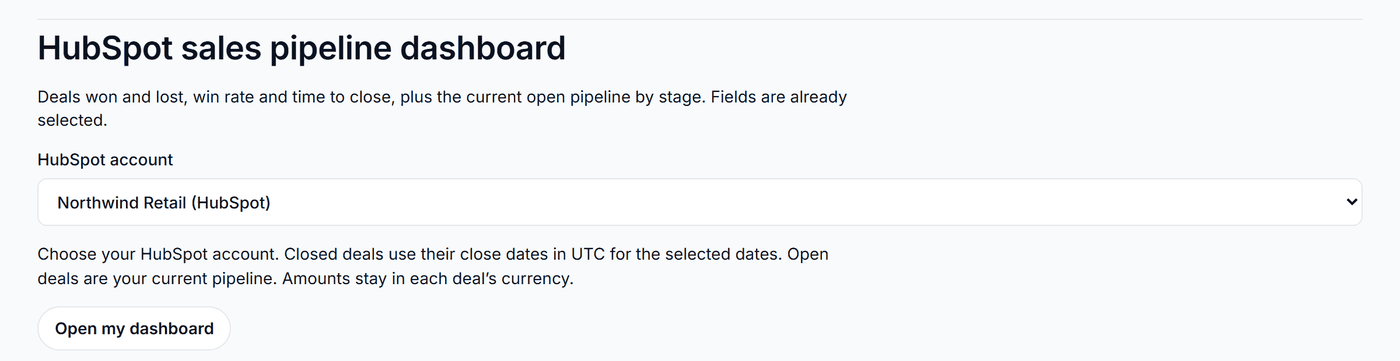
Four pages. Overview shows won amount, win rate, open pipeline and weighted pipeline. Won & lost shows closed deals by week with days to close. Open pipeline shows open deals by stage, weighted amount and past-due deals. Start here explains every metric. Win rate is won deals divided by won and lost deals closed in the dates you pick, so open deals never dilute it, and amounts stay in each deal's currency rather than being converted.
Step 3: Schedule it
On the report's page, open Schedule & send, set the refresh and add the client's email. Add the client's ad or analytics reports with Add another report if you want pipeline and marketing in one email.
What does a pipeline report comparison look like?
For example, take two clients as the HubSpot and Pipedrive templates' previews show them.
| Client on HubSpot | Client on Pipedrive | |
|---|---|---|
| Won amount | 1,187,800 | 635,300 |
| Win rate, all pipelines | 46.37% | 32.05% |
| Win rate, main sales pipeline | 37.84% | 26.52% |
| Win rate, second pipeline | 87.1% (Renewals) | 62.5% (Partnerships) |
| Open pipeline | 1,268,150 | 774,600 |
| Weighted pipeline | 679,805 | 314,100 |
The headline win rates mislead. The HubSpot client's 46.37% includes renewals, which close 87.1% of the time; new business closes at 37.84%. The Pipedrive client's 32.05% includes partnerships; its main pipeline closes at 26.52%. Compare new business with new business.
Now the weighted pipeline, which tells you how much each client's stage probabilities believe in the deals still open: the HubSpot client weights its open pipeline at 53.6% of face value, the Pipedrive client at 40.5%. A pipeline weighted at 53.6% of face value, from a team that wins 37.84% of its new business, deserves a second look at the stage probabilities before anyone forecasts from it. The sales pipeline metrics to report every month covers which of these numbers belong in front of a client.
Ask Claude or ChatGPT about a client's pipeline
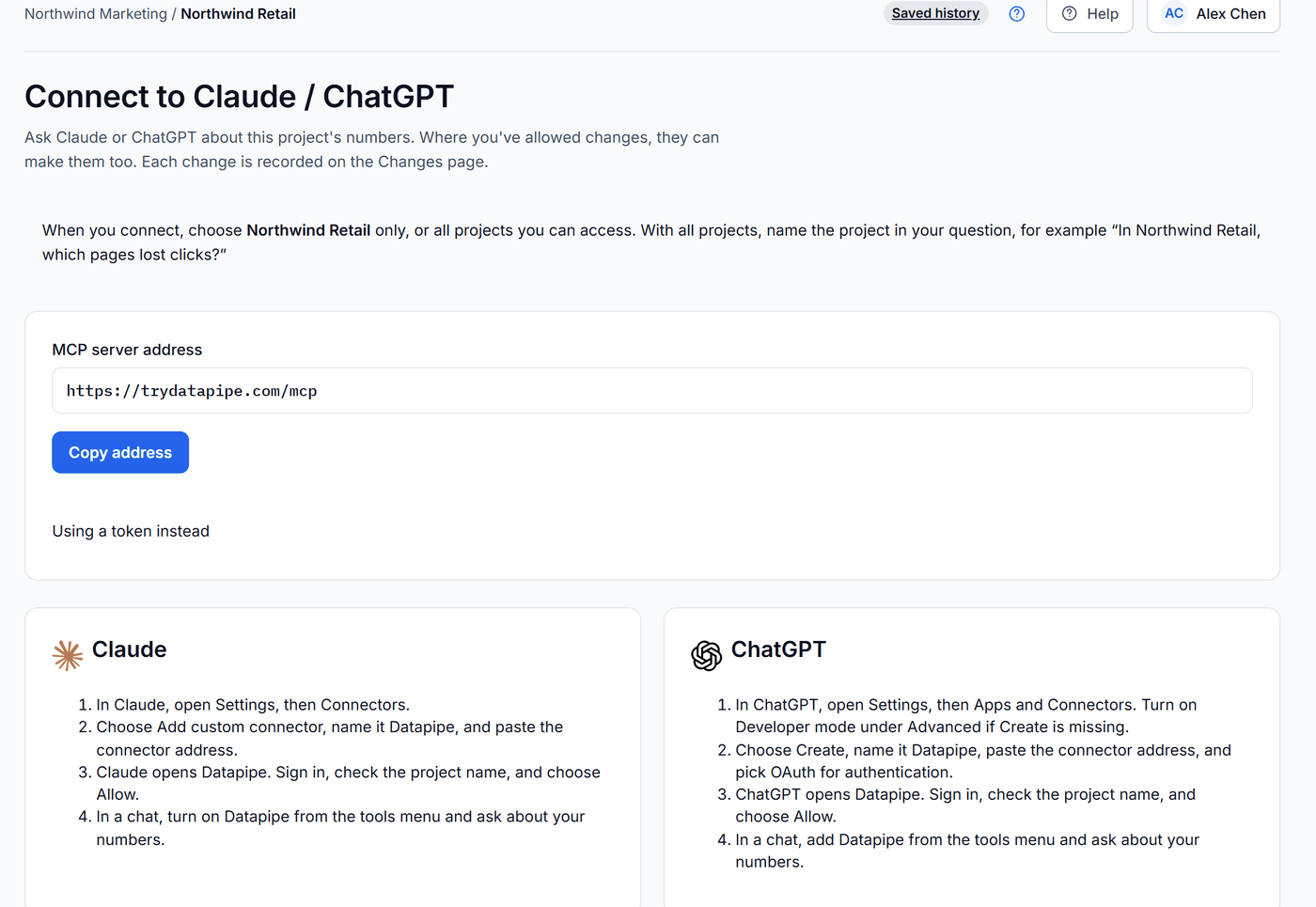
Connect your assistant to the Datapipe project once, then ask questions about the pipeline in plain words. Open Settings → Claude / ChatGPT in Datapipe and click Copy address. In Claude, open Customize → Connectors, click + Add, choose Add custom connector, name it Datapipe and paste the address, then switch it on in a chat from + → Connectors. In ChatGPT, open Settings → Apps and Connectors → Create and sign in.
Read the month's pipeline.
In [project name], read [CRM] deals closed between [start date] and [end date]: won and lost counts and amounts by pipeline, in each deal's own currency. Then read the current open deals by stage with amount and probability. Calculate win rate as won divided by won plus lost, for each pipeline separately. Don't change anything.
Find the deals that need attention.
From the open deals, list the ones whose expected close date has passed, and the ten largest open deals with their stage and owner. Don't change anything.
Draft the client update.
Using only the numbers from your last two answers, write four sentences for the client: what closed, the new-business win rate, the weighted pipeline for next month, and the past-due deals to chase. Don't change anything.
Why doesn't my pipeline report match the CRM? Troubleshooting
If the win rate is higher than the CRM's own report, the CRM may count open deals or use a different date. The templates divide won by won plus lost, closed in the dates you pick.
If totals look too large, deals in two currencies were added together somewhere. Pick one currency with the filter.
If weighted pipeline looks wrong, check the stage probabilities in the CRM's pipeline settings, and look for open deals with no amount, which count as open deals but add nothing to the weighted or open totals.
If last month's open pipeline changed, that's expected: the open pipeline is the pipeline on the day the data was read. Keep each month's figures by publishing an approved edition in Report Studio, or save a copy at month end.
If Salesforce won't connect, the user has no API access or the Datapipe app isn't installed in the organization yet. Ask a Salesforce admin.
If HubSpot rejects the key, the service key is missing the deal read scope, or it was created by someone without Developer tools access.
Which CRM should you pick?
If pipeline reporting is the main job and the budget is small, pick Pipedrive and plan on Growth for forecasts. If marketing and sales need one database, pick HubSpot and budget for Professional before you promise custom reports. If you have a Salesforce admin and a team big enough to need one, pick Salesforce at Core. Dozens of small clients? HighLevel. If your client already uses one of these, don't migrate them for a report: put their pipeline in a template and send it.
Frequently asked questions
What is the best CRM for sales pipeline reporting?
For most small and mid-sized teams, Pipedrive, because forecast reports arrive on its Growth plan at $24 per seat a month billed annually. HubSpot is best when marketing and sales share one database, and Salesforce when a large team has an admin to build reports.
What is the best CRM for a marketing agency?
For an agency's own new-business pipeline, Pipedrive or HubSpot. For agencies that run marketing for many small clients, HighLevel, because each client gets a sub-account with its own pipelines, and the Starter plan includes unlimited users.
Does HubSpot's free CRM include forecasting?
No. HubSpot's pricing page shows custom reporting and forecasting starting at Sales Hub Professional. The free CRM, which covers up to two users, and Starter include neither.
Which CRM tracks how long deals spend in each stage?
Salesforce, HubSpot and Attio all record stage changes, though each puts stage-history reporting on a different plan. Attio's stage changed reports, for example, start at Pro. Check the plan before you rely on it.
Can I report on a client's CRM without logging into their account?
Yes. Add the client's CRM to their project in Datapipe with a key or sign-in the client approves, then copy the matching report template. The report refreshes on its own and goes to the client by email.
What's the cheapest CRM with custom reports?
On published prices, Salesforce includes customizable reports and dashboards in every suite, even the free one, though API access starts at Pro with a paid add-on. If you also need forecast reports, Pipedrive's Growth plan starts at $24 per seat a month billed annually.
Put your marketing numbers on autopilot
Datapipe connects your data sources and keeps your reports refreshed on a schedule.
Start free