Why Klaviyo shows more revenue than Shopify, and how to report both
Klaviyo credits email with orders up to five days after an open or click and never subtracts refunds. What each number counts, and how to report both side by side.

Klaviyo shows more revenue than Shopify because it counts something else. Klaviyo's attributed revenue is the value of orders placed within five days of someone opening or clicking a message, credited to the day the message was sent and never reduced by refunds. Shopify's sales are every order the store took, minus refunds on the day they're processed.
Neither number is wrong. Report Shopify as the store's revenue and Klaviyo as the share of it email can claim, and never subtract one from the other to find "revenue without email". This guide explains each cause of the gap, how to check which one is yours, how to change Klaviyo's attribution settings safely, and how to report both side by side every month.
What does each number count?
They disagree on almost every rule. Which orders count, when they count and how much each one is worth all differ, so put the definitions side by side before you compare a single figure.
| Rule | Klaviyo attributed revenue | Shopify sales |
|---|---|---|
| Which orders | Only orders placed after an eligible open or click on a Klaviyo message | Every order, from every channel |
| Window | 5 days after an email open or click, by default | None |
| Which day an order lands on | The day the message was sent, in campaign and flow reports | The day the order was placed |
| Refunds and cancellations | Not subtracted | Subtracted, on the day they're processed |
| Tax and shipping | Included in the Placed Order value, along with tips, after discounts | Included in Total sales, left out of Net sales |
| Currency | Whatever the store sends, never converted | The store's currency |
The biggest causes are all in that table. Opens, the window, the send date and refunds each push Klaviyo up or move revenue into a different month.
Why is Klaviyo's revenue higher than Shopify's?
Six causes explain nearly every gap. Biggest first.
Opens count as touches
Klaviyo's default model credits the last eligible touch, and a new account's defaults include "5 days for email opens", as Klaviyo's help page on how Klaviyo attribution works lists. An open is a weak signal. Apple Mail Privacy Protection loads images for many Apple Mail users whether they read the email or not, so a subscriber who never saw your campaign can still be credited with a purchase they made on day four.
Check it. Under Settings → Attribution, in the Tracking and reporting data section, one option "removes Apple Privacy Protection (MPP) opens from your attribution", though it leaves them in your open rates.
The window overlaps every other channel
Five days is long. A customer opens Tuesday's campaign, clicks a Meta ad on Thursday and buys on Friday, and now Klaviyo credits the email, Meta credits the ad and Shopify records one order. Klaviyo only sees its own messages. It has no idea the ad existed. Add Klaviyo, Meta and Google attributed revenue together and you'll often get more than the store sold. That's the trap.
Refunds and cancellations stay in
Klaviyo's Shopify reference says it plainly: Shopify subtracts canceled and refunded orders from revenue, and Klaviyo doesn't. So a $200 order refunded a week later is still $200 in Klaviyo's campaign report, and it stays there. Partial refunds don't fire Klaviyo's Refunded Order event at all.
Revenue lands on the send date
Klaviyo's campaign and flow reports group results "by the day a message was sent". Send a campaign on October 31 and every order it earns over the next five days counts in October, while Shopify puts most of them in November. Month-end campaigns move money between months, so a calendar-month comparison can be off by a whole campaign.
Tax, shipping and tips are inside the order value
Klaviyo's Placed Order value is "the order total reported by Shopify, including shipping, taxes, and tips, with discounts applied". Compare it with Shopify's Net sales, which leaves out tax and shipping, and Klaviyo looks bigger before a single attribution rule applies. Compare like with like.
Settings differ between people and accounts
Two quieter causes trip up teams. The conversion metric in Klaviyo's campaign and flow reports is "saved for your user in that account", so a colleague who picked Ordered Product sees different revenue from you. And Klaviyo never converts currency. A store selling in euros and dollars into one account adds them up as if they were the same unit.
Which number should you report?
Report Shopify's sales as revenue. It's the money the business took. It's also the only number that reconciles with payouts, refunds and the accounts your client's bookkeeper keeps. Report Klaviyo's attributed revenue as a claim: a share of Shopify sales that email touched, tracked month over month with the same settings.
Watch the share. If Klaviyo claims 30% of sales one month and 45% the next, something changed, and it's worth finding out what. Was it a bigger send, a new flow, a settings change? If it claims 90%, read that as a sign that opens and a long window are crediting email with sales other channels earned.
| Compare | Works? | Why |
|---|---|---|
| Klaviyo attributed revenue ÷ Shopify order total, same dates | Yes | Both include tax and shipping after discounts; read it as email's claimed share |
| Klaviyo revenue this month vs last month, same settings | Yes | Same rules on both sides |
| Flow revenue per recipient across flows | Yes | Same model, same metric |
| Shopify sales minus Klaviyo revenue as "non-email revenue" | No | Overlap with other channels makes the remainder meaningless |
| Klaviyo + Meta + Google attributed revenue as a total | No | The same order is counted by each |
| Klaviyo revenue vs Shopify Net sales | No | Tax and shipping sit on one side only |
How do you change Klaviyo's attribution window?
Change it only if you'll keep the new setting for months. The change rewrites history. Here's the path from Klaviyo's help page on changing attribution settings:
Step 1: Open the attribution settings
Click the account menu in the lower left, then Settings, then Attribution. Under Attribution windows, expand the email channel.
Step 2: Choose what counts and for how long
Tick the interactions that count, for example clicks only, and set the time frame in days or hours. Use Compare model first if it's offered. It previews how the change shifts revenue before you save.
Step 3: Save, then wait
Click Save. Klaviyo recalculates historical data as well as new conversions, which takes up to 36 hours.
Three limits matter before you click. The standard maximum window is 90 days. You get three saved attribution updates in 30 days. And because history is recalculated, any report you sent a client last month will no longer match what Klaviyo shows today, so note the date of the change in the report.
Our stance: for client reporting, keep clicks and drop opens if you change anything. A click is a person choosing to visit. An open, after Apple's change, often isn't a person at all.
How do you report Klaviyo and Shopify side by side in Datapipe?
Add both accounts to one project, open a report template for each and send them together, so the Klaviyo report shows what email claims and the Shopify report, right after it, shows what the store sold.
Step 1: Add Klaviyo
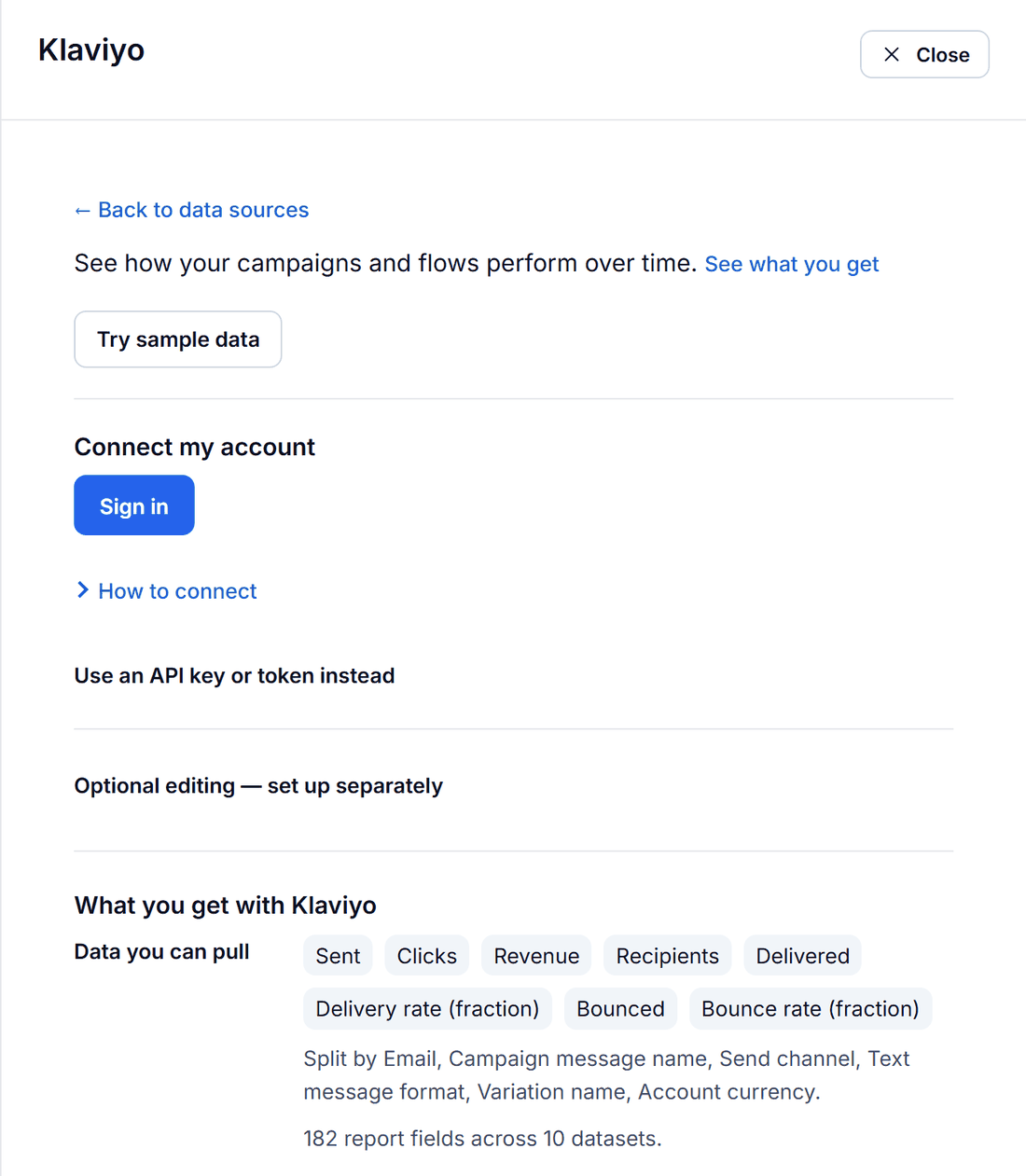
In Datapipe, open Data sources → Add data source and pick the Klaviyo data source. Click Sign in and approve access, or choose Use an API key or token instead and paste a private API key.
Step 2: Add Shopify
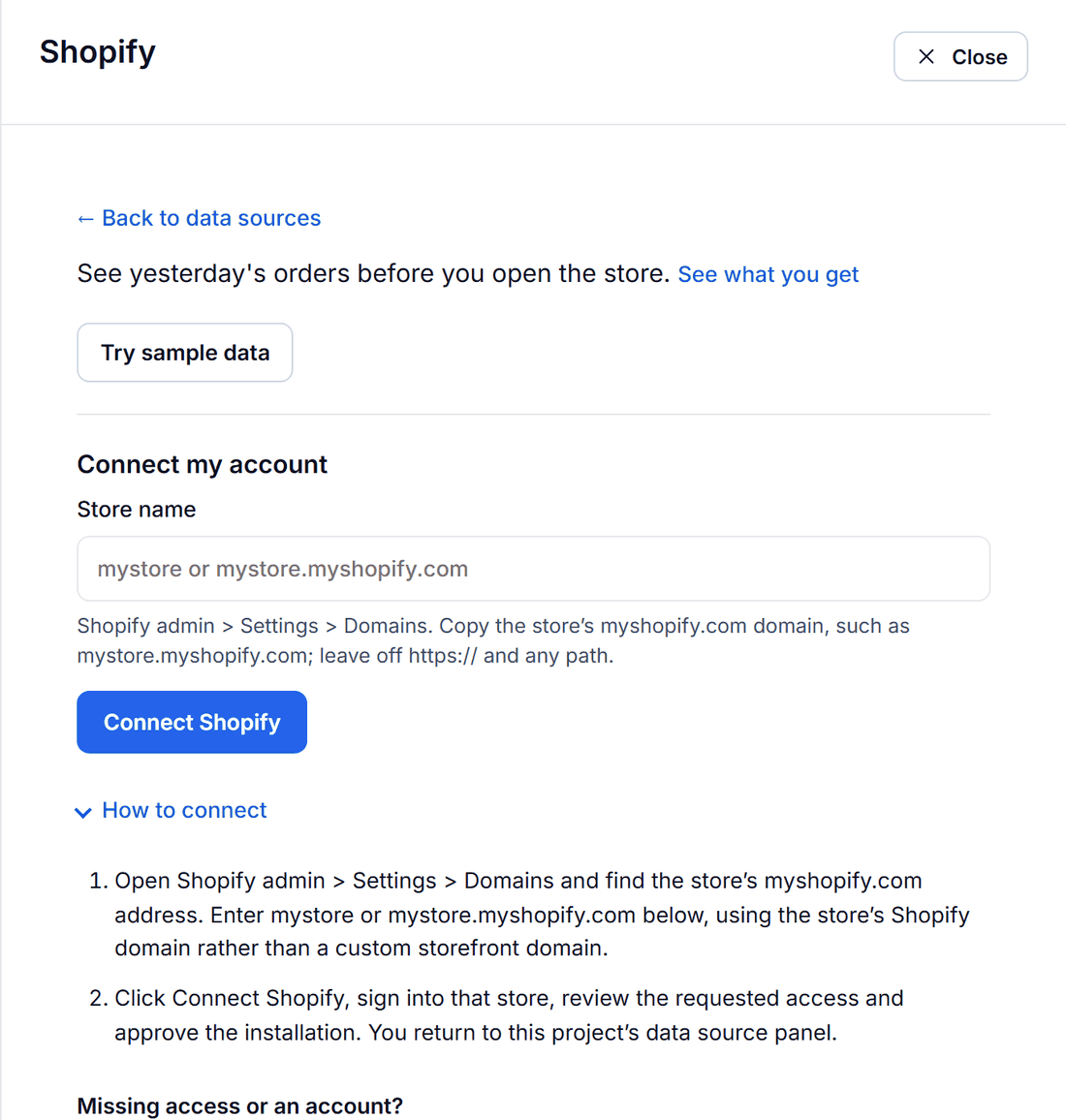
Choose Add data source again and pick the Shopify data source. Type the store's myshopify.com name, which you'll find under Shopify admin → Settings → Domains, click Connect Shopify and approve the installation.
Step 3: Open the Klaviyo report template
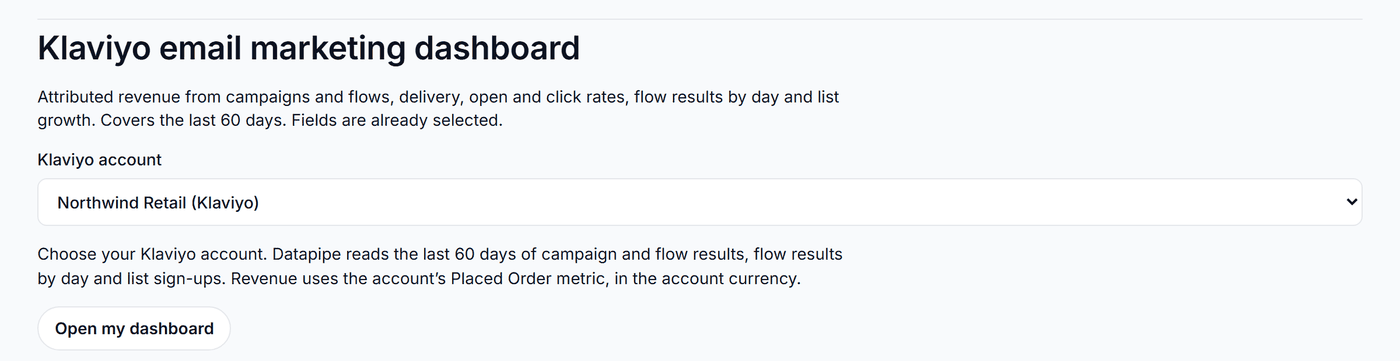
Go to Reports → Add a report → Data Studio dashboards, find Klaviyo Email Marketing Report and click Use template. Choose the Klaviyo account, click Open my dashboard and save the copy Data Studio offers.
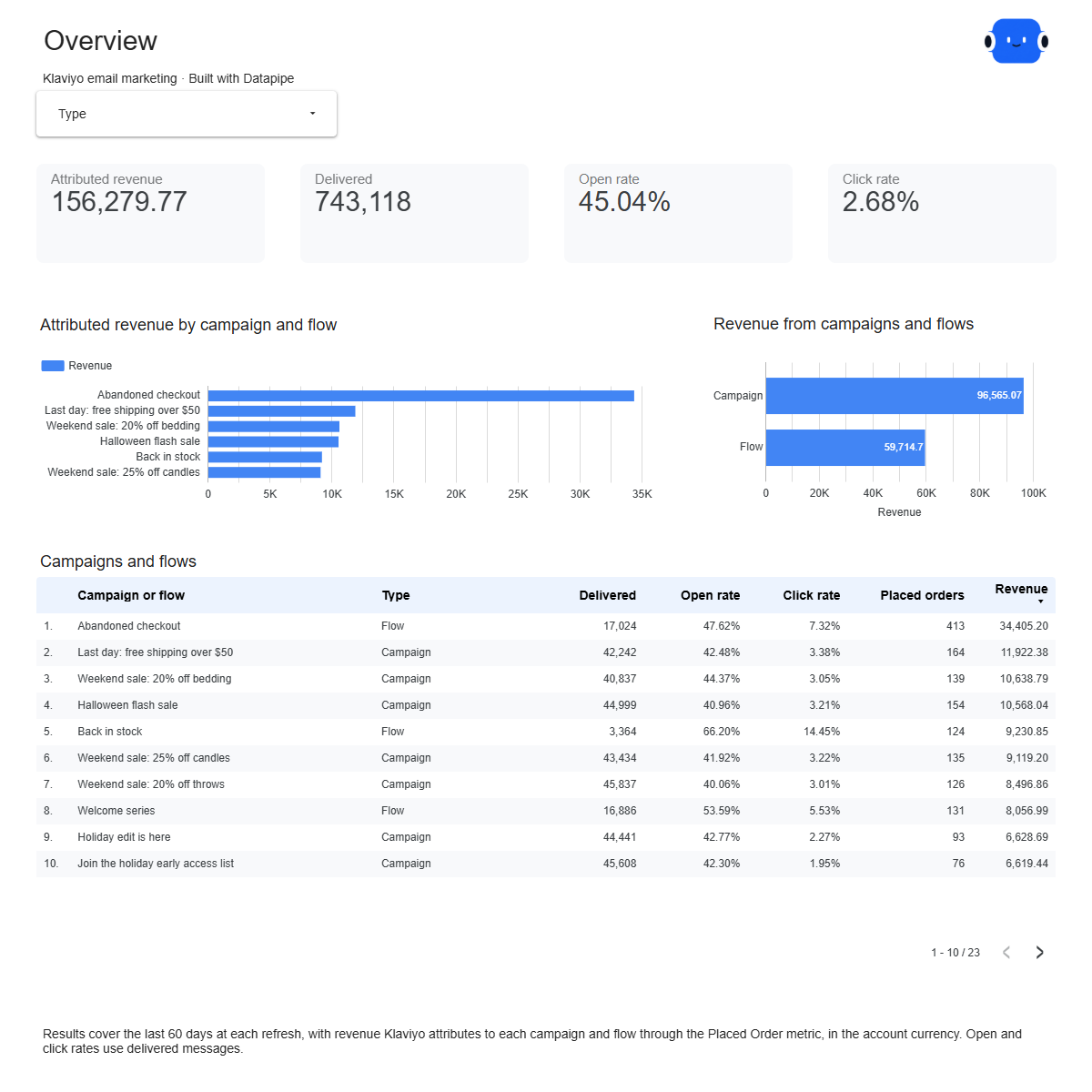
The Klaviyo email marketing report template opens on Overview: attributed revenue, delivered messages, open and click rates, and revenue split between campaigns and flows. Campaigns and Flows show placed orders and revenue per recipient for each message, and List growth shows subscriptions and removals by day. It covers the last 60 days at each refresh, uses your Placed Order metric under your account's attribution settings, and reports in the account currency.
Step 4: Add the Shopify report template
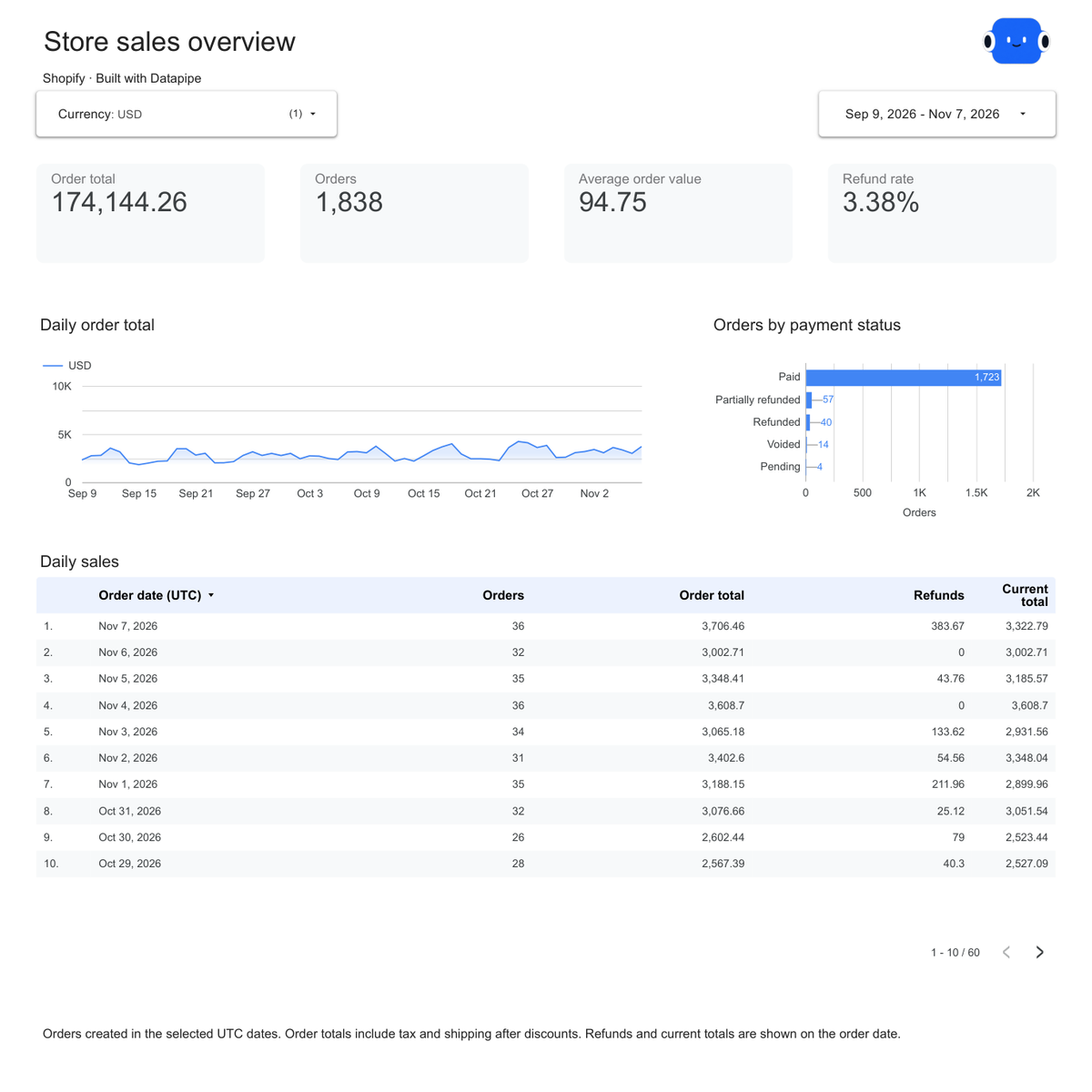
On the Klaviyo report's page, click Add another report, choose Shopify Sales Report, pick the store and save that copy too. The Shopify sales report template shows order total, orders, average order value and refund rate, with refunds and cancellations for each order. Its order total includes tax and shipping after discounts, nearly the same basis as Klaviyo's Placed Order value, which also includes tips.
Step 5: Schedule both
Open Schedule & send, set the refresh and add the people who get the email. Both reports go out together. One email, one link, and nobody reads Klaviyo's number without the store total next to it.
Mind the dates. The Shopify template dates orders in UTC, while Klaviyo's flow revenue by day uses the Klaviyo account's time zone. And Klaviyo campaign totals sit on the send date. Compare 60-day totals or calendar months, never single days.
What does a worked comparison look like?
For example, take the 60 days from September 9 to November 7 as the two templates' previews show them.
| Report | Figure |
|---|---|
| Klaviyo attributed revenue | 156,279.77 |
| of which campaigns | 96,565.07 |
| of which flows | 59,714.70 |
| Shopify order total | 174,144.26 |
| Shopify orders | 1,838 |
| Shopify refund rate | 3.38% |
Klaviyo claims 89.7% of the store's order total. Does that mean email earned nine in every ten dollars the store took over those 60 days, across every product and every channel the store sells through? No.
First, refunds. A 3.38% refund rate on 174,144.26 is about 5,886 the store gave back, and Klaviyo keeps all of it in. Second, opens. Campaigns carry 96,565.07 of the credit, with open rates above 40% and click rates near 3%. While opens count, part of that credit can belong to people who never clicked, and Compare model with clicks only shows how much. Third, overlap. Any of those buyers who also clicked an ad is counted again in the ad platform.
The flows tell a cleaner story. The Abandoned checkout flow shows 413 placed orders and 34,405.20 in revenue from 17,024 deliveries at a 7.32% click rate. Those buyers were already at checkout. That's the number worth defending to a client. Discount the campaign total.
Then decide. If the client wants email's share to mean something, switch email attribution to clicks only, note the change date, and report the share against Shopify's order total from that month on.
Ask Claude or ChatGPT to explain the gap
An assistant connected to the project can read Klaviyo and Shopify together and do the arithmetic, which is where most of this time goes.
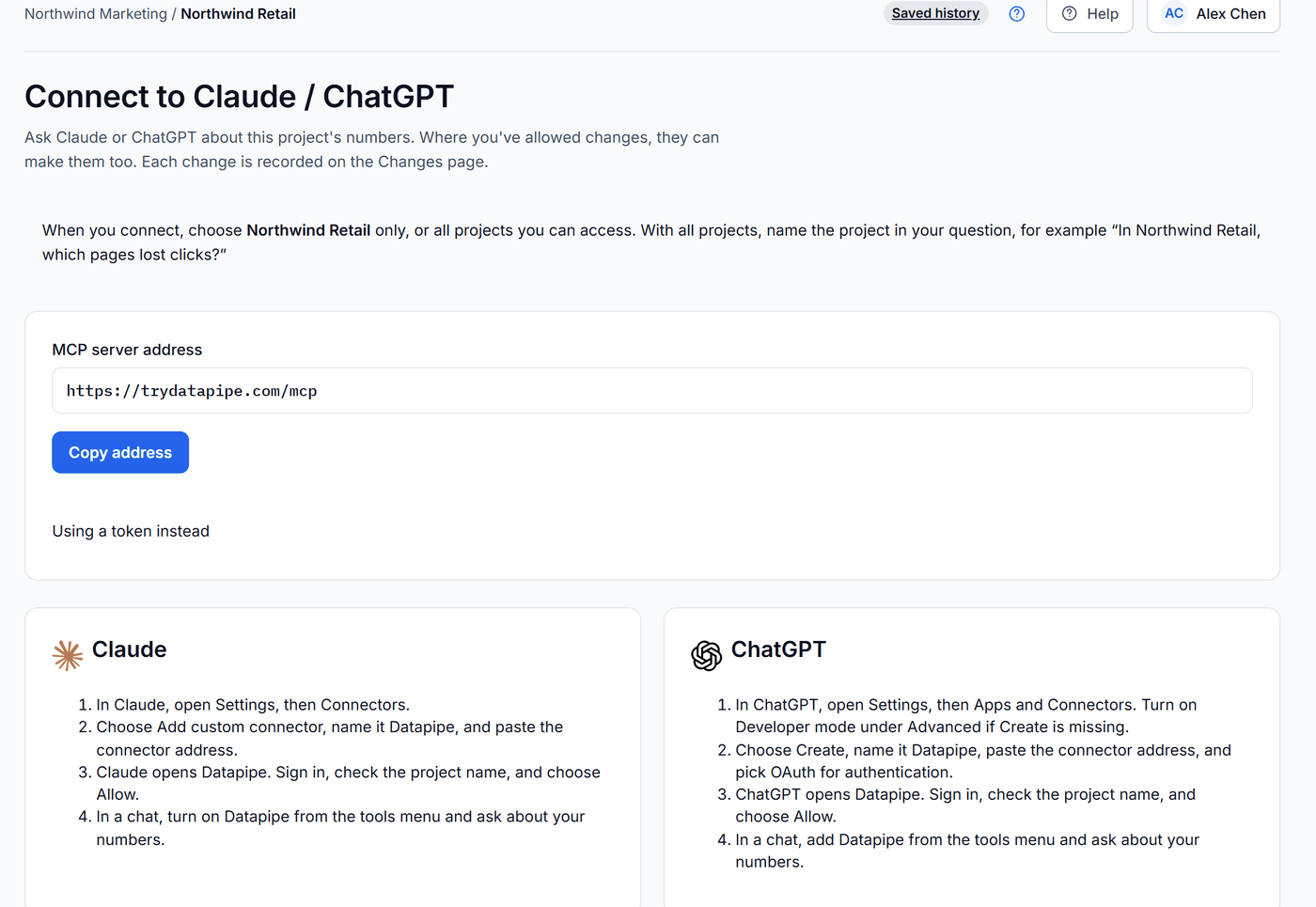
To connect, open Settings → Claude / ChatGPT in Datapipe and click Copy address. In Claude, open Customize → Connectors, click + Add, choose Add custom connector, name it Datapipe and paste the address. Then, in a chat, click +, choose Connectors and switch Datapipe on. On a Team or Enterprise plan, an owner adds it first under Organization settings → Connectors. In ChatGPT, open Settings → Apps and Connectors → Create and sign in.
Compare the totals on the same basis.
In [project name], read Klaviyo campaign and flow message performance for [start date] to [end date]: conversions and conversion value in the account currency, split by campaign and flow. Then read Shopify orders for the same dates: order count, original total, refunded total and current total in the shop currency. Show Klaviyo conversion value as a share of Shopify original total, and list the refunded amount separately. Don't change anything.
Find which messages carry the credit.
From your last answer, rank the campaigns and flows by conversion value. For each, show delivered, unique clicks, click rate, conversions and revenue per recipient. Mark the ones where conversions are high but click rate is under 2%, since their credit probably comes from opens. Don't change anything.
Write the note for the client.
Using only the numbers from your last two answers, write four sentences for the client: total store sales, the share Klaviyo claims, the two reasons the claim is higher than email's real contribution, and the flows we trust most. Plain words. Don't change anything.
The use case find Klaviyo flows that stopped sending uses the same two data sources to catch an order-triggered flow that went quiet while orders kept coming.
Why don't my Klaviyo and Shopify numbers match? Troubleshooting
If Klaviyo shows more revenue than the store sold, opens and overlap with ad platforms are the usual cause. Check whether email opens count under Settings → Attribution, and whether Apple Privacy Protection opens are removed.
If last month's Klaviyo revenue changed after you sent the report, someone saved new attribution settings. Klaviyo recalculates history when settings change, and late interaction events can also update attribution for up to five days after a send, so last month isn't final until a few days into this one.
If a colleague sees different revenue for the same campaign, they picked a different conversion metric. It's saved per person. Set both to Placed Order.
If the month-end comparison is off by a whole campaign, the campaign went out on the last day of the month. Klaviyo puts its orders on the send date.
If the totals look far too high for a store selling in several currencies, Klaviyo added different currencies together. Klaviyo recommends a separate account for each store region.
If Shopify's number dropped after the month closed, refunds came in. Shopify records them on the day they're processed; Klaviyo never subtracts them. The Shopify template shows refunds against the order date, so the dashboard and the Shopify admin can differ for the same month.
If the Klaviyo template shows the wrong revenue, the account has more than one Placed Order metric. Add the conversion metric ID to the Klaviyo data source.
For the same problem with ads, read Facebook Ads vs Shopify: why Meta reports more sales than your store. For tracking, read how to reconcile GA4 purchases with Shopify orders.
Frequently asked questions
Why does Klaviyo show more revenue than Shopify?
Klaviyo credits a message with any order placed within its attribution window, five days after an email open or click by default, and it doesn't subtract refunds or cancellations. Shopify counts each order once and subtracts refunds. Opens and overlap with ad platforms push Klaviyo's number up most.
Which is more accurate, Klaviyo or Shopify?
Shopify, for revenue. It records every order and every refund. Klaviyo's figure is a credit claim under its attribution rules. Use it to compare messages and track email's share over time, not as the store's sales.
Does Klaviyo subtract refunds?
No. Klaviyo's own Shopify reference says Shopify subtracts canceled and refunded orders from revenue and Klaviyo doesn't. Partial refunds don't trigger the Refunded Order event either.
What is Klaviyo's default attribution window?
For new accounts, five days for email clicks and five days for email opens, under a last-touch model. You can change each channel's window under Settings → Attribution, up to 90 days, with three saved changes in 30 days.
Does changing Klaviyo's attribution settings change past reports?
Yes. Klaviyo recalculates historical conversions as well as new ones, which takes up to 36 hours. Note the date of any change in your reports, because last month's figures will move.
Can I add Klaviyo, Meta and Google revenue together?
No. Each platform credits the same order when the buyer touched it, so the total often exceeds what the store sold. Report each platform's claim separately and compare each one with Shopify's sales.
Put your marketing numbers on autopilot
Datapipe connects your data sources and keeps your reports refreshed on a schedule.
Start free