Datapipe
Start free
← All report templates

DataForSEO · Free Data Studio template

DataForSEO domain SEO overview template
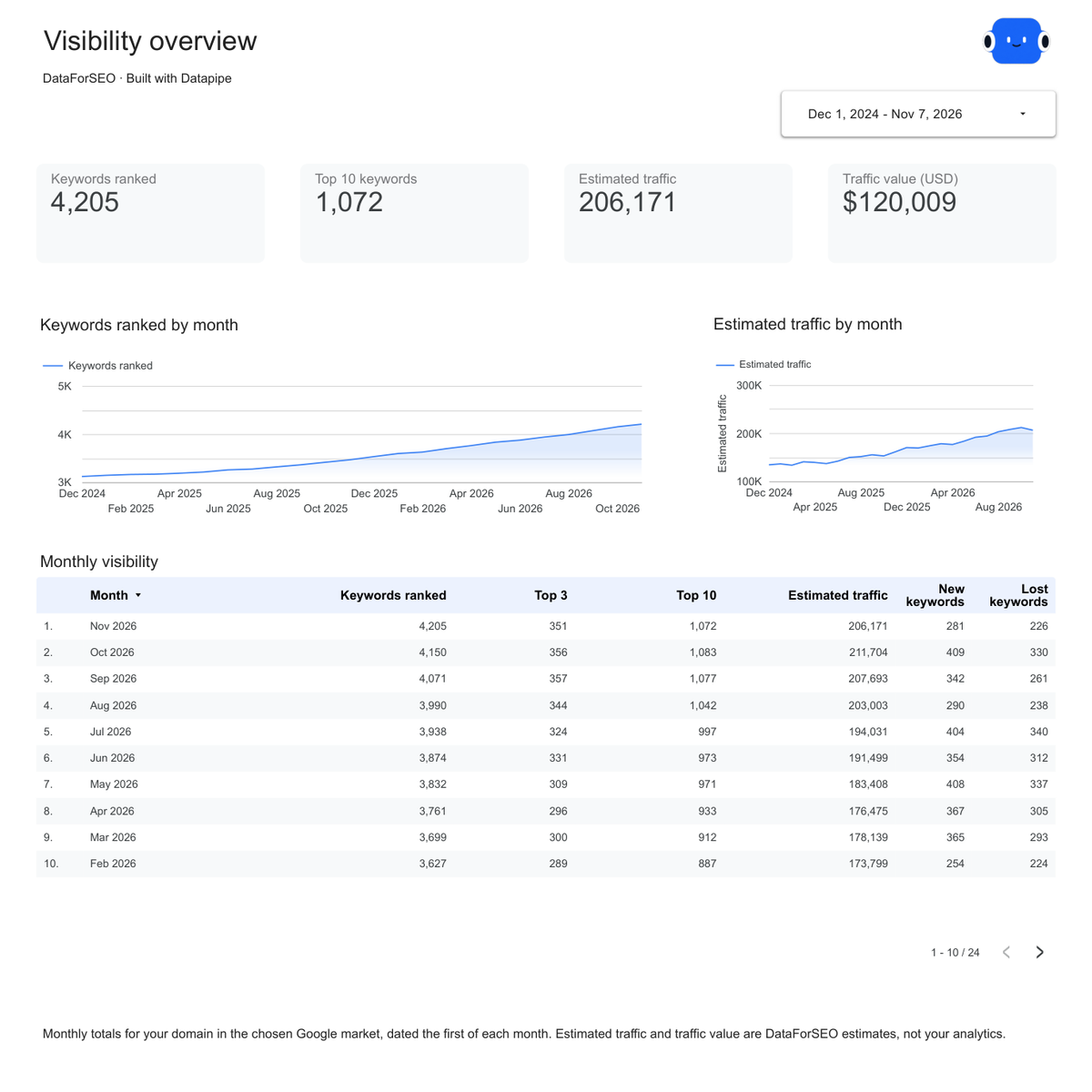
See where you rank. Know what earns traffic.

Keywords ranked, top 10 positions and estimated organic traffic by month, with your top keywords, pages and organic competitors. One editable report for a monthly SEO review.

A Google account is needed to save a copy.

Explore the report

Choose a page to see its charts and metrics.

Choose a report page to preview
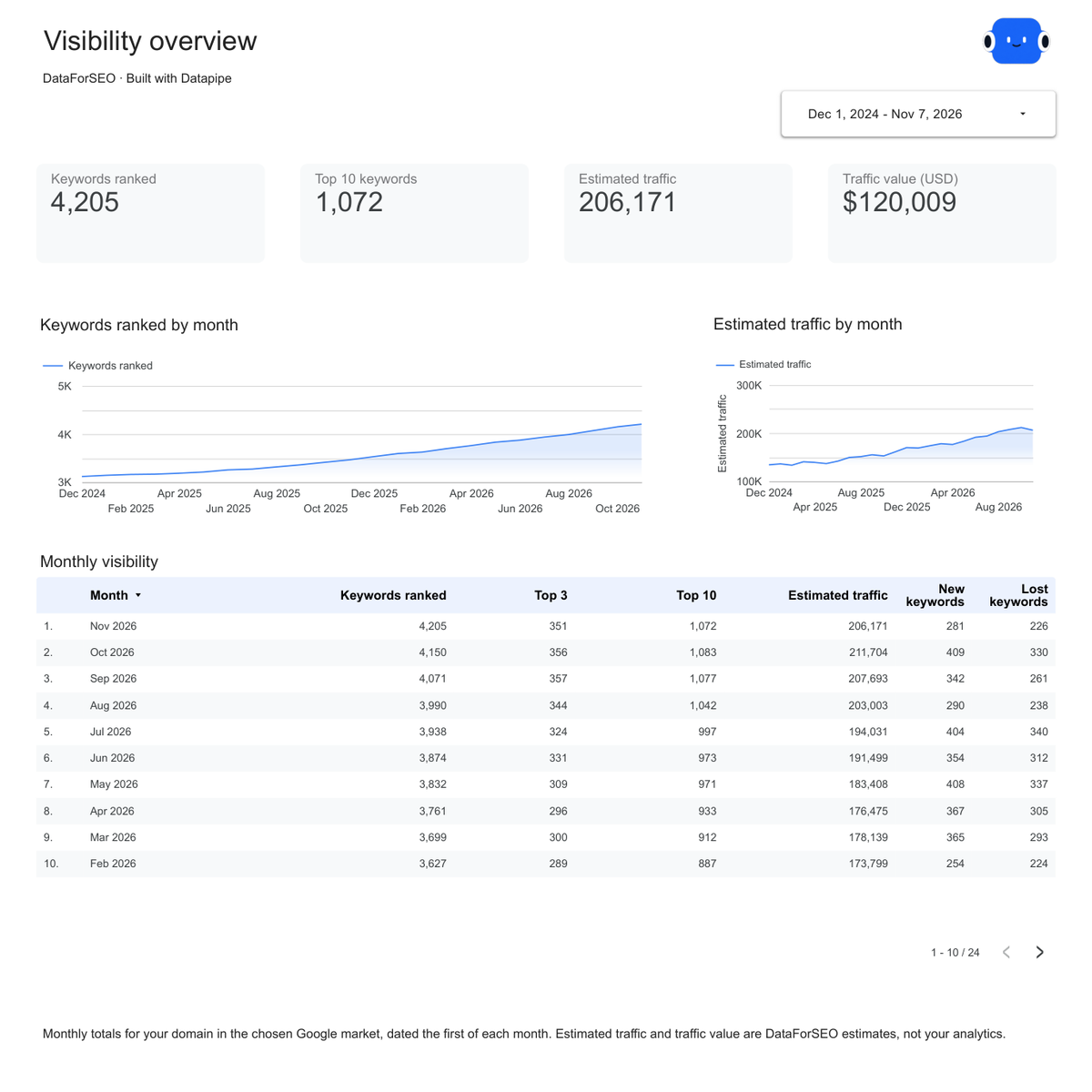
DataForSEO overview report page.
See how your visibility changed. Open this page ↗
DataForSEO competitors report page.
Know who you compete with. Open this page ↗
DataForSEO keywords report page.
Find the keywords that earn traffic. Open this page ↗
DataForSEO top pages report page.
See which pages bring visitors. Open this page ↗
DataForSEO start here report page.
Your reporting guide. Open this page ↗

Open interactive report ↗ · Download PDF · CSV

Make this report yours

  1. Preview the report

    Explore the pages, charts and filters.

  2. Save a free copy

    Add your logo and adjust the layout for your team or clients.

  3. Connect your account

    Choose the account you want this dashboard to report on.

Keep your dashboard up to date

Connect DataForSEO, enter your domain and choose your market. Datapipe updates the Google Sheet behind your dashboard on your schedule.

DataForSEOSelected account
DatapipePrepare & refresh
Google SheetsPrivate report data
Data StudioYour dashboard

Setup, pricing and metrics

What does the DataForSEO domain SEO overview include?

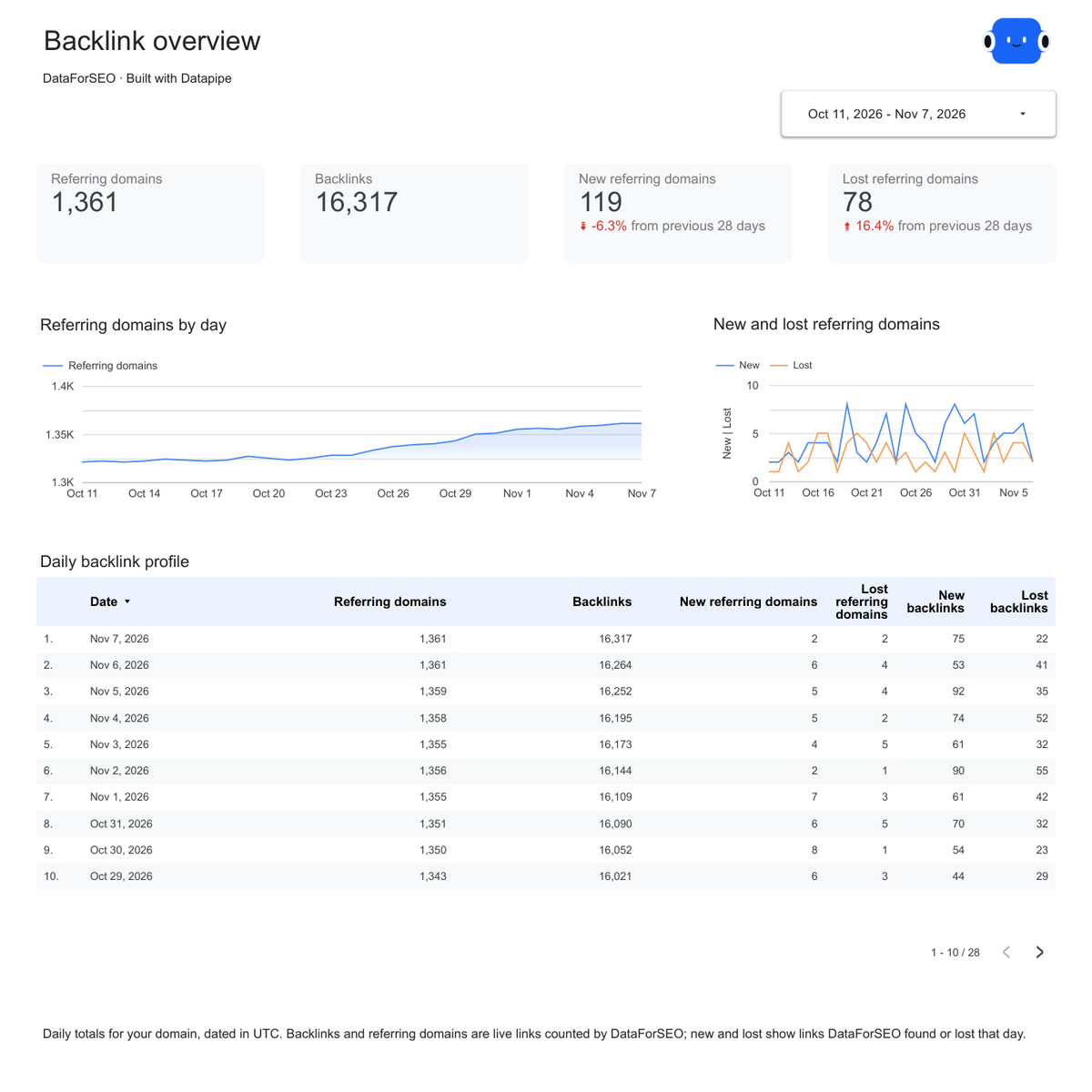
Five pages: Start here, Overview, Competitors, Keywords and Top pages. Overview shows keywords ranked, top 10 keywords and estimated organic traffic by month. Competitors lists the domains that rank for the same keywords. Keywords shows your top 500 keywords with position, movement and search volume, and Top pages shows the pages that earn your traffic.

How do I connect DataForSEO?

Add DataForSEO as a data source in Datapipe with your DataForSEO API login and password. Create this dashboard, enter your domain, choose your market and authorize Google Sheets. Then save your private Data Studio copy. Datapipe refreshes the same workbook.

Does each refresh use my DataForSEO balance?

Yes. Datapipe reads DataForSEO Labs with your own account, so every request is charged to your DataForSEO balance. Each refresh makes 5 requests: monthly history, current overview, ranked keywords, top pages and organic competitors. Setup shows the count before you create the dashboard. The dashboard refreshes weekly; you can change the schedule or refresh it sooner.

How much history does the dashboard show?

The last 24 months of monthly totals, read from DataForSEO’s history, so trends start on the first refresh. The dashboard opens on the last 24 months.

What are estimated traffic and traffic value?

Both are DataForSEO estimates, not your analytics. Estimated traffic is the monthly Google organic clicks DataForSEO expects from each keyword’s search volume and your position. Traffic value is what that traffic would cost as Google Ads clicks at each keyword’s cost per click.

Which markets can I choose?

One Google market per dashboard, from 19 country and language pairs that DataForSEO Labs covers, such as United States · English or United Kingdom · English. Create another dashboard to report another market.

Why shouldn’t I add months together?

Keywords ranked, top 10 keywords and estimated traffic are totals for each month, so adding months counts the same keywords again. Compare months instead. New and lost keywords are counted per month.

Does the report list every keyword?

No. It keeps your top 500 keywords and 100 pages by estimated traffic, and 20 organic competitors, from the latest read. The monthly totals still cover every keyword you rank for.

Is the template free?

The template, editable Data Studio copy, PDF and CSV are free. Datapipe plans apply when you connect DataForSEO and refresh your own data, and DataForSEO charges its requests to your DataForSEO balance.

Make it your next report.