Start free
← All report templates

Search Console, rankings, backlinks & GA4 · Free Data Studio template

SEO client report template
Search, rankings, backlinks and organic traffic in one client report.

Google Search Console clicks and queries, your rank tracker’s keyword positions, your backlink tool’s links and Google Analytics organic sessions and key events. One editable report for a monthly client review.

A Google account is needed to save a copy.

Explore the report

Choose a page to see its charts and metrics.

Choose a report page to preview
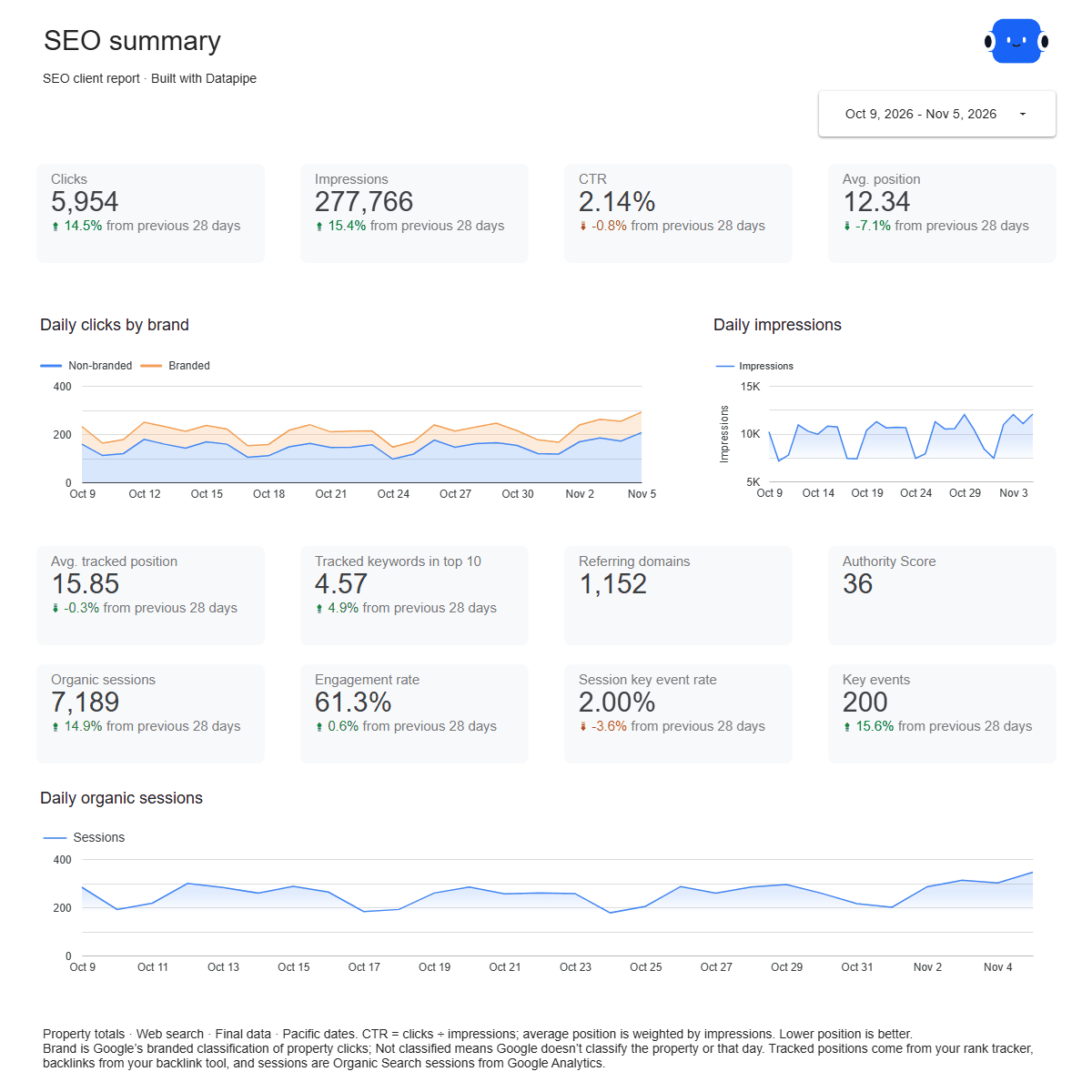
Search Console, rankings, backlinks & GA4 summary report page.
Give the client the headline first. Open this page ↗
Search Console, rankings, backlinks & GA4 search performance report page.
Show what Google search brought in. Open this page ↗
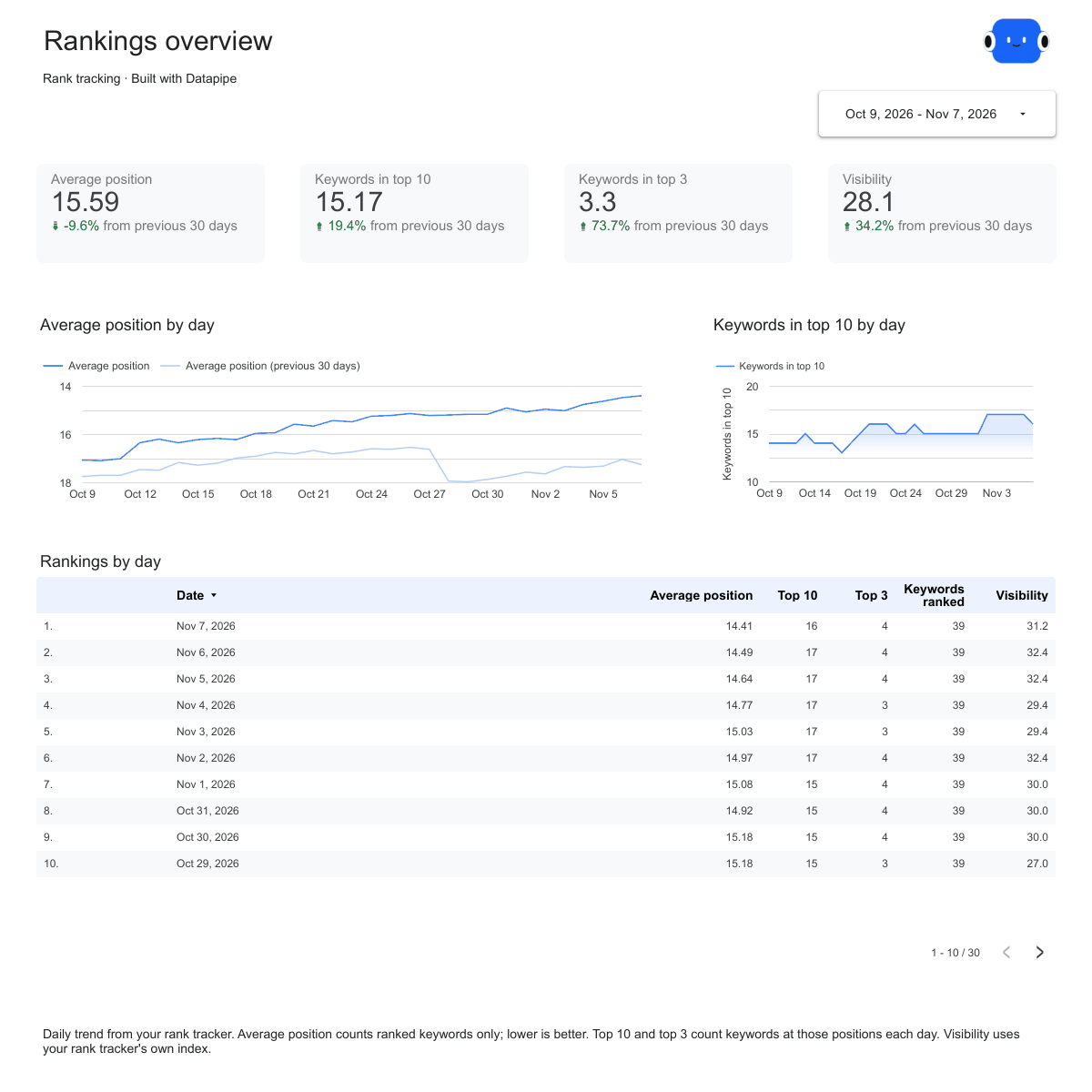
Search Console, rankings, backlinks & GA4 tracked rankings report page.
Follow the keywords the client cares about. Open this page ↗
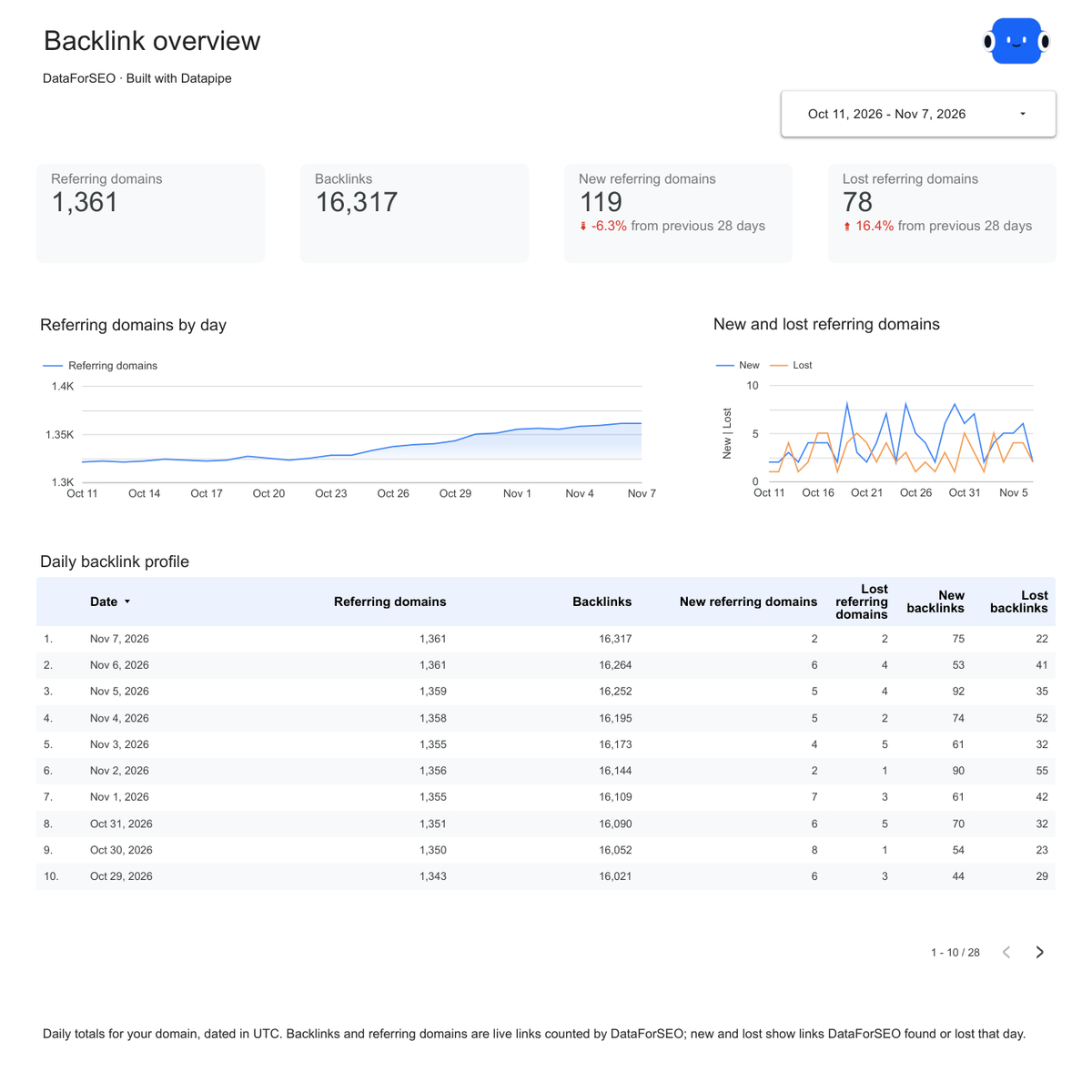
Search Console, rankings, backlinks & GA4 backlinks report page.
Show the link profile growing. Open this page ↗
Search Console, rankings, backlinks & GA4 organic traffic report page.
Prove what search visits do. Open this page ↗
Search Console, rankings, backlinks & GA4 start here report page.
Your reporting guide. Open this page ↗

Open interactive report ↗ · Download PDF · CSV

Make this report yours

  1. Preview the report

    Explore the pages, charts and filters.

  2. Save a free copy

    Add your logo and adjust the layout for your team or clients.

  3. Connect your account

    Choose the account you want this dashboard to report on.

Keep your dashboard up to date

Add the client’s Search Console property, then their rank tracker, backlink tool and Google Analytics property as data sources in the same project. Datapipe keeps every page of the report up to date on your schedule.

Search Console, rankings, backlinks & GA4Selected account
DatapipePrepare & refresh
Google SheetsPrivate report data
Data StudioYour dashboard

Setup, pricing and metrics

What does this SEO client report include?

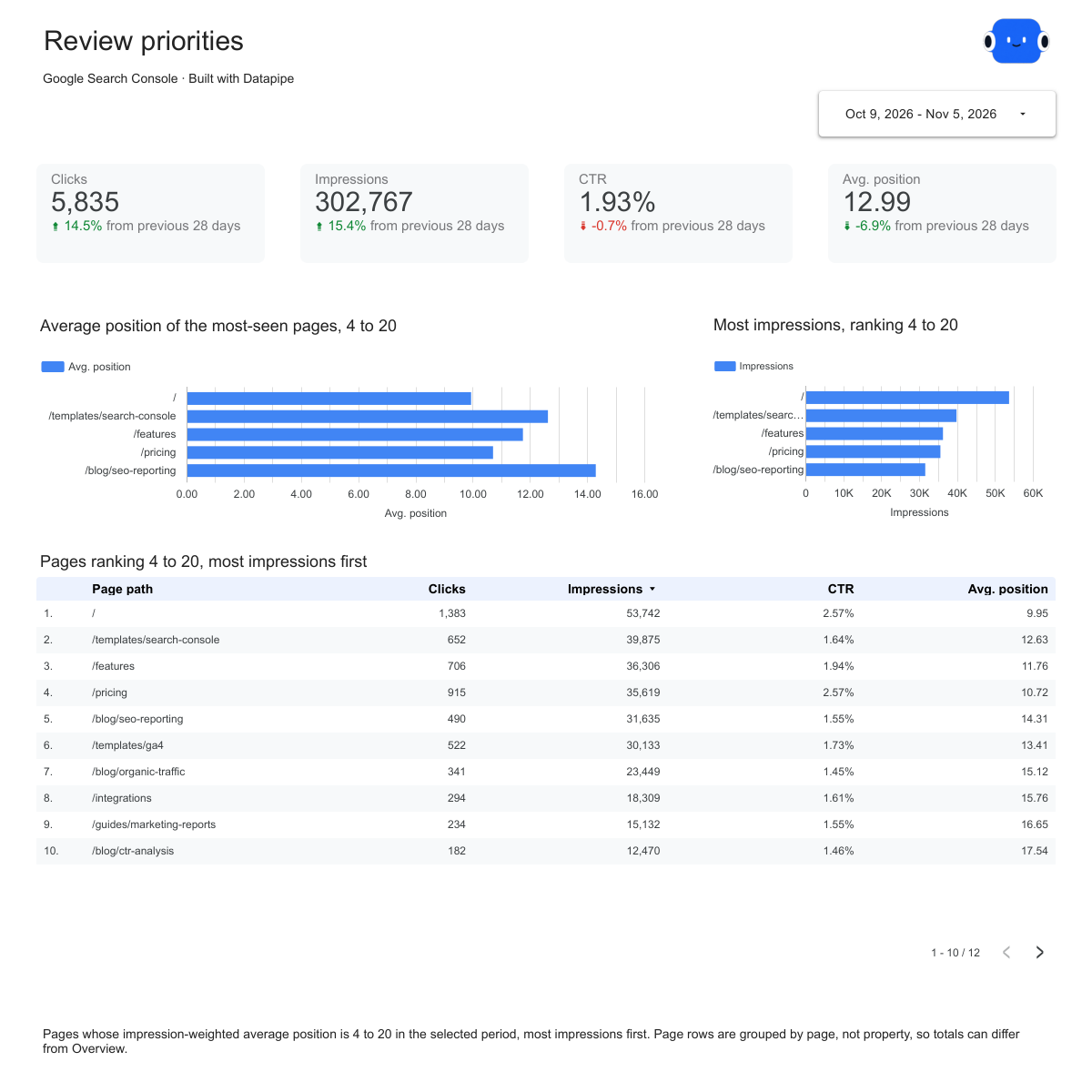
Twelve pages, starting with Start here. Summary puts the headline numbers from every data source on one page. Four Search Console pages cover the search overview, queries, pages and pages ranking 4 to 20. Two pages follow your tracked keywords, two cover backlinks and referring domains, and two show Google Analytics organic traffic and landing pages.

Which data sources does it use?

Google Search Console is required. Add a rank tracker (SE Ranking, AccuRanker, Nightwatch, Mangools or PageOptimized), a backlink tool (Semrush or Moz) and Google Analytics 4 for the other pages. Each one is a data source in the same Datapipe project.

Do I need every data source?

No. Start with Search Console. Pages for a part you haven’t added show what to add, and they fill in on the next refresh after you add it.

How do I use this template with a client’s accounts?

Add the client’s Search Console property and their other tools as data sources in one Datapipe project. Choose this template in Reports, pick the data source for each part, and Datapipe opens your filled Data Studio copy. Scheduled refreshes keep it up to date.

Why do Search Console and Google Analytics numbers differ?

Search Console counts clicks on Google results. Google Analytics counts sessions from all search engines in the Organic Search channel, and only where its tag runs. The report keeps them side by side rather than adding them together.

How are tracked positions different from Search Console position?

Search Console position is an average across every query and impression. Tracked positions are checks your rank tracker runs for the keywords you chose, in the market you set. Both are useful; lower is better for each.

Is the template free?

The template, PDF and CSV are free. Datapipe plans apply to automatic refreshes for your account.

Make it your next report.