Datapipe
Start free
← All report templates

AdSense · Free Data Studio template

AdSense report template
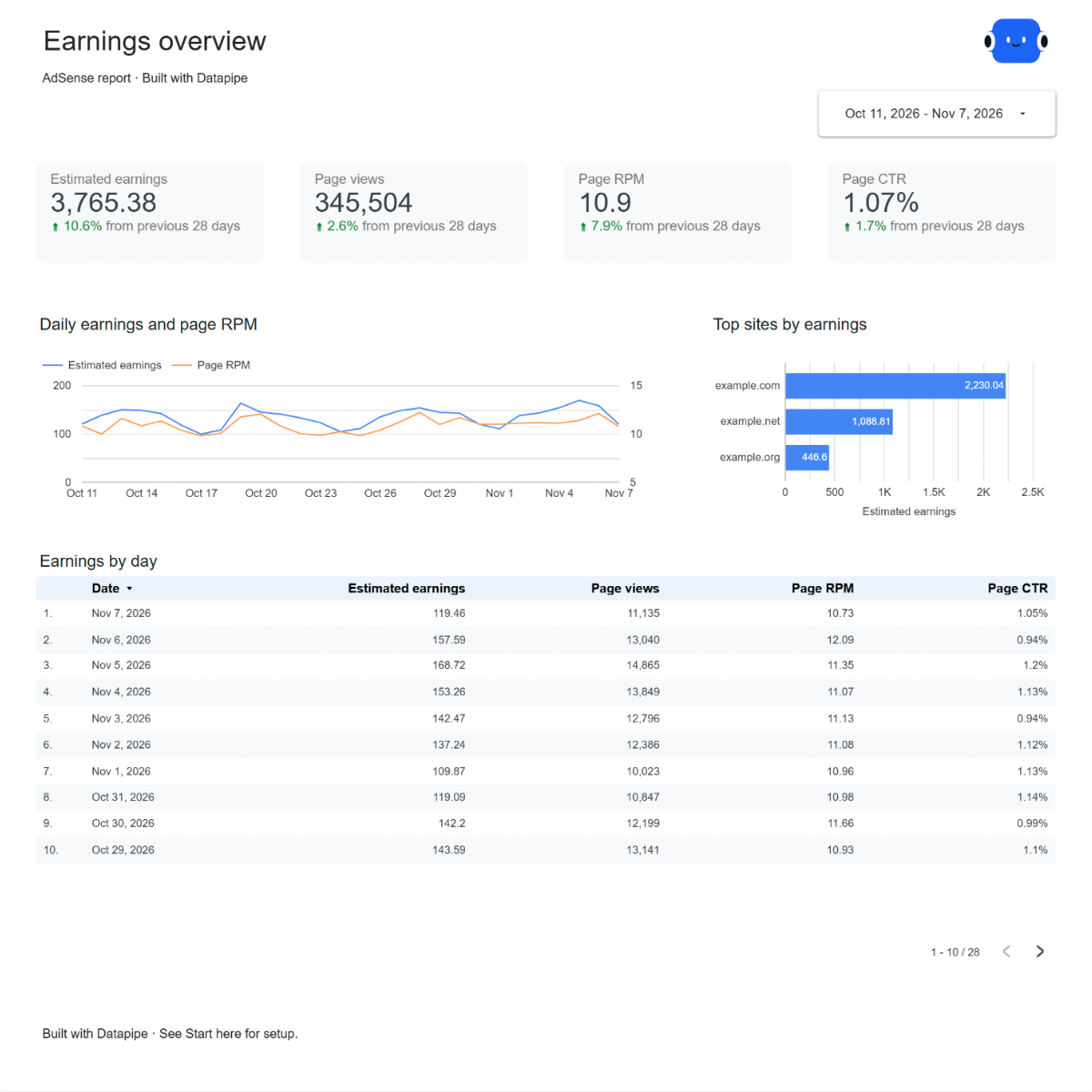
See what your pages earn. Find where the money comes from.

Estimated earnings, page views, page RPM and CTR against the previous period, with the sites, countries and ad units behind them. One editable report for a regular AdSense review.

A Google account is needed to save a copy.

Explore the report

Choose a page to see its charts and metrics.

Choose a report page to preview
AdSense overview report page.
See what your pages earned. Open this page ↗
AdSense sites report page.
Compare your sites. Open this page ↗
AdSense countries report page.
See where visitors are worth most. Open this page ↗
AdSense ad units report page.
Find the ad units worth their space. Open this page ↗
AdSense start here report page.
Your reporting guide. Open this page ↗

Open interactive report ↗ · Download PDF · CSV

Make this report yours

  1. Preview the report

    Explore the pages, charts and filters.

  2. Save a free copy

    Add your logo and adjust the layout for your team or clients.

  3. Connect your account

    Choose the account you want this dashboard to report on.

Keep your dashboard up to date

Connect your AdSense account. Datapipe updates the Google Sheet behind your dashboard on your schedule.

AdSenseSelected account
DatapipePrepare & refresh
Google SheetsPrivate report data
Data StudioYour dashboard

Setup, pricing and metrics

What does this AdSense report include?

Five pages: Start here, Overview, Sites, Countries and Ad units. Overview compares estimated earnings, page views, page RPM and page CTR with the previous period. Sites and Countries show where earnings and RPM come from. Ad units shows impressions, clicks and impression RPM for each ad unit.

How do I use this template with my own account?

Add AdSense as a data source in Datapipe, sign in with Google and choose your AdSense account, then create this dashboard. Authorize Google Sheets separately. Datapipe prepares four worksheets, Daily, Sites, Countries and Ad units, and a copy link that replaces the report sources. Save your private Data Studio report; scheduled exports update the same workbook.

How are page RPM, CTR and CPC calculated?

Page RPM is total estimated earnings divided by total page views, times 1,000. Page CTR is total ad clicks divided by total page views. CPC is total estimated earnings divided by total ad clicks. All are calculated from the totals for the selected dates, not averaged across days.

Why do the Sites totals differ from the Overview?

Overview reads the whole account. Sites lists the sites you have added in AdSense, so ads shown on other domains, such as staging copies, are counted in the Overview but not on the Sites page.

Why does the Ad units page have no page views?

AdSense counts page views per page, not per ad unit. The Ad units page compares units by impressions, clicks and impression RPM instead.

Are these my final earnings?

No. AdSense reports estimated earnings, which can change until AdSense finalizes them. Amounts stay in your account currency.

How much history does the dashboard read?

Up to the last 90 days of complete days by default, and up to 366 days. The dashboard opens on the last 28 days, ending yesterday, compared with the 28 days before that.

Is the report template free?

The template, editable Data Studio copy, PDF and CSV are free. You need a Google account to save a copy. Datapipe plans apply when you connect and refresh your own data.

Make it your next report.