Start free
← All report templates

Brevo · Free Data Studio template

Brevo report template
See which campaigns work and whether your transactional email arrives.

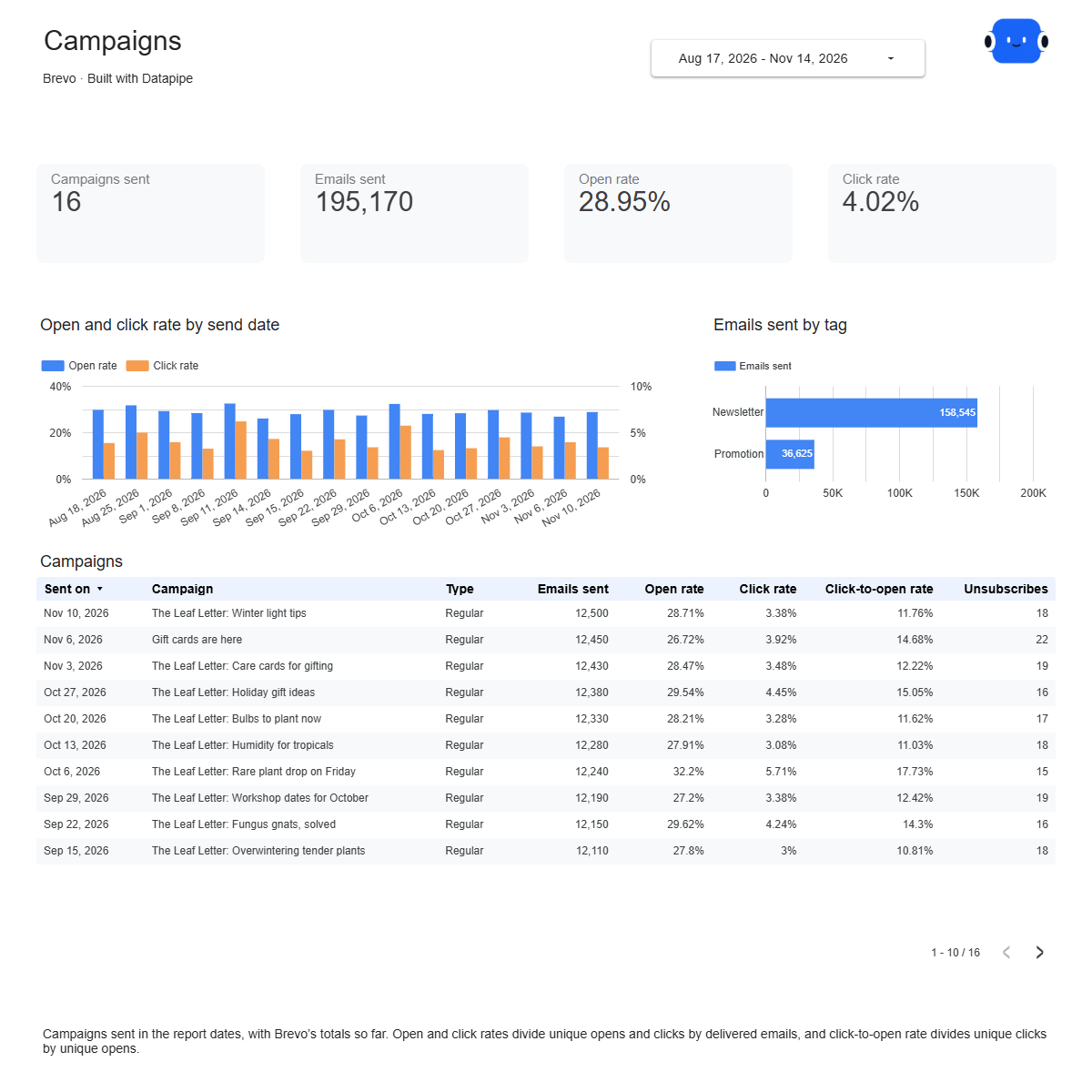
Every sent campaign with its opens, clicks and unsubscribes, your transactional email delivery day by day and the size of each contact list. One editable report for a monthly email review.

A Google account is needed to save a copy.

Explore the report

Choose a page to see its charts and metrics.

Choose a report page to preview
Brevo campaigns report page.
See which campaigns get opened and clicked. Open this page ↗
Brevo transactional report page.
Check that order and account emails arrive. Open this page ↗
Brevo lists report page.
Know the size of every list. Open this page ↗
Brevo start here report page.
Your reporting guide. Open this page ↗

Open interactive report ↗ · Download PDF · CSV

Make this report yours

  1. Preview the report

    Explore the pages, charts and filters.

  2. Save a free copy

    Add your logo and adjust the layout for your team or clients.

  3. Connect your account

    Choose the account you want this dashboard to report on.

Keep your dashboard up to date

Add Brevo with an API key. Datapipe reads your sent campaigns, transactional email statistics and contact lists and updates the Google Sheet behind your dashboard on your schedule.

BrevoSelected account
DatapipePrepare & refresh
Google SheetsPrivate report data
Data StudioYour dashboard

Setup, pricing and metrics

What does this Brevo report include?

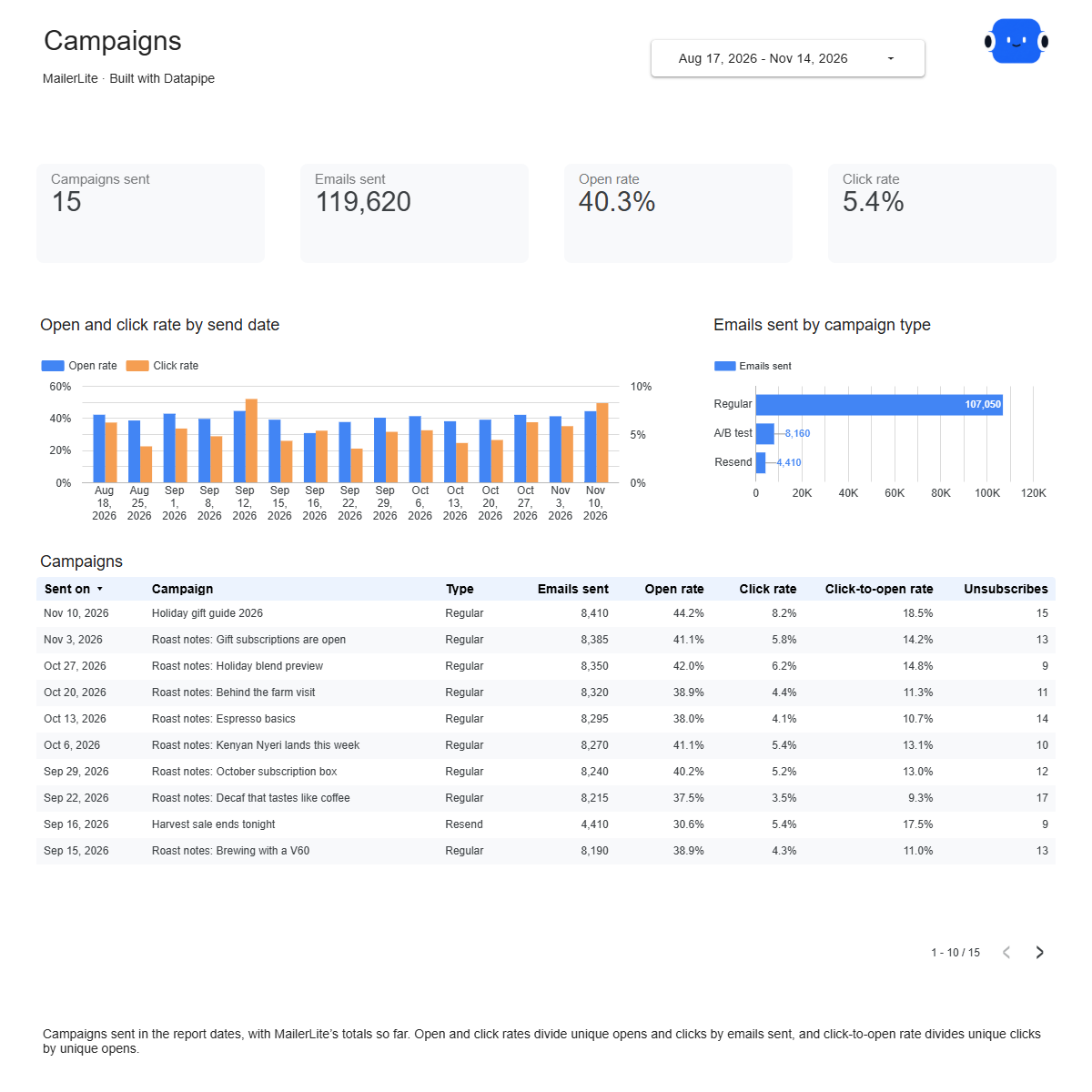
Four pages: Start here, Campaigns, Transactional and Lists. Campaigns shows every email campaign sent in the date range with emails sent, delivered, open, click and click-to-open rates and unsubscribes. Transactional shows your transactional email day by day: requests, delivered, bounces, blocked, opens and clicks. Lists shows the unique contacts in each contact list, grouped by folder.

How do I use this template with my own Brevo account?

Add Brevo as a data source in Datapipe with an API key. Then create this dashboard and authorize Google Sheets separately. Datapipe reads your sent campaigns, transactional email statistics and lists, prepares three worksheets and your private Data Studio copy; scheduled refreshes update the same workbook.

Which campaigns are included?

Email campaigns with the status sent whose send date is in the date range. Drafts, scheduled and suspended campaigns are not included. Brevo keeps campaign statistics for six months, so the report covers up to the last 180 days.

How are the rates worked out?

Open and click rates are unique opens and unique clicks divided by delivered emails. Click-to-open rate is unique clicks divided by unique opens. The totals on each page divide the combined counts, so a large campaign counts more than a small one.

Why is my open rate lower than in Brevo?

Brevo can include opens triggered automatically by Apple Mail Privacy Protection in its open rate, depending on your report settings. This report counts tracked unique opens in the open rate and shows Apple Mail Privacy Protection opens as their own number.

Do the statistics change after a campaign is sent?

Yes. Brevo keeps counting opens and clicks after sending, so recent campaigns can rise between refreshes.

Why don’t the list counts add up to my total contacts?

One contact can be in several lists, so adding list counts together counts some people more than once.

Is the template free?

The template, PDF and CSV are free. Datapipe plans apply to automatic refreshes for your account.

Make it your next report.