Datapipe
Start free
← All report templates

Bing Webmaster Tools · Free Data Studio template

Bing Webmaster Tools site audit report template
See what is broken. Fix what matters first.

Pages crawled, crawl errors and response codes by day, and the URLs Bing flags, grouped by issue. One editable report filled from Bing Webmaster Tools.

A Google account is needed to save a copy.

Explore the report

Choose a page to see its charts and metrics.

Choose a report page to preview
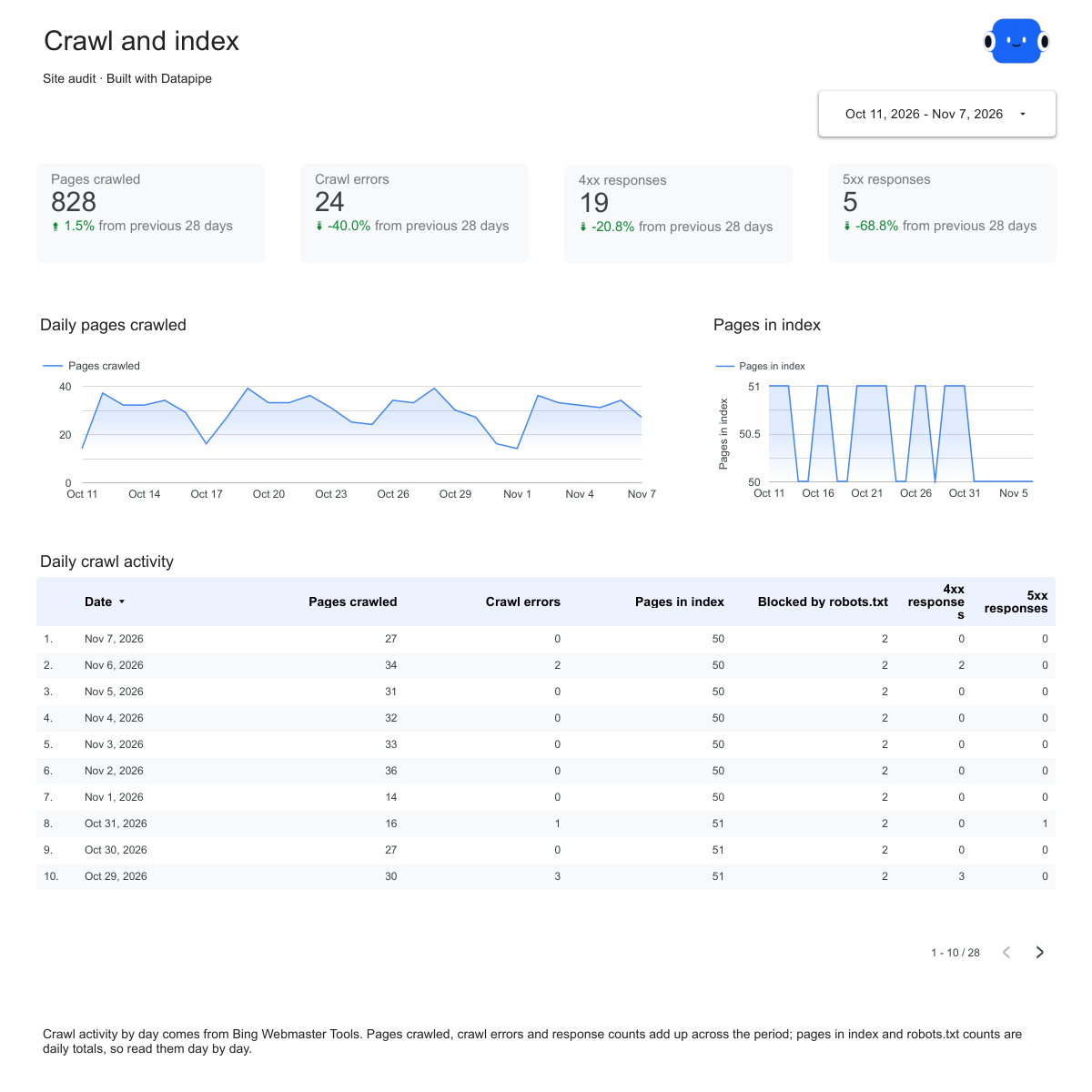
Bing Webmaster Tools crawl report page.
Watch how search engines crawl the site. Open this page ↗
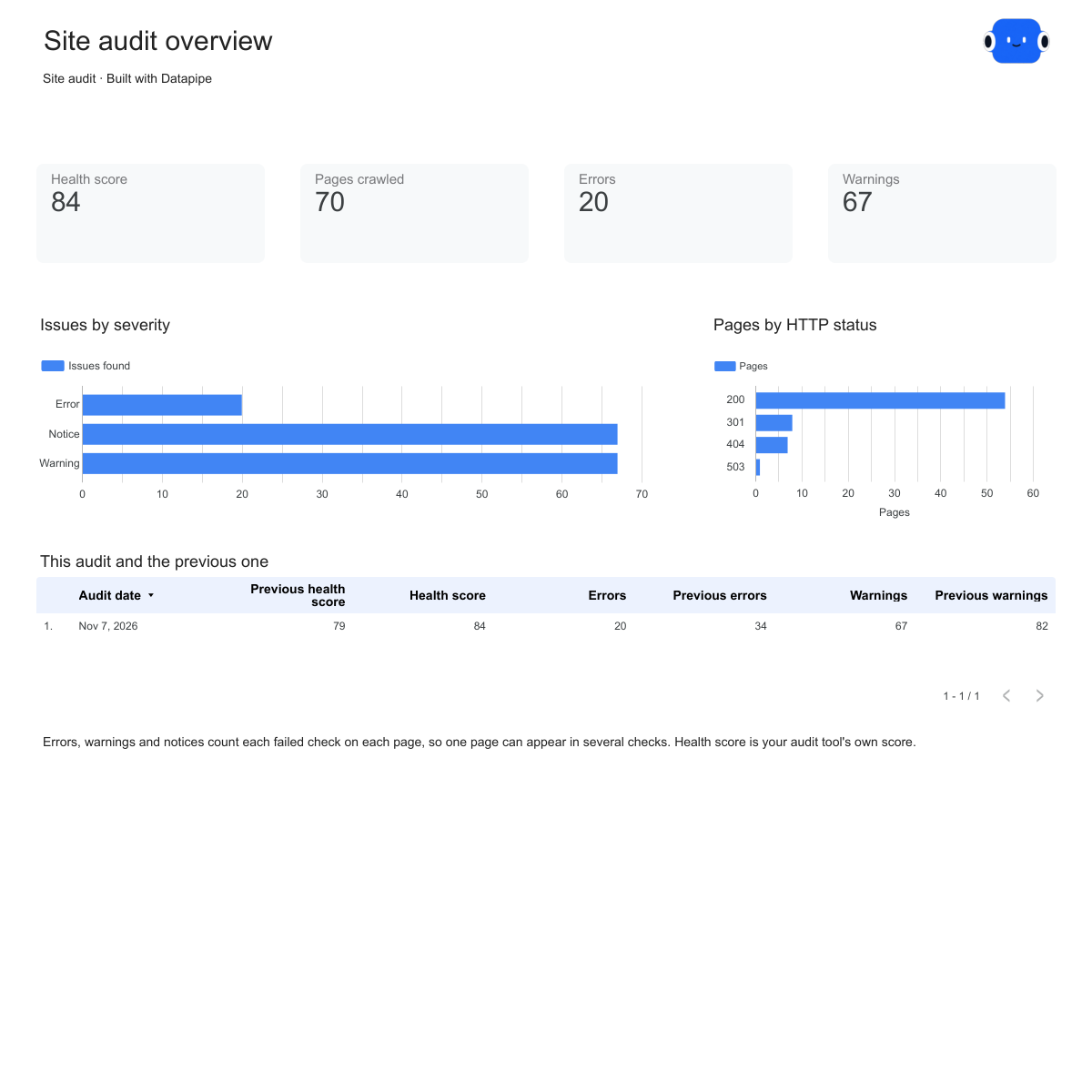
Bing Webmaster Tools issues report page.
Know which fixes reach most pages. Open this page ↗
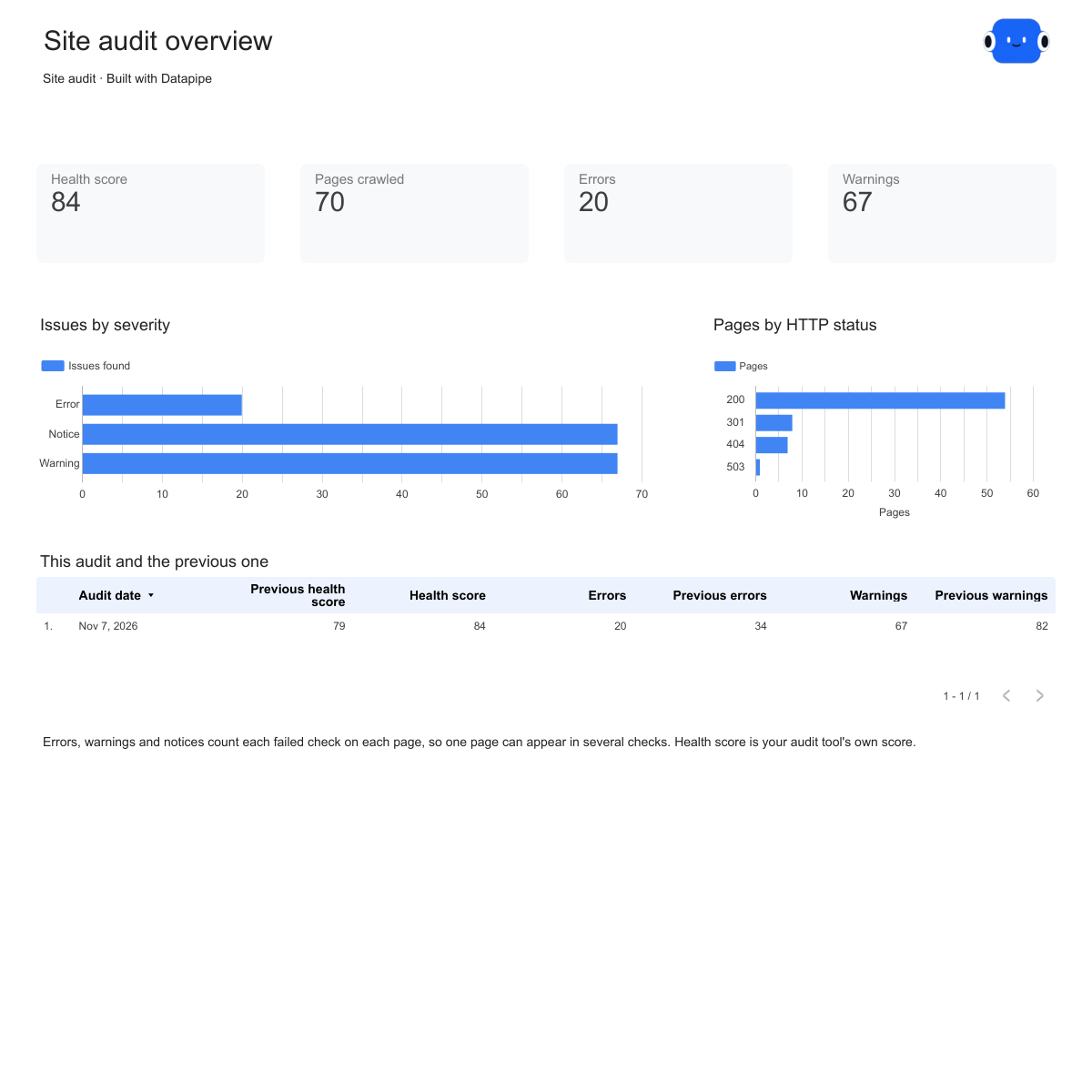
Bing Webmaster Tools start here report page.
Your reporting guide. Open this page ↗

Open interactive report ↗ · Download PDF · CSV

Make this report yours

  1. Preview the report

    Explore the pages, charts and filters.

  2. Save a free copy

    Add your logo and adjust the layout for your team or clients.

  3. Connect your account

    Choose the account you want this dashboard to report on.

Keep your dashboard up to date

Connect Bing Webmaster Tools. Datapipe updates the Google Sheet behind your dashboard on your schedule.

Bing Webmaster ToolsSelected account
DatapipePrepare & refresh
Google SheetsPrivate report data
Data StudioYour dashboard

Setup, pricing and metrics

What does this Bing Webmaster Tools site audit report include?

Three pages: Start here, Crawl and Issues. Crawl shows pages crawled, crawl errors, pages in index and response codes by day. Issues shows each issue Bing flags, the URLs behind it with their status code and inbound links.

How do I use this template with my Bing Webmaster Tools account?

Add Bing Webmaster Tools as a data source in Datapipe and choose a verified site. Then create this dashboard and authorize Google Sheets separately. Datapipe prepares three worksheets (Crawl by day, Issues and Pages) and a copy link that replaces all three report sources. Save your private Data Studio report; scheduled exports update the same workbook.

Which numbers come from Bing Webmaster Tools?

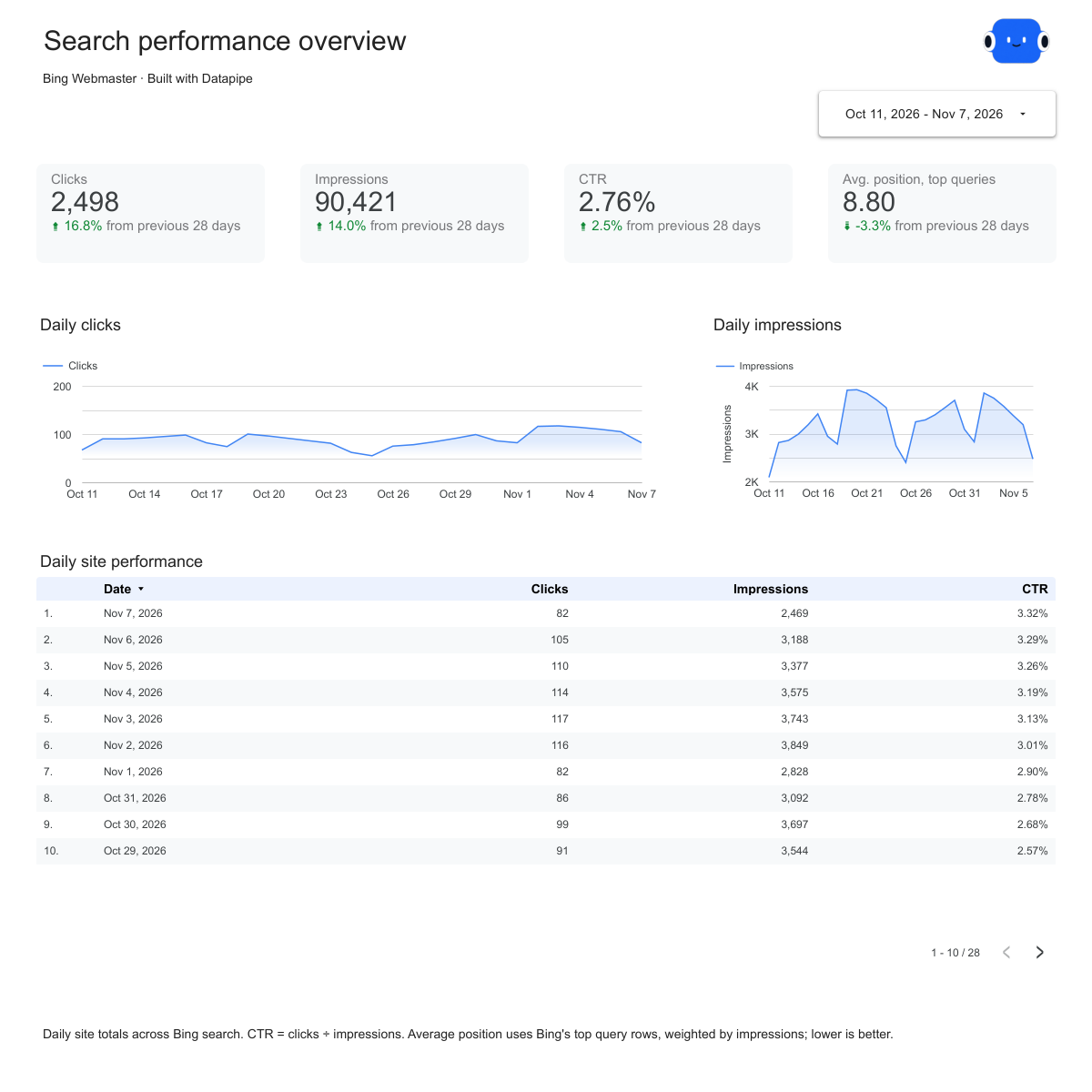
Bing’s crawl statistics by day (pages crawled, crawl errors, pages in index, robots.txt blocks and response codes) and the URLs Bing currently flags, with their status code, issues and inbound links, grouped by issue. Bing does not give a health score, rate issue severity, or report load time, word count or indexability per page, so this version has no overview or page-detail charts and issues show as Not rated.

Why don’t issue totals add up to the number of pages?

Each issue is counted once for every page it affects, and one page can have several. The totals describe how much there is to fix, not how many pages have problems. Pages with issues is shown separately on the Pages page.

Is the health score the same in every audit tool?

No. Each tool scores health its own way, so the dashboard keeps the tool’s own score and names it. Tools that do not score health leave it empty. Compare scores from the same tool over time rather than across tools.

Does Datapipe run the audit?

No. Datapipe reads results your tool already has. Run or schedule audits in the tool itself; each refresh picks up the latest results.

Is the report template free?

The template, editable Data Studio copy, PDF and CSV are free. You need a Google account to save a copy. Datapipe plans apply when you connect and refresh your own data.

Make it your next report.